
Who Am I App
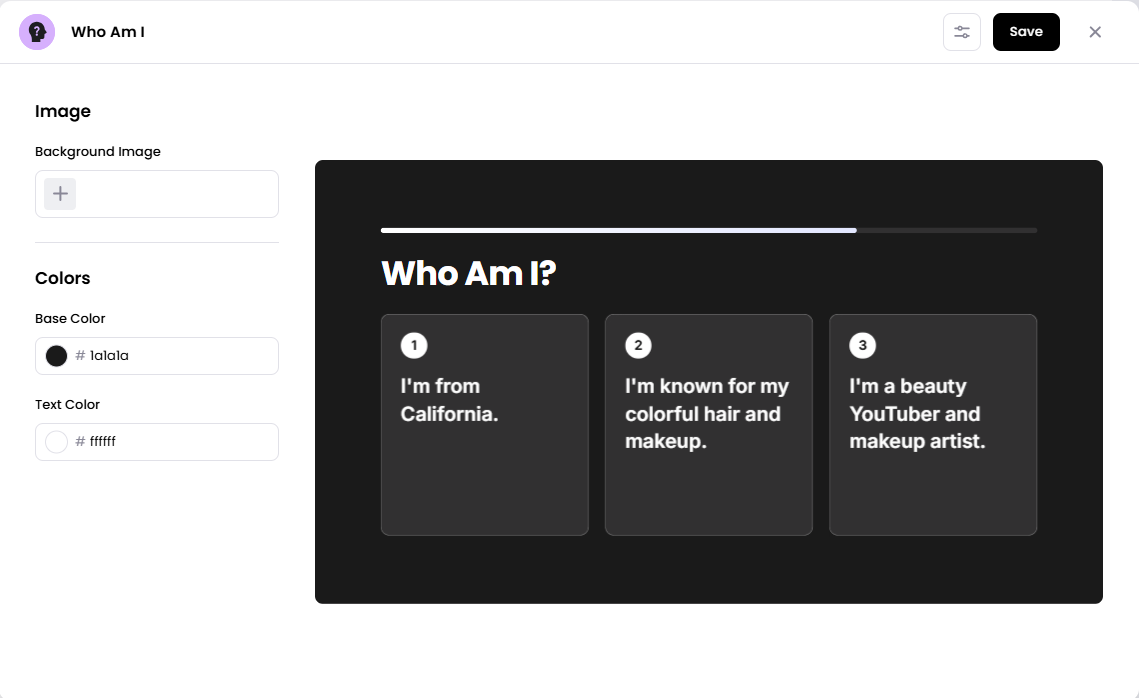
The Who Am I app displays a guessing game with three clues. Viewers use the clues to guess who is being described before the answer is revealed.
When you add and setup an app to a playlist, it appears as a scene.
Add the Who Am I App
Open the playlist where you want to add the app.
In the right panel, drag Who Am I into the playlist.
Open the scene to customize its appearance.
Add a background image, and choose the base and text colors.
Click Save.
Configuration Options
Background Image – Add an image to use as the scene’s background.
Base Color – Choose the base color for the app’s design.
Text Color – Choose the color for the text displayed on screen.
Set the Scene Duration
After saving the app, you can adjust how long the Who Am I scene stays in the playlist.
In the playlist, find the Who Am I scene.
Click the duration value (for example,
00:30) to change how long the scene plays.Set a duration that gives viewers time to read the clues and guess the answer.
Set the scene duration at 15 seconds or longer so viewers have enough time to read and consider all three clues before the answer is revealed.
Notes
Each round presents three clues that lead to an answer.
You can customize the app’s appearance using the background image, base color, and text color settings.
Choose a text color that contrasts with the background so the clues are easy to read.