Set a custom aspect ratio for a screen
For displays that aren't a standard 16:9, 4:3 or 1:1 shape, you can type exact Width and Height values for a screen instead of picking a preset.
Set a custom shape
Go to Screens and open the screen you want to configure.
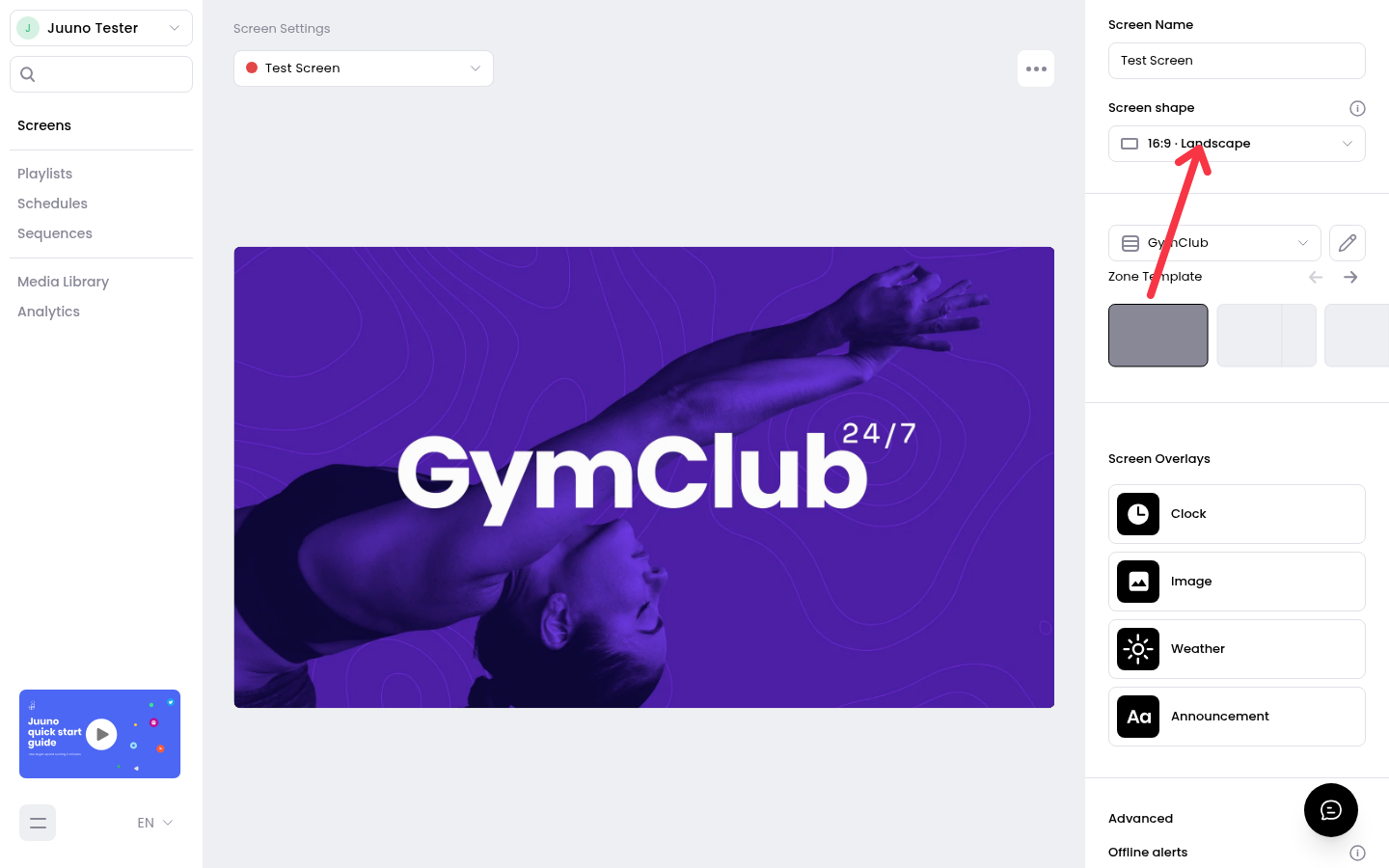
In Screen Settings, click Screen shape.
Type your values into the Width and Height fields in the popover.
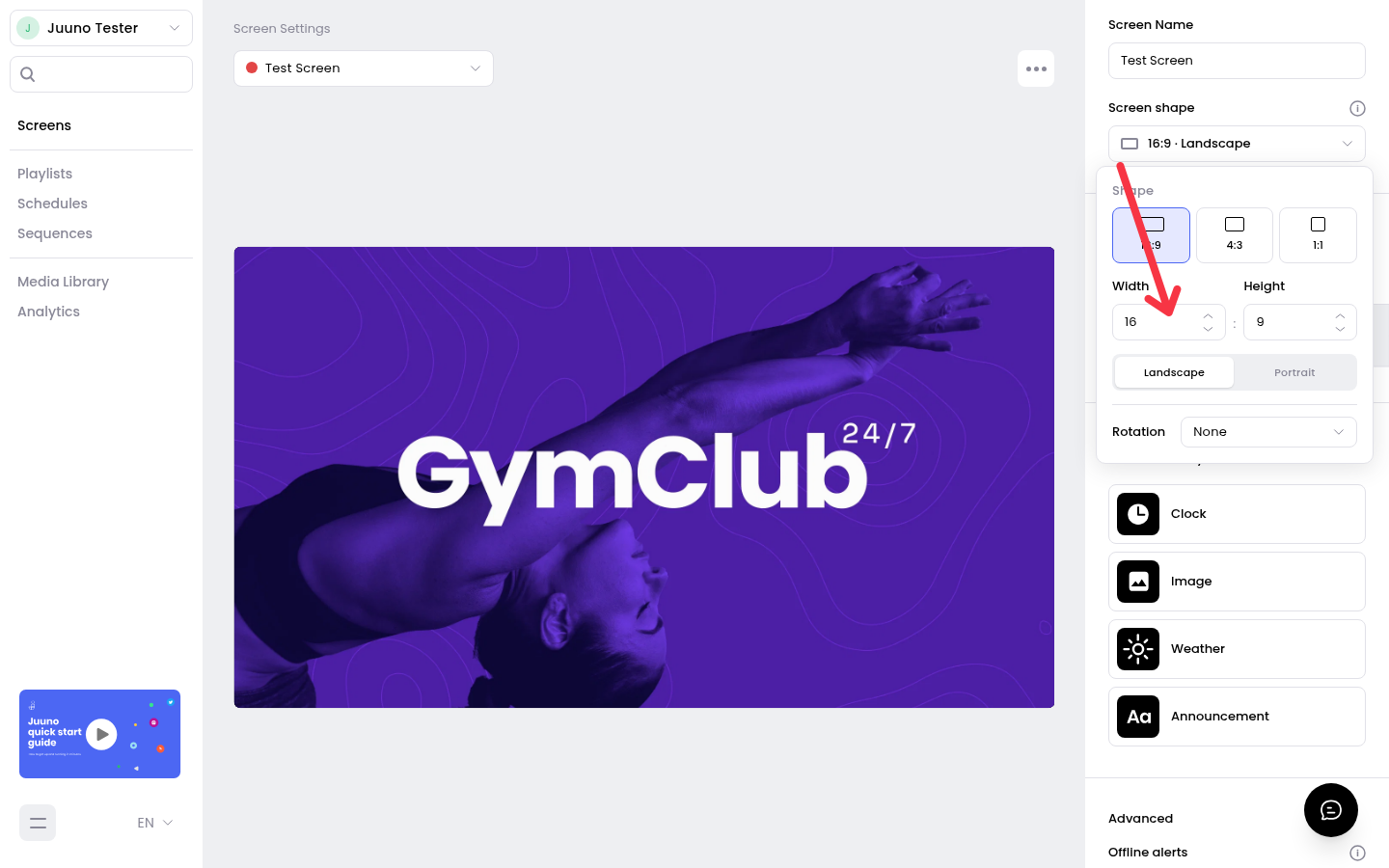
Press Enter, click outside the fields, or close the popover to save the shape.
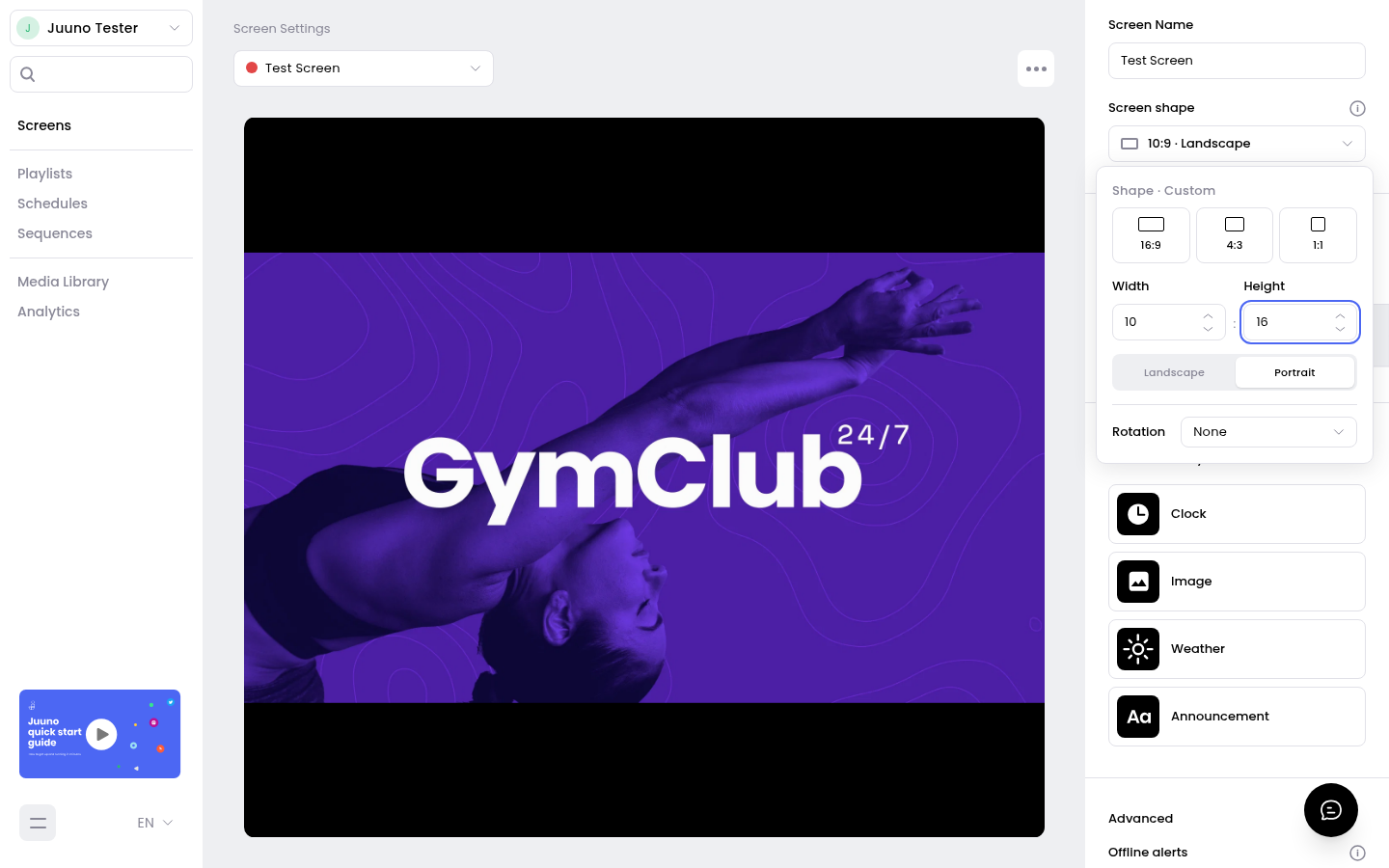
For example, Width 10 and Height 16 sets a 10:16 shape for a tall, narrow display.
Rules for custom shapes
Width and Height accept whole numbers from 1 to 99.
The longer side can be at most 4 times the shorter side.
When your values match no preset, the popover heading reads Shape · Custom.
Invalid values show an inline error and aren't saved. Closing the popover with an invalid draft restores the screen's saved shape.
The same popover holds the Landscape/Portrait and Rotation options for the screen.