Offline alerts
Offline alerts send admins a daily email listing screens that are offline. Juuno considers a screen offline if it hasn’t detected the screen as active or online for 10 minutes.
How to change Offline alerts
Offline alerts are on by default for each screen. You can turn them off for any screen you don’t want included in the emails.
Go to Screens.
Find and click the screen you want to update.
In Screen Settings, scroll to Advanced.
Turn Offline alerts on or off.
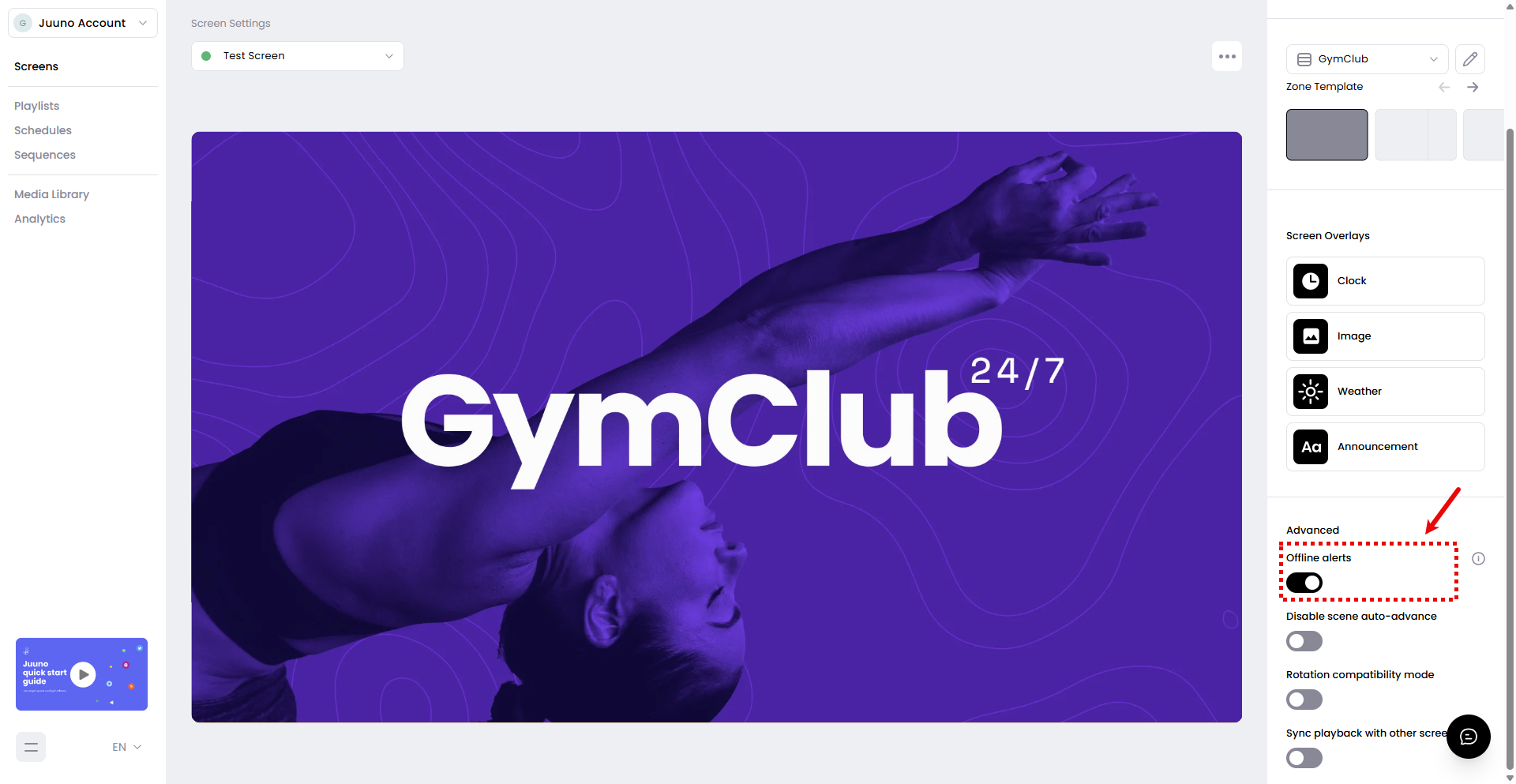
The change saves immediately; there is no separate Save button. Repeat these steps for each screen you want to update.
How long do offline alerts continue?
A screen can trigger alerts for up to seven days. If it stays offline longer than that, Juuno stops including it in the daily emails. Only admins receive these emails.
Related articles
Was this helpful?
Was this helpful?