Most employee communication fails for a simple reason: it relies on employees going looking for information.
They have to check emails. Open apps. Log into intranets. And in reality, most don’t—especially frontline teams who don’t sit at desks all day.
So updates get missed. Schedules get confused. Safety information gets overlooked. Not because the message wasn’t sent, but because it wasn’t seen.
Digital signage flips that model. Instead of pulling employees toward communication, it pushes communication into their environment—right in front of them.
In this guide, we’ll break down why traditional internal communication falls short, how employee digital signage solves it, and exactly how to implement it—from use cases to setup.
What is digital signage for employee communication?
Digital signage for employee communication is the use of centrally managed screens to display real-time updates, announcements, and operational information to employees.
Instead of relying on email or intranets, businesses use screens placed in high-traffic areas to share information employees can’t miss. This includes break rooms, factory floors, offices, and entrances—anywhere people naturally look.
This is what sets employee digital signage apart from customer-facing signage. Customer signage focuses on promotions and sales. Internal signage focuses on clarity, alignment, and keeping teams informed.
At its core, digital signage turns communication from something employees have to check into something they automatically see.
Why traditional employee communication is broken
Most internal communication fails because it never reaches people in a way that sticks.
Inbox overload and ignored messages
Employees are drowning in messages, and most of them go unread.
The average worker spends hours each week just managing email
Important updates get buried under low-priority messages
Slack and Teams create constant noise with channels, pings, and threads
Messages disappear quickly, especially in fast-moving teams
Deskless employees are left out
Most communication tools assume employees sit at desks. That’s not reality for industries like manufacturing, retail, and healthcare, where large portions of the workforce rarely check email or log into systems.
Intranets and apps don’t solve this. If employees have to go out of their way to find information, many simply won’t. That creates a gap where the people who need updates most are the least likely to see them.
Important updates get missed
When communication depends on active checking, critical information slips through the cracks.
Safety alerts don’t reach everyone in time
Shift changes get overlooked
Compliance updates go unread
Employees rely on word-of-mouth instead of official channels
Lack of visibility = low engagement
When employees don’t see what’s happening, they disconnect from it. They miss company goals, wins, and direction, which makes it harder to feel aligned or motivated.
Over time, communication becomes background noise instead of something that drives action.
How digital signage fixes employee communication
Digital signage works because it changes where communication happens. Instead of relying on tools employees have to check, having an office TV display puts information directly in front of them.
Makes communication impossible to miss
Digital signage places screens in high-traffic areas where employees already spend time. Break rooms, entrances, and factory floors become natural communication touchpoints.
Employees don’t have to remember to check anything. The message is simply there, visible and unavoidable.
Delivers real-time updates instantly
Digital signage removes the delays and bottlenecks that come with traditional channels.
Updates go live immediately across all screens
No waiting for employees to open emails or apps
Content can change throughout the day based on shifts or priorities
Teams stay aligned with the latest information at all times
Reaches every employee (including frontline)
Digital signage doesn’t rely on logins, devices, or habits. It works as a passive communication channel that reaches everyone in the same way.
That’s what makes it so effective for frontline teams. Whether someone works at a desk or on the floor, they see the same updates without extra effort.
Improves engagement with visual content
Conference room digital signage can help to hold attention and drive engagement.
Video and motion draw the eye
Dashboards make data easier to understand
Live feeds keep content fresh and relevant
Visual formats improve recall and comprehension
Creates a more transparent workplace
When information is visible, it feels more real. Employees see company goals, performance, and updates as part of their daily environment.
That visibility builds trust over time. It also helps employees feel connected to what’s happening beyond their immediate role.
Key benefits of employee digital signage
Digital signage doesn’t just improve communication—it fixes the gaps that cost companies time, money, and alignment. When employees actually see the right information at the right time, everything else gets easier.
Increased message visibility: Screens place communication where employees already are, which means updates don’t get buried or ignored. Instead of hoping someone checks an email, you know they’ve seen it.
Better alignment across teams: Only 9% of employees say they feel fully aligned with company goals, even though 27% of leaders think they are. Digital signage closes that gap by making priorities and updates visible every day.
Improved safety compliance: Safety alerts, protocols, and reminders stay front and center. Employees don’t have to search for critical information when it matters most.
Reduced communication costs (no printing): Ineffective communication costs employees 35+ working days per year and over $10,000 in lost productivity. Clear, visible messaging reduces confusion, repeat questions, and wasted time.
Stronger company culture: When employees regularly see recognition, updates, and company wins, they feel more connected. Visibility builds trust and reinforces a shared sense of purpose.
The result is simple: when communication becomes visible, teams stay informed, aligned, and far more effective.
15+ powerful employee communication use cases for digital signage
Digital signage works best when it delivers practical, everyday value. These use cases show how it fits naturally into daily operations and improves communication without adding extra work.
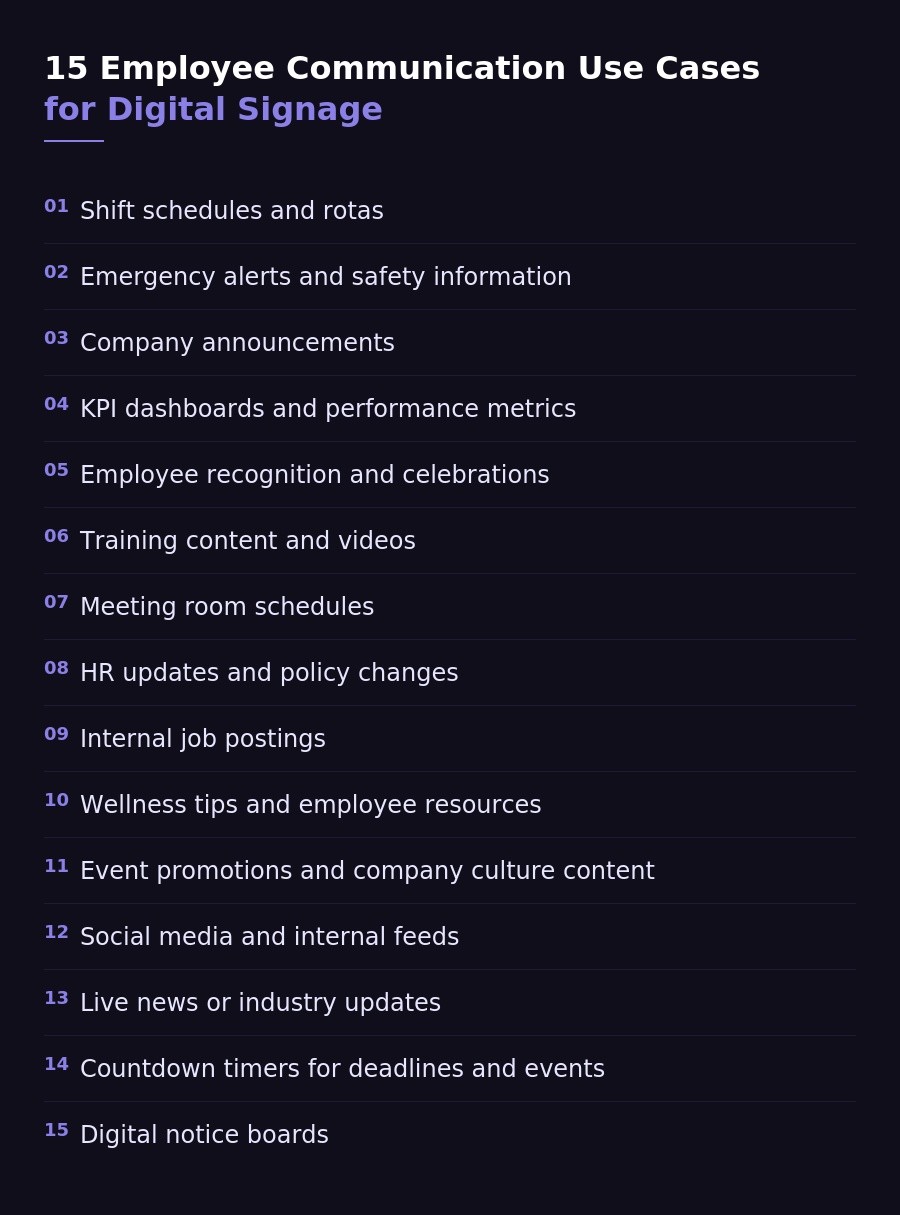
1. Shift schedules and rotas
Shift schedules become clear when they’re always visible. Employees don’t need to check apps or ask coworkers for updates.
That reduces confusion and cuts down on missed shifts. When schedules live on screens, everyone stays on the same page without extra effort.
2. Emergency alerts and safety information
Safety information needs to be immediate and impossible to miss. Digital signage ensures alerts reach everyone in real time.
Evacuation instructions
Hazard warnings
Safety protocols
When seconds matter, visible communication makes all the difference.
3. Company announcements
Company updates feel more real when employees see them regularly. Leadership messages, news, and updates stay front and center.
This keeps teams aligned without relying on email. It also helps employees feel more connected to what’s happening across the business.
4. KPI dashboards and performance metrics
Dashboards turn abstract goals into something employees can actually see. Metrics update in real time and stay visible throughout the day.
Sales performance
Productivity metrics
Team goals
When performance is visible, accountability and focus improve naturally.
5. Employee recognition and celebrations
Recognition becomes part of the daily environment. Employees see birthdays, milestones, and achievements throughout the workplace.
That visibility boosts morale and reinforces a culture of appreciation. Small moments feel bigger when everyone sees them.
6. Training content and videos
Training doesn’t have to happen in long sessions. Screens can deliver short, consistent learning moments throughout the day.
This keeps information fresh and easy to absorb. Employees learn continuously without disrupting their workflow.
7. Meeting room schedules
Meeting room confusion disappears when schedules are clearly displayed. Employees can see availability at a glance.
Room bookings
Upcoming meetings
Current usage
Clear visibility prevents overlaps and keeps meetings running smoothly.
8. HR updates and policy changes
Policy updates often get ignored in long documents. Digital signage keeps key information visible and easy to digest.
Compliance reminders
Policy changes
HR announcements
Employees stay informed without having to search for updates.
9. Internal job postings
Open roles become more visible across the organization. Employees can quickly see opportunities without checking separate systems.
This encourages internal mobility and growth. It also helps companies fill roles faster with existing talent.
10. Wellness tips and employee resources
Wellness content works best when it shows up consistently. Screens can highlight tips that support both physical and mental health.
Mental health resources
Ergonomic reminders
Wellness tips
These small prompts help build healthier habits over time.
11. Event promotions and company culture content
Events get more attention when employees see them regularly. Screens help promote activities and reinforce company culture.
Upcoming events
Team activities
Culture highlights
This builds engagement and encourages participation across teams.
12. Social media and internal feeds
Social content brings energy into the workplace. Employees can see company updates, wins, and external recognition in real time.
This creates a stronger connection between teams and the brand. It also makes communication feel more dynamic.
13. Live news or industry updates
Industry updates keep employees informed about what’s happening outside the company. Screens can display relevant news throughout the day.
This builds awareness and context. Employees stay connected to the bigger picture, not just their immediate tasks.
14. Countdown timers (deadlines, events)
Countdowns create a sense of urgency. Employees can clearly see how much time remains for key deadlines or events.
This helps teams stay focused and aligned. Deadlines feel more real when they’re visible.
15. Digital notice boards
Digital notice boards replace outdated bulletin boards with dynamic content. Updates stay fresh and easy to manage.
Announcements
Reminders
General updates
Everything stays current, organized, and visible without manual effort.
Where to place digital signage for maximum impact
Placement matters more than content. If employees don’t naturally pass by a screen, they won’t see the message—no matter how well it’s designed.
The goal is simple: put screens where attention already exists. Focus on areas where employees pause, wait, or transition between tasks.
Break rooms
Entrances & exits
Factory floors
Elevators
Reception areas
Near time clocks
When signage lives in the flow of the workday, communication becomes effortless and consistent.
What makes great digital signage content
Great digital signage content works because it respects attention. Employees glance at screens, not study them, so your content needs to land fast and stick.
Keep it short and visual
People should understand your message in seconds. If it takes longer, it won’t work.
Aim for the 5–10 second readability rule. Use large text, simple layouts, and strong visuals so employees can absorb the message at a glance.
Use motion and video
Static content gets ignored over time. Motion pulls attention back to the screen.
Short videos, subtle animations, and live elements help content feel active. Even small movement can make a big difference in visibility.
Update content frequently
Nothing kills engagement faster than stale screens. If the content never changes, employees stop noticing it.
Keep content fresh by rotating updates regularly. Even small changes signal that the information is relevant and worth paying attention to.
Segment content by location
Not every message is for everyone. Tailor content based on where the screen lives.
Factory floors, offices, and break rooms all have different needs. Role-based messaging makes content more relevant and more effective.
Use automation and scheduling
Manual updates don’t scale. Automation keeps content timely without extra work.
Use scheduling to match content to the moment—shift changes, lunch hours, or key events. The right message at the right time makes everything more effective.
Digital signage software: what to look for
The right software makes or breaks your digital signage strategy. You want something simple enough to use daily, but powerful enough to scale as you grow.
Easy content management
Managing content shouldn’t feel like a technical task. A central dashboard lets you control everything from one place.
You should be able to create, edit, and publish content in minutes. If it’s complicated, it won’t get used consistently.
Scheduling and playlists
Good signage runs on autopilot. Scheduling and playlists let you plan content in advance and keep screens fresh.
Rotate content throughout the day
Match messaging to shifts or time blocks
Set start and end dates for campaigns
Automation keeps everything running without constant updates.
Integration with existing tools
Your signage should connect with the tools you already use. That keeps content dynamic and reduces manual work.
Google Slides and presentations
Business dashboards and KPIs
Social media feeds
When integrations work well, your screens stay relevant without extra effort.
Works on existing hardware
You shouldn’t need expensive or specialized equipment to get started. The best solutions work with what you already have.
Smart TVs, web browsers, and simple devices are often enough. This keeps costs low and setup fast.
Scalability across locations
As you grow, your signage needs to scale with you. Managing multiple locations should feel just as easy as managing one.
You should be able to control screens by location, group, or department. That flexibility keeps communication consistent while still allowing for local customization.
How to set up digital signage for employee communication (step-by-step)
Setting up digital signage doesn’t need to be complicated. With the right approach, you can go from zero to fully live screens in a matter of hours.
Step 1: Choose your digital signage software
Start with the software, because everything else depends on it. Your choice will impact how you create content, manage screens, and scale later.
You’ll typically choose between cloud-based and hardware-based solutions. Cloud-based platforms are simpler and more flexible, while hardware-heavy setups add cost and complexity.
Juuno lets you run employee digital signage on any screen with a browser—no extra hardware required. That makes it easy to get started without technical overhead.
Step 2: Create your content
Once you have your software, focus on content. Keep it simple, visual, and easy to update.
Use tools like Canva for quick designs, connect dashboards for real-time data, and create announcement slides for updates. The goal is to build a mix of content that stays fresh and useful.
Step 3: Install screens in key locations
Placement is where strategy meets execution. Choose locations where employees naturally pass by or spend time.
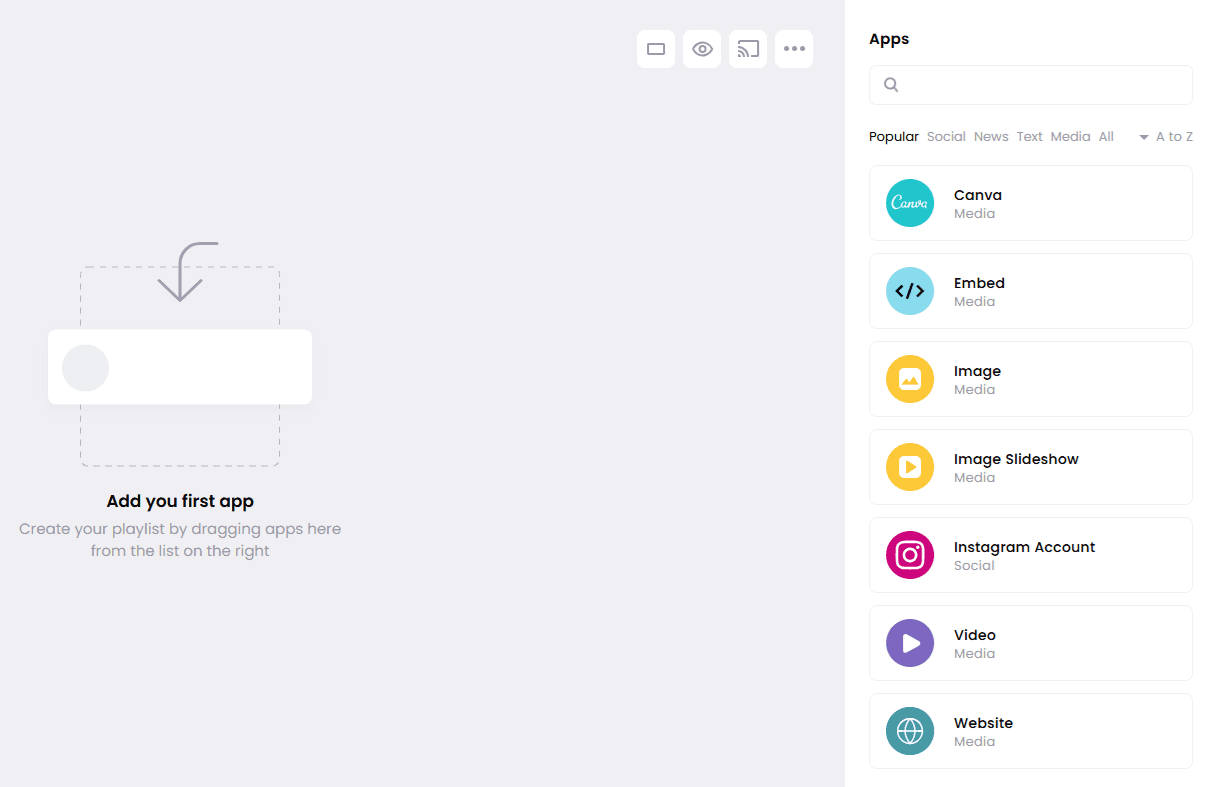
Think break rooms, entrances, and work areas. If people already look there, your content will get seen without effort.
Step 4: Schedule content and playlists
Now bring everything together with scheduling. Instead of manually updating screens, automate what shows and when.
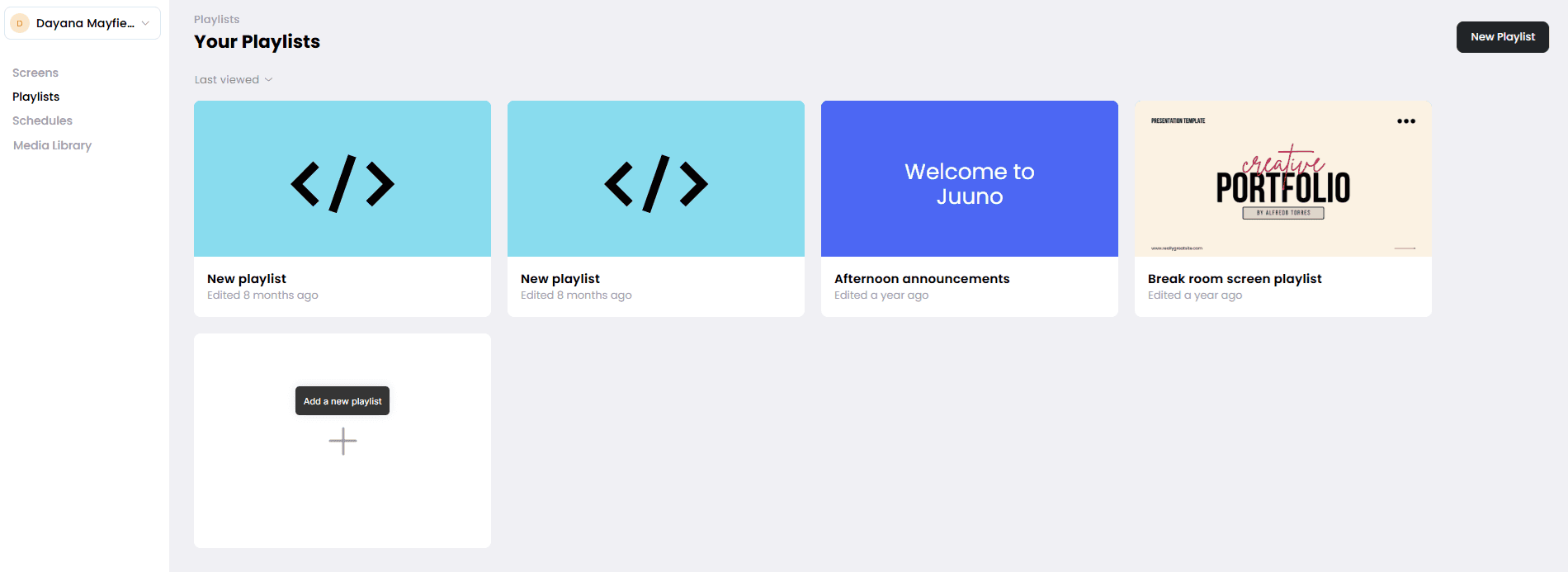
With tools like Juuno, you can create playlists (like Spotify) and schedule different content for shifts, departments, or times of day.
This keeps your screens relevant without constant management.
Step 5: Monitor and improve performance
Once your screens are live, don’t set and forget. Pay attention to what works and what doesn’t.
Gather feedback from employees and adjust your content over time. Small improvements compound quickly and make your signage far more effective.
Common mistakes to avoid
Digital signage is simple in theory, but easy to get wrong in practice. Most issues don’t come from the technology—they come from how it’s used.
If you avoid a few common mistakes early on, your screens will stay effective, relevant, and actually worth paying attention to.
Treating signage like a static bulletin board
Too much text
Not updating content
Poor screen placement
No ownership or strategy
Avoid these, and your digital signage becomes a communication asset instead of just another screen on the wall.
How to measure success (ROI of digital signage)
You don’t need complex analytics to know if your digital signage is working—you just need to track the right signals.
Employee awareness surveys: Ask employees if they’ve seen and understood key updates. If awareness increases, your signage is doing its job.
Reduced missed communications: Fewer missed shifts, fewer repeated questions, and fewer compliance issues all point to better visibility.
Engagement metrics: Look for signs employees are paying attention—comments, participation in events, or improved response to announcements.
Operational efficiency improvements: When communication improves, teams spend less time clarifying and more time executing.
If communication becomes clearer, faster, and more visible, your ROI will show up in how your team works every day.
The future of employee communication is visual
Employee communication is moving toward faster, more dynamic formats. AI-generated content will make it easier to create and update messages at scale, while real-time dashboards will keep teams aligned with live data. Screens will also become more personalized, showing relevant content based on location, role, or time of day.
At the same time, digital signage will play a bigger role in hybrid workplaces by bridging the gap between physical and digital communication. Modern platforms like Juuno are making it easier than ever to turn any screen into a dynamic employee communication hub with real-time content, integrations, and automation.
Frequently asked questions
What is digital signage for employee communication?
Digital signage for employee communication uses centrally managed screens to display updates, announcements, and operational information. It places messages in physical spaces so employees see them without checking email, apps, or intranets.
How does digital signage improve internal communication?
Digital signage improves communication by making messages visible and easy to absorb. Employees see updates in real time, which increases awareness, reduces missed information, and boosts engagement without adding more tools or noise.
Is digital signage effective for deskless workers?
Yes, it’s especially effective for deskless workers. Since it doesn’t rely on logins or devices, it reaches employees on the floor, in transit, or in shared spaces where traditional communication channels fail.
What content should you display on employee digital signage?
Focus on content employees need daily, like schedules, safety alerts, company announcements, and KPIs. Mix in recognition and culture content to keep screens engaging and relevant, not just informational.
How much does employee digital signage cost?
Most digital signage software costs around $20–$25 per screen per month. Costs stay low if you use existing hardware like smart TVs, instead of investing in specialized media players or complex setups.
Do you need special hardware for digital signage?
No, not always. Many modern platforms run directly in a web browser on a smart TV or existing device, which means you can get started without buying additional hardware.
How do you manage content across multiple locations?
You manage everything through a centralized content management system. This lets you control screens across locations, schedule content remotely, and customize messaging for different teams, departments, or sites from one dashboard.
Create reliable, multi-location signage with Juuno and manage everything in one place. Learn more about Juuno and try it free.


Dayana Mayfield is a SaaS content strategist and copywriter with 11 years of experience and 196 clients served across the software industry. She's been featured in Forbes, Business Insider, and Entrepreneur, and specializes in turning brand authority into B2B content through real expert interviews and proprietary research. She covers digital signage software and digital menu boards for Juuno. When not writing marketing content, Dayana can be found plotting a SciFi novel or chauffeuring her theater kids to rehearsals.
