The best SnapComms alternatives for digital signage are Juuno, QuickESign, Play Digital Signage, and Xibo. All four publish their per-screen prices, so you can compare costs without booking a sales call. SnapComms bundles alerts, screensavers, surveys, and digital signage into one employee communications suite, and its prices are only available through a custom quote.
If you use SnapComms today, you might mainly use it for the lobby TV and the break room screen. When your contract comes up for renewal, you could be paying for alert and survey features your team doesn't use much. A dedicated digital signage tool can run those screens for a few dollars per screen each month.
This guide compares 10 SnapComms alternatives, shows their prices in one table, and explains how to choose the right option.
SnapComms alternatives at a glance
Here's how the 10 tools in this guide compare with SnapComms on price and fit.
Tool | Best for | Starting price | Pricing model | Free trial or plan |
|---|---|---|---|---|
SnapComms | Sending alerts and messages to employees across many channels | Custom quote | Inform and Engage packages, priced by employee count | 30-day free trial |
Juuno | Office, lobby, and break room screens for small teams | $5 per screen per month | Per screen (Business $5, Growth $9) | 7-day free trial, no card needed |
QuickESign | Low-cost screens on Roku, Fire TV, or Apple TV | $6 per screen per month | Per screen, four plans up to $20 | Free trial, no card needed |
Mvix | Buyers who prefer a one-time hardware purchase | $450 per player, one time | One-time player plus software license (monthly option available) | Not listed |
Play Digital Signage | Teams that want wide device support | $8 per screen per month | Per screen (Essential $8, Pro $12, Ultimate $16) | First screen free after leaving a review |
Spectrio | Multi-location brands that want signage, music, and on-hold messaging from one vendor | Custom quote (third-party listings show from $99 per month) | Quote, usually on a multi-year term | Demo on request |
SmartSign2Go | Buyers who want a player shipped ready to plug in | $19 per screen per month, plus a player from $149 | Per screen (Essentials $19, Advantage $24, Enterprise $36) | Free trial |
Zeetaminds | Large screen networks and digital out-of-home (DOOH) advertising | $9 per display per month | Per display, volume discounts | Free trial for up to 30 days |
Xibo | Teams that want open source or self-hosting | $4.90 per display per month (£3.50 in the UK) | Per display (cloud) or self-hosted | 14-day free trial, no card needed |
Omnivex | Enterprise displays that show live business data | Custom quote | Quote | Not listed |
Scala | Companies already running a large Scala network | Quote from a Scala partner | Sold only through certified partners | Not listed |
Confirm current pricing on each vendor's site before you buy.
Why opt for a SnapComms alternative?
You should opt for a SnapComms alternative if you mostly use SnapComms to put content on your office TVs. SnapComms, now an Everbridge company, sells two packages called Inform and Engage. They include desktop alerts, tickers, screensavers, and other channels. SnapComms says both packages are volume-priced based on the number of employees, starting from 100 employees.
That pricing fits companies with many frontline or remote staff who need urgent messages on their desktops and phones. If you mainly want announcements, KPIs, and birthday messages on your office TVs, you may be paying for alert channels you rarely use. Dedicated office TV display software runs those screens for a flat price per screen. SnapComms does offer a free 30-day trial, but you still need to talk to sales to get a price.
I talk to a lot of teams during their Juuno trial who are moving off SnapComms. When I ask what they actually used it for, the answer is usually the screens around the office, and they don't want to keep paying per employee for that.
One office manager I spoke with, at a mid-sized professional services firm, was paying for a full employee communications suite. Their team rarely used the alert and survey features, and two office TVs showed most of the company's announcements. They moved those two screens to a per-screen signage tool and kept email and Microsoft Teams for urgent messages. Their screen costs became a set amount per screen each month, which made budgeting simple.

What should you look for in a SnapComms alternative?
Check these four things before you choose a SnapComms alternative.
Business compatibility: Start with what you want your screens to do, because that goal decides which tool fits. If you want screens that keep customers entertained and informed, a tool built for employee communication is the wrong purchase. Choose a SnapComms alternative that matches your goal.
Hardware compatibility: Before you buy, check which players the tool supports. The most reliable setups use an affordable media player, such as the Amazon Signage Stick, Fire TV, an Android device, Chromecast, or Raspberry Pi. Smart TV browsers can also work, but they are less stable when content plays all day.
Price transparency: You should be able to see the price before you talk to a salesperson. Juuno, for example, costs $5 per screen per month on its Business plan. With quote-only pricing based on employee count, you won't know the cost until you get a proposal.
User-friendliness: The tool should be easy for anyone on your team to use. Easy content creation is one of SnapComms' strengths, so your alternative should make signage just as simple to build. It should also let you manage every screen from one dashboard, whichever player each screen uses.
Most of the setup problems I see in support come from the player rather than the software. If a tool supports the devices your IT team already buys, you can usually get screens running without starting a new purchasing process.
Which SnapComms alternatives are worth considering?
Here are the top SnapComms alternatives to consider for digital signage.
1. Juuno

Juuno is an alternative to SnapComms built for digital signage. It's affordable, flexible, and easy to use. You can create content in Canva or show content from social media and other websites.
Juuno's digital signage software runs on affordable media players such as the Amazon Signage Stick, Fire TV, Android devices, Chromecast, and Raspberry Pi. You can also run it in a smart TV's web browser, though a dedicated player gives you steadier playback. You manage all of your screens from one dashboard, whether they're in one office or several.
Juuno's playlist tool lets you decide what each screen shows and when. For example, a restaurant can switch its menu from lunch to dinner, and a company can show different products in different offices.
For teams that mainly used SnapComms for screens, the biggest difference is the pricing model. Juuno charges per screen, not per employee, and every plan includes unlimited users. Workspaces let each department or office manage its own screens. Per-screen pricing keeps small setups cheap, and most Juuno accounts are small. More than 5,000 businesses use Juuno, and 77% of them run a single screen, according to our 2026 digital signage statistics study.
Pricing:
Juuno's Business plan costs $5 per screen per month. The Growth plan costs $9 per screen per month and adds proof-of-play reporting, sequences, and a secure dashboards app. Enterprise pricing is custom. You can compare every plan on the Juuno pricing page. There's a 7-day free trial, and you don't need a credit card.
2. QuickESign

QuickESign lets you display videos, images, Canva designs, social media feeds, weather, slideshows, and more. To use it, you'll need a Roku, Fire TV, Google TV, or Apple TV device, or a smart TV that runs one of those platforms. It includes templates to help you get started, and it works for any kind of digital signage.
Pricing:
QuickESign has four plans, from $6 to $20 per screen per month. The cheaper plans leave out many important features, so check what each plan includes.
3. Mvix

Mvix is best known for selling digital signage as a one-time purchase per screen, and its packages cost far more up front than most subscription tools. There are three packages, and each one includes a cloud software license and a player that turns your screen into a digital sign. The cheapest package only lets you edit and show basic images and videos. Canva, social media feeds, news, and other content require one of the pricier packages. Mvix also offers annual subscription upgrades, but you have to buy the one-time base package first.
Pricing:
Mvix sells each player with lifetime cloud software for a one-time price: $450 for Core, $550 for Standard, and $750 for Pro. If you'd rather not pay up front, Mvix also offers a monthly subscription per player.
4. Play Digital Signage
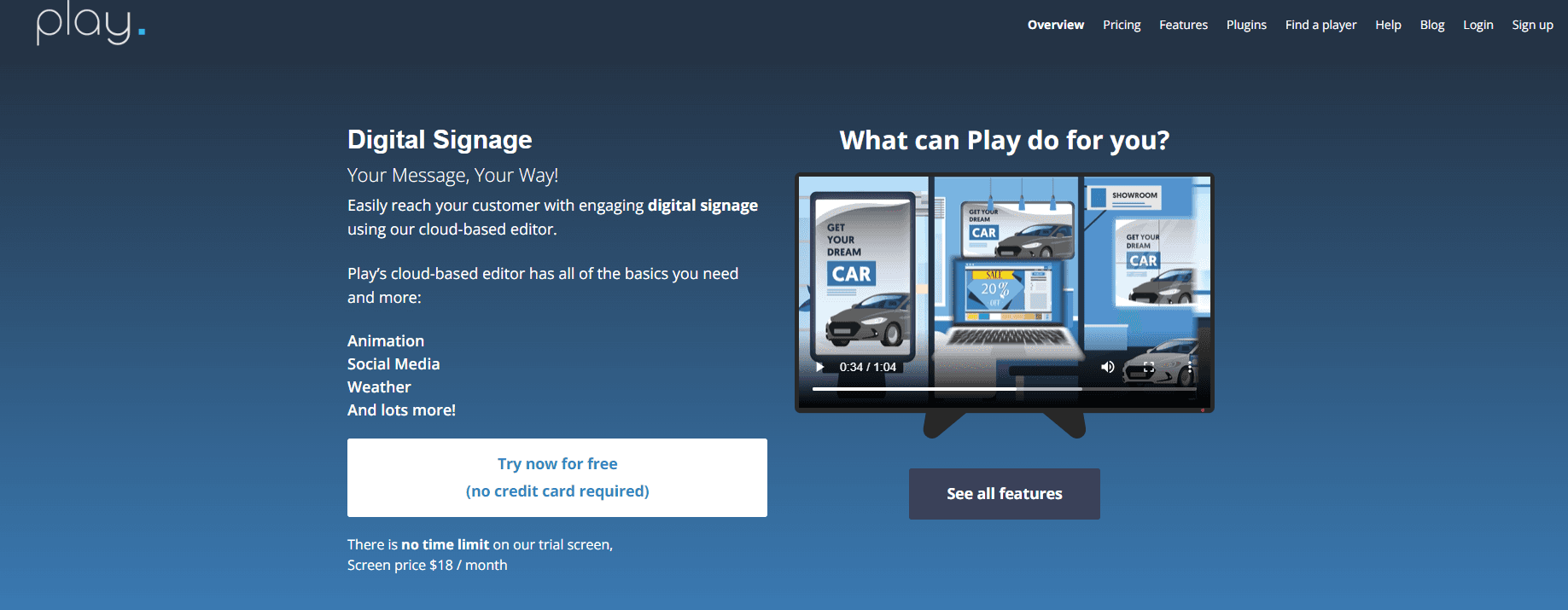
Play's digital signage app works with many platforms, including Chromecast, Android, Windows, LG, Samsung, Amazon, and Apple TV. For other screens, Play offers a plug-and-play device.
In the Play Digital Signage editor, you can build your own content or pull it in from social media, news feeds, and other sources. The Play dashboard also lets you monitor connected screens, see real-time user data, and queue content.
Pricing:
Play charges $8 per screen per month for Essential, $12 for Pro, and $16 for Ultimate, and the price per screen drops as you add more. Your first screen is free if you leave a review on an approved site within 30 days of signing up.
5. Spectrio

Spectrio offers digital signage, interactive kiosks, overhead music, and other customer engagement and marketing services. It has three digital signage plans: DS Essential, DS Professional, and DS Enterprise. Spectrio is worth a look if you want one vendor to manage several of these services for you.
Enplug is now part of Spectrio. If you're replacing Enplug, our list of Spectrio competitors covers more options.
Pricing:
Spectrio's website doesn't list prices, so you'll need a quote from its sales team. Third-party listings show Spectrio digital signage starting at $99 per month on a 36-month term, with activation and hardware billed separately.
6. SmartSign2Go

SmartSign2Go might suit you if your screens don't have an internet connection. It ships hardware that works out of the box, so you just plug it into your TV to get started. You'll need a separate player for each screen.
Pricing:
SmartSign2Go plans start at $19 per screen per month for Essentials and $24 for Advantage, which adds scheduling and video. Enterprise is listed at $36. You'll also need a player, and the Lite player costs $149.
7. Zeetaminds

Zeetaminds lets you manage multiple screens and program each one differently. It also includes proof-of-play reports that show how each display is performing.
Pricing:
Zeetaminds pricing starts at $9 per display per month, with discounts as you add more displays. You can try it free for up to 30 days.
8. Xibo

Xibo is an open-source digital signage tool with a cloud option. It has two parts. The content management system (CMS) is where you create, upload, and schedule content, and the app shows that content on your screens. The app runs on Android, Windows, Linux, and other operating systems.
Pricing:
Xibo Cloud starts at $4.90 per display per month (£3.50 in the UK) on the Professional plan, with Business at $7.70 and Enterprise at $12.60. There's a free 14-day trial. You can also host the open-source CMS on your own server for free, though Xibo's Android, Tizen, and webOS players need a paid license.
9. Omnivex

Omnivex is a flexible platform. You can use it to motivate staff, inform customers, or show maps, warnings, instructions, and announcements inside your buildings. The downside is a steep learning curve, so expect it to take time before you get full value from it.
Pricing:
Omnivex Ink and Omnivex Moxie both require a custom quote.
10. Scala

Scala lets you manage your digital signage from the cloud. Its software includes a content manager, a design studio, and a media player.
Scala has a new owner. The Swedish software company Vertiseit bought Scala from Stratacache for about SEK 265 million (about $28 million). The deal was announced on May 20, 2026, and closed on June 1, 2026.
In September 2026, Vertiseit merged its Dise platform into Scala under the Scala name. Scala is now sold only through certified Scala partners. Vertiseit has also said it plans to move Scala toward a cloud subscription product (SaaS) that runs on any device.
Pricing:
Scala doesn't publish its pricing online. A certified Scala partner will give you a quote.
Which SnapComms alternative should you choose?
Choose based on what you use SnapComms for. If you rely on desktop alerts and lock-screen messages, stay with SnapComms or switch to a dedicated alerting tool. If you mainly need office screens, choose a tool with clear per-screen pricing that supports the hardware you already own.
If digital signage is all you need, check out Juuno, a simple and affordable option.
SnapComms alternatives FAQs
How much does SnapComms cost?
SnapComms pricing isn't published, so you'll need a custom quote from the sales team. The price depends on which package you choose (Inform or Engage) and how many employees you want to reach. A free 30-day trial is available before you commit.
Who are SnapComms' main competitors?
SnapComms competitors fall into two groups. Employee communication suites such as Staffbase, Microsoft Viva, and Connecteam compete with its alerts, news feeds, and employee app. Digital signage tools such as Juuno, QuickESign, Play Digital Signage, and Xibo compete with its digital signage feature.
Can digital signage software replace SnapComms alerts?
No, digital signage software can't fully replace SnapComms alerts. A signage tool only controls what plays on the screens in your building. For desktop pop-ups, lock-screen messages, or confirmation that each employee read a message, you need a dedicated alerting tool. You can keep that tool for urgent messages and use signage for everyday updates.
Is SnapComms part of Everbridge?
Yes. SnapComms is owned by Everbridge, which makes software for managing emergencies and other critical events. The product still sells under the SnapComms name, and its 2026 software listings describe it as an Everbridge company.


Matt leads Juuno's frontend — including the browser-based architecture that lets any smart TV become a digital sign without a media player. Full-stack developer with 10+ years building websites, mobile apps, and games. Obsessive about animation, typography, and interaction states — the details you notice only when they're missing. In his words: "Technology has my head, but design and movement have my heart." Also writes for the Juuno blog. Based in Brisbane.
