A simpler, more affordable alternative to OptiSigns

Organizations that trust Juuno










Built for simplicity
Get started in minutes
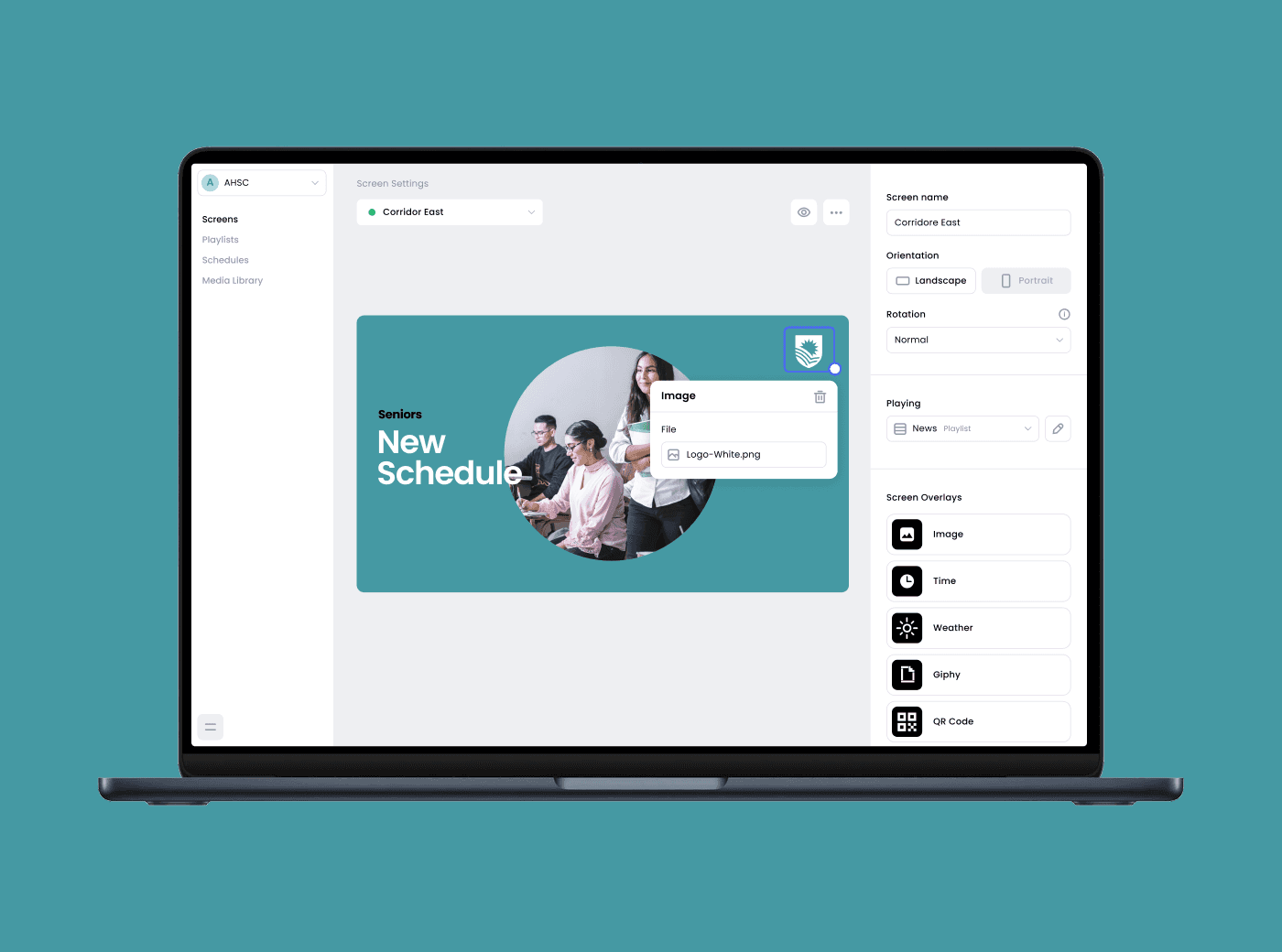
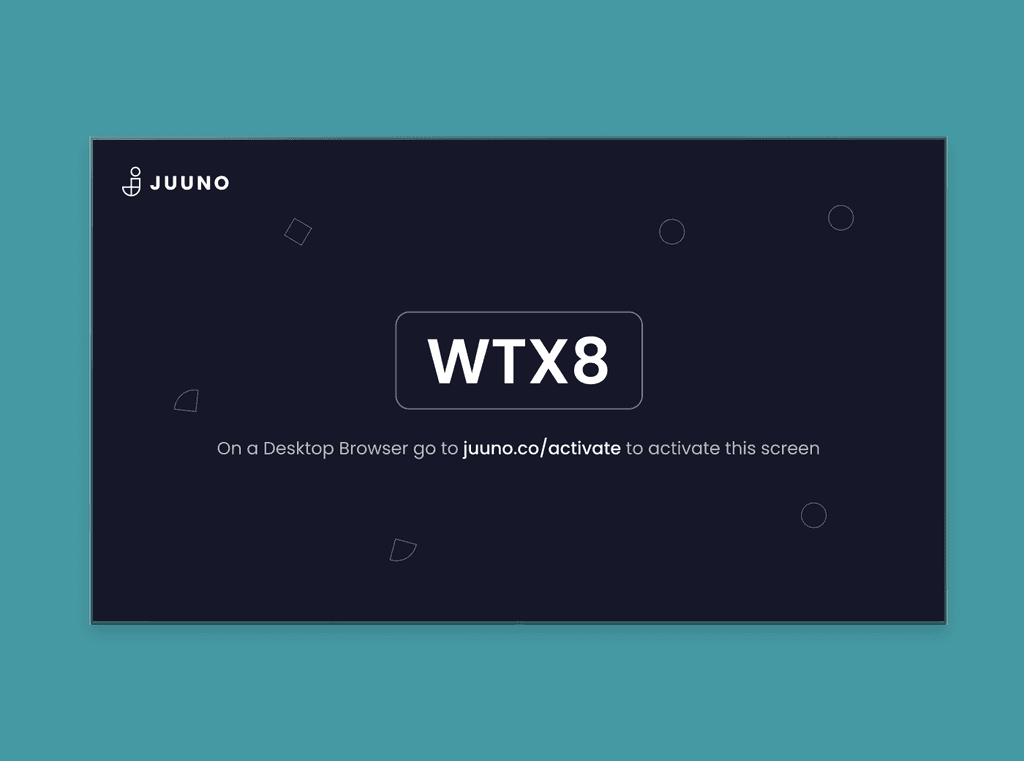
Juuno was made for non-technical users. While OptiSigns piles on enterprise features, Juuno keeps things clean and intuitive. Just sign up, connect your screen, and go live. Perfect for schools, small businesses, and teams that want signage, not a full-time IT project.
Use your favorite hardware
Juuno works with smart TVs, Chromecast, Firestick, Raspberry Pi, and more. Whether you're using existing equipment or choosing a new plug-and-play option from us, setup takes minutes. There’s no expensive proprietary hardware or complicated provisioning, just easy, adaptable signage that fits your space.
Organize multiple screens with workspaces
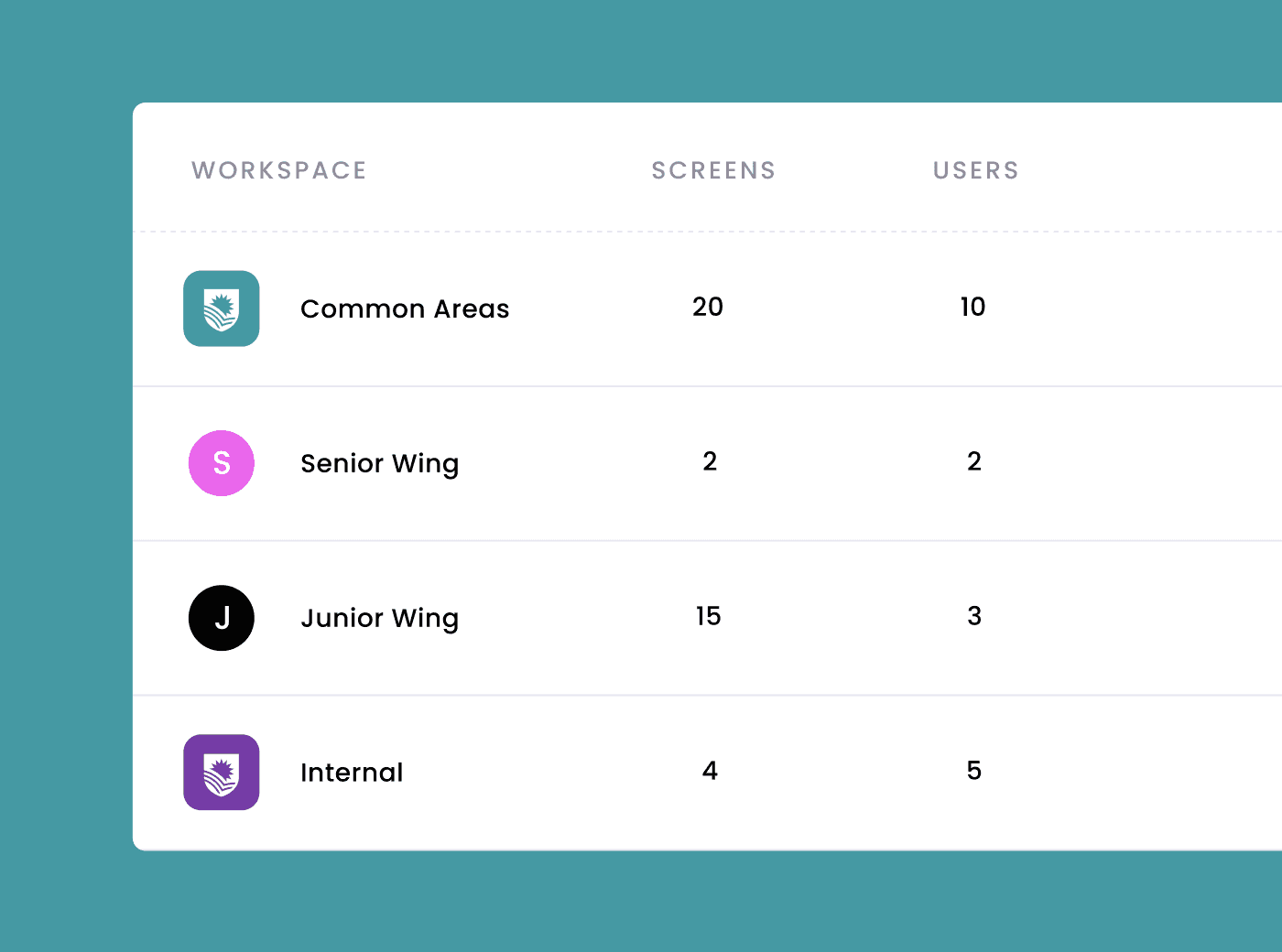
Whether you manage a single location or dozens, Juuno keeps content organized and teams in sync. Use workspaces to group screens by site, assign permissions, and manage content without the chaos. It’s signage that scales.
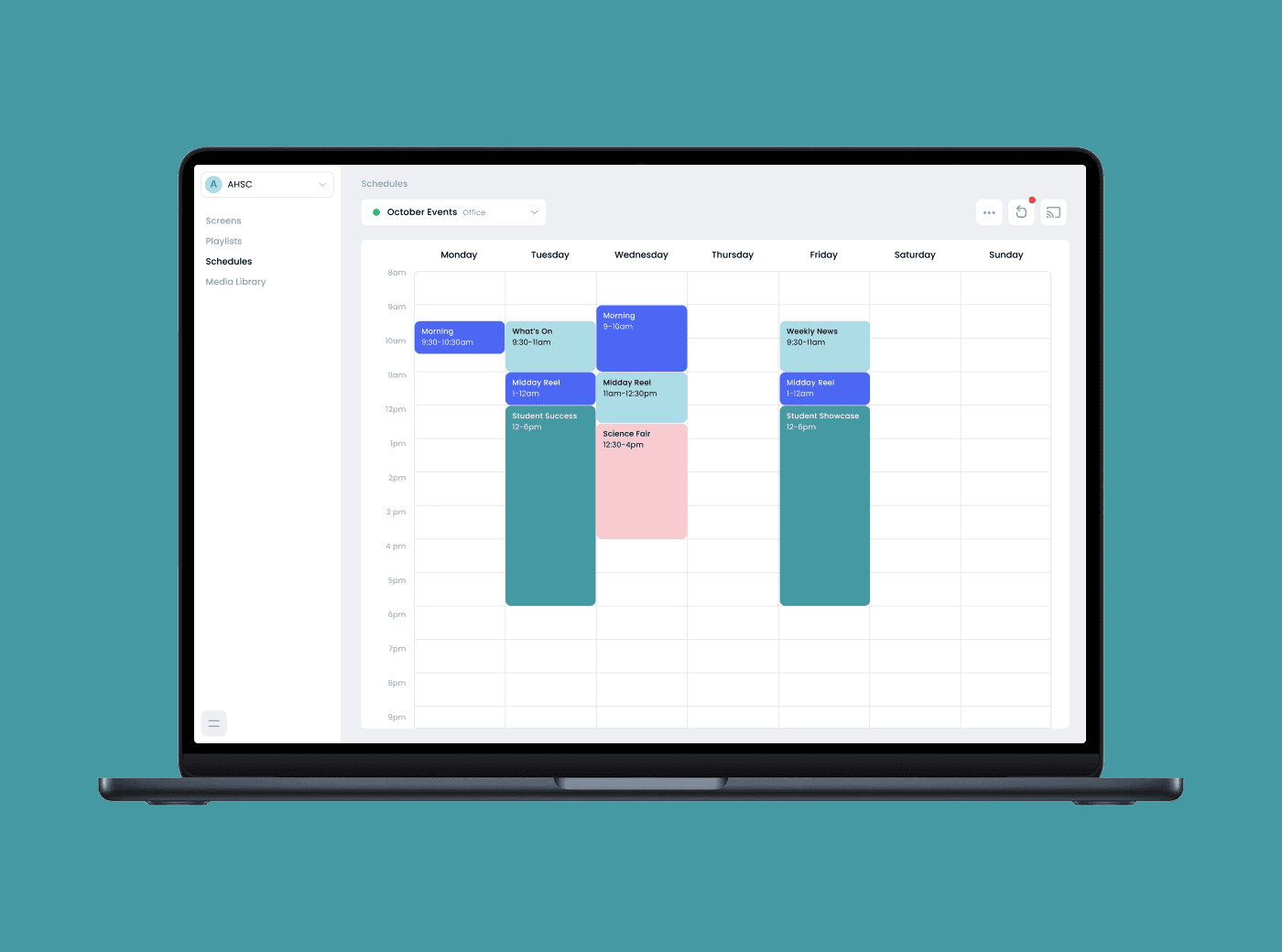
Playlists & schedules that run themselves
Why babysit your content? Juuno lets you create playlists that play at the right time, like morning menus, weekly promotions, or seasonal reminders. Once it’s scheduled, it runs on autopilot so you can set it and forget it.




Smart tools to keep your digital signs running smoothly
Looping Videos & Slideshows
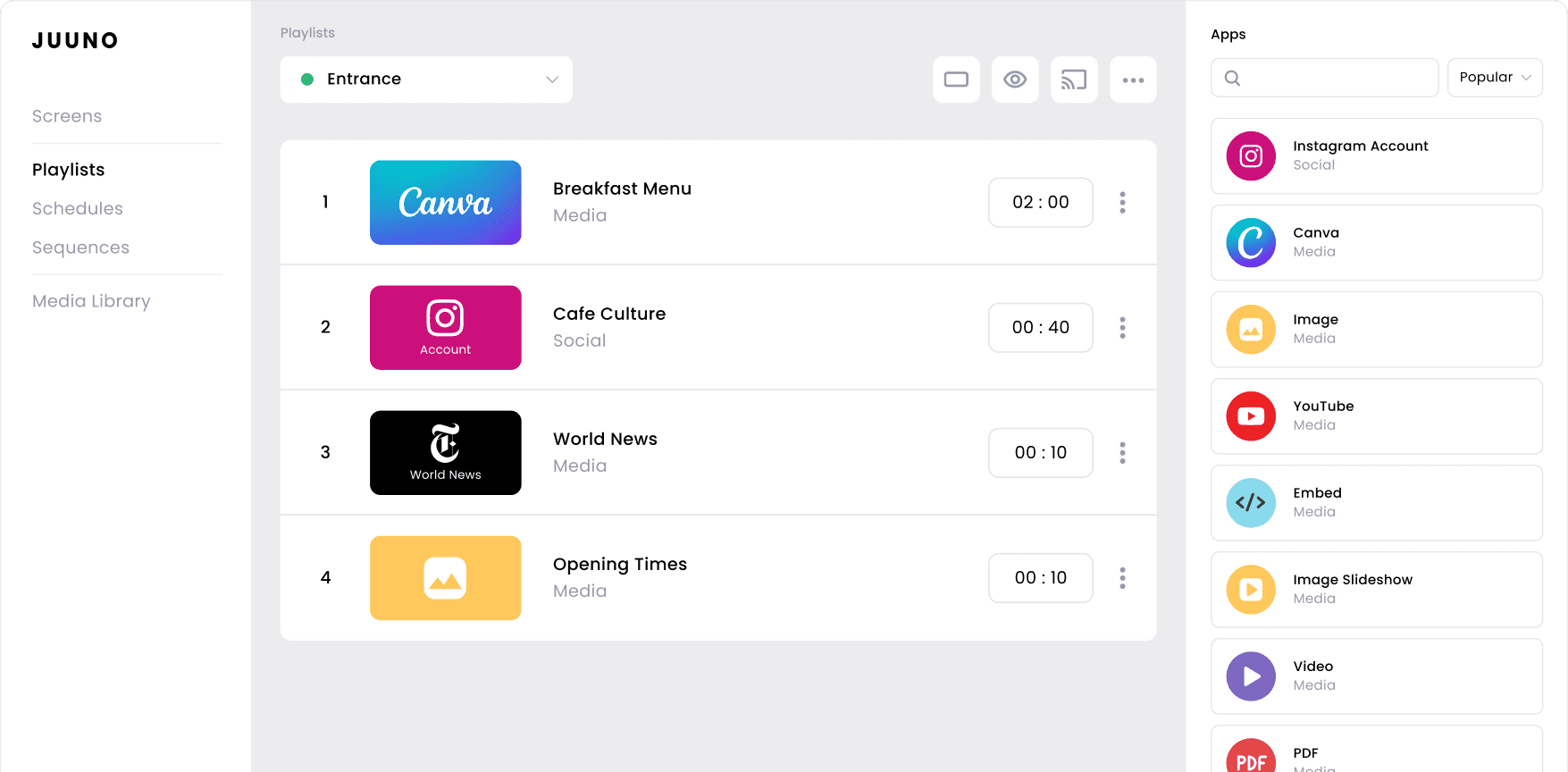
Display videos or slideshows on repeat, which is ideal for welcome loops, promotions, or branded content in lobbies, hallways, or front desks.
Real-Time Meeting Schedules
Sync with Google Calendar to show room availability, events, or class schedules. Keep everyone informed without constant updates.
Canva Integration
Create beautiful content in Canva, then send it straight to your screens. No designers or extra tools needed, just drag, drop, and display.
Multi-Screen Control
Update one screen or a hundred from a single dashboard. Organize by room, campus, or team with no extra logins, no confusion.
Workspaces & User Permissions
Create separate workspaces for each location or client. Assign user roles to keep access clean, organized, and secure.
Flexible Screen Setup
Use any compatible device, such as smart TVs, Firestick, Chromecast, or Raspberry Pi. No lock-in, no guesswork. Just plug in and go.





Frequently asked questions
How is Juuno different from OptiSigns?
Juuno is a simpler, more affordable alternative to OptiSigns. It’s built for non-technical users who just want clean, reliable digital signage, without the learning curve or expensive hardware. At just $5 per screen, Juuno includes everything you need: scheduling, playlists, user roles, and integrations. While OptiSigns leans enterprise, Juuno keeps it easy for schools, small teams, and growing businesses to launch and manage signage fast.
Is Juuno a good fit for schools and universities?
Yes, Juuno is a great fit for schools, districts, and universities. It’s easy to set up, affordable, and perfect for sharing announcements, events, menus, and emergency alerts. With workspaces, permissions, and scheduling, staff can manage content across campuses without IT support. It’s built to keep students, faculty, and visitors informed in real time.
Can I display HR updates and employee announcements with Juuno?
Absolutely. Juuno is perfect for sharing HR updates, employee announcements, birthdays, policy changes, and more. You can create scheduled content, loop messages, and update screens across departments in seconds. It’s an easy way to keep staff informed and engaged, without sending another email or using a complicated internal communication platform.
Can small businesses use Juuno for digital signage?
Absolutely. Juuno is ideal for small businesses like gyms, cafes, clinics, salons, and offices. You can display menus, promotions, announcements, or branding using screens you already own. It’s affordable at just $5 per screen, with easy scheduling, Canva integration, and flexible setup. Simply log in, upload your content, and go live. It’s signage that grows with your business.
What devices and hardware does Juuno support?
Juuno supports a wide range of devices, so you can choose the setup that works best for you. Use smart TVs, Chromecasts, Android devices, Firesticks, Amazon Signage Sticks, or Raspberry Pi. There’s no need for expensive proprietary hardware. Juuno works with what you already have, making it easy to get started quickly and affordably.
Can I automate content with playlists and schedules?
Yes, Juuno makes automation easy with playlists and schedules. You can create content playlists and set them to play at specific times, days, or seasons, like rotating menus, morning announcements, or weekend promos. Once scheduled, your content runs automatically, so you don’t have to update it manually every day. It’s a simple “set it and forget it” system that keeps your screens fresh and always on time.
Do I need technical skills to manage Juuno?
Not at all. Juuno is an OptiSigns competitor that was designed for non-technical users, so anyone can manage it, with no IT team required. If you can drag and drop, you can run digital signage with Juuno. The platform is intuitive, fast to learn, and easy to use, whether you're updating one screen or managing dozens across locations.
What types of content can I display on Juuno?
With Juuno, you can display images, videos, slideshows, PDFs, social media feeds, calendars, announcements, and more. It integrates with tools like Canva, Google Slides, and YouTube, making it easy to keep content fresh and engaging. Whether you're sharing menus, event info, or promotions, Juuno supports the formats you need to connect with your audience.
How much does Juuno cost, and what’s included?
Juuno costs just $5 per screen per month. That includes unlimited users, access to all apps, playlists, scheduling, and multi-screen management. There are no hidden fees or hardware requirements. It’s a simple, all-in-one digital signage solution that gives you everything you need to manage and scale your screens easily. See how 20 platforms stack up.
The OptiSigns alternative you’ve been looking for
Built for Everyone
Designed for everyday users, not IT pros. Teachers, managers, and staff can update screens in seconds with a clean, intuitive dashboard that anyone can learn in minutes.
Straightforward Pricing
No hardware bundles. No extra fees. Just $5 per screen with full access to playlists, apps, and support. Budget with confidence and scale without surprises.
Works Where You Work
Juuno adapts to your setup, whether it’s a single office, a campus, or multiple retail locations. Organize content by team or site with ease.