Digital Bulletin Boards

Trusted for reliable signage by businesses like yours









Turn any smart TV into a dynamic digital bulletin board
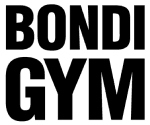
Design eye-catching displays in minutes
Build custom layouts using templates or your own graphics to share announcements, events, or highlights. No design experience needed - just creativity and our user-friendly tools to bring your message to life.
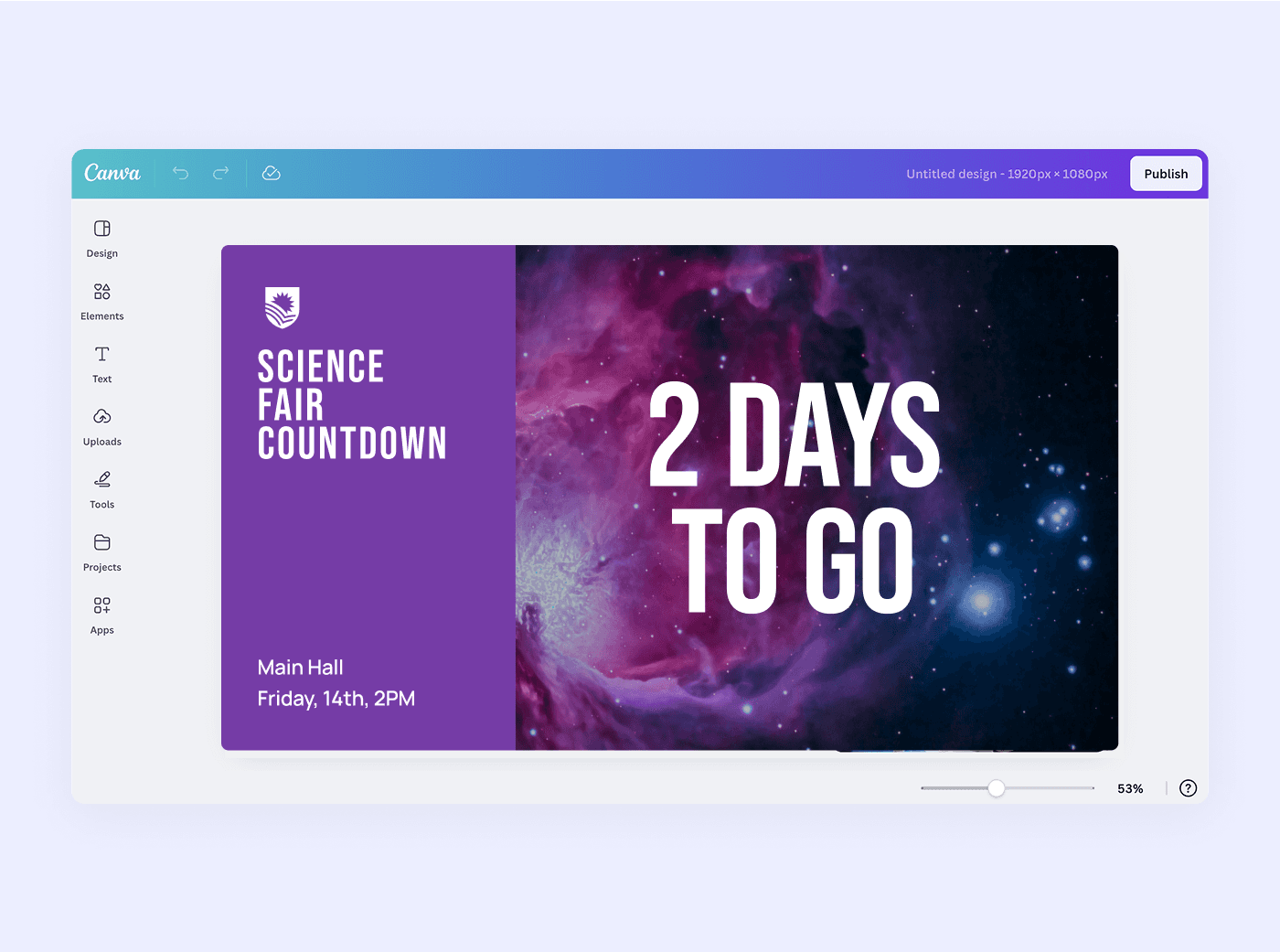

Schedule content to run on autopilot
Plan ahead with flexible scheduling tools that display the right content at the right time. Automatically rotate messages for mornings, evenings, or special days, so your screens stay fresh without daily manual updates.
Launch in minutes with zero hassle
Skip the complicated installations. Just connect your smart TV, log in through the browser, and start sharing content. Because there’s no extra hardware required, Juuno offers fast, easy setup in any space.
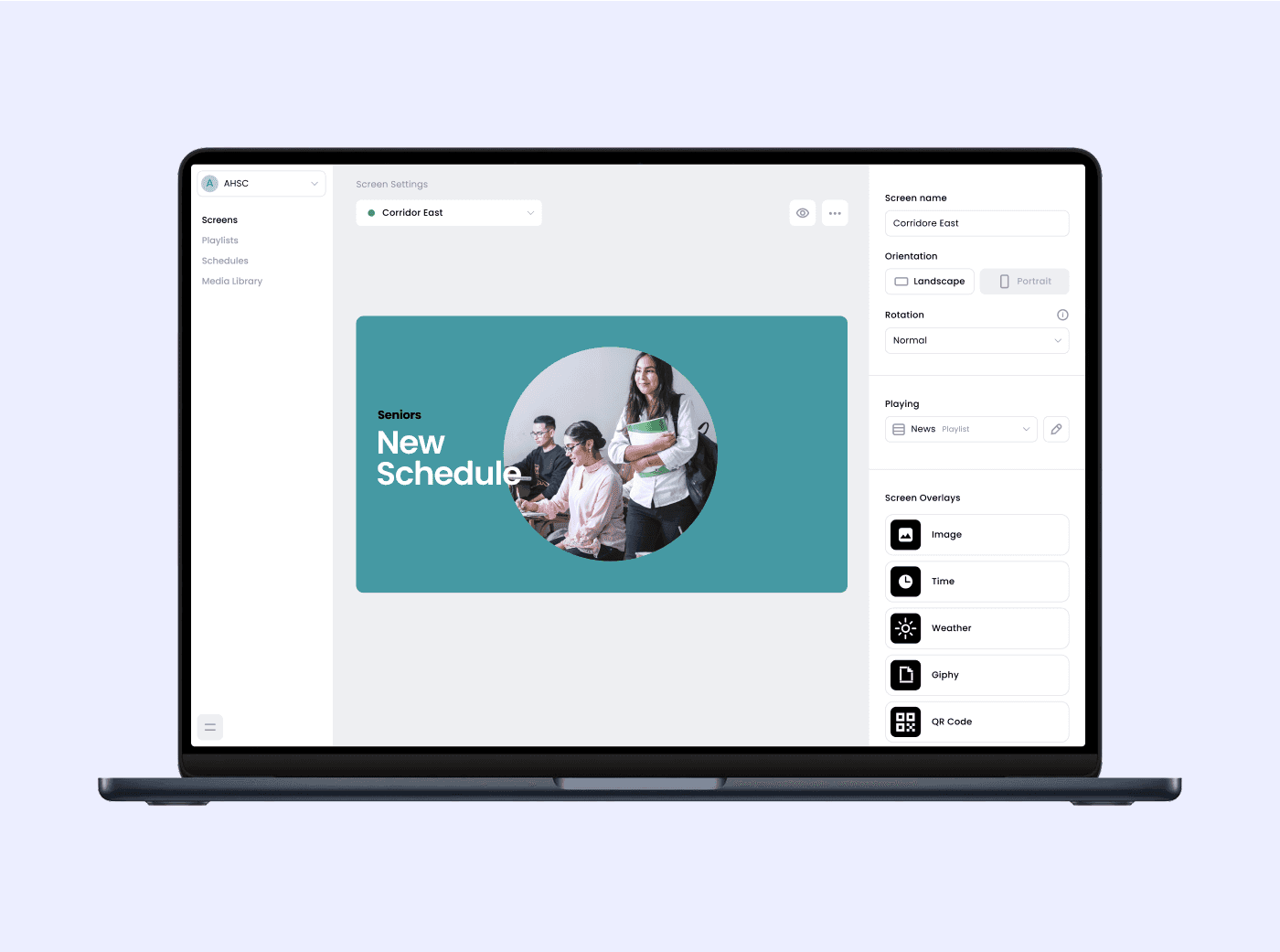

Sync real-time updates with your favorite apps
Bring your bulletin board to life with integrated content like weather, social media feeds, and live alerts. Keep your displays engaging and up-to-date with just a few clicks so everyone is always in the loop.
Smart tools to keep your bulletin board running smoothly
Canva Design Templates
Choose from beautifully designed templates to quickly create engaging content that matches your brand style and message.
Content Playlists
Organize and rotate your content and apps in playlists to keep screens fresh and relevant throughout the day.
Customizable Schedules
Set specific times and days for different content to appear so your screens always show the right content.
Event Countdown
Highlight upcoming events with a live countdown timer to build anticipation and increase awareness.
Portrait & Landscape Mode
Design content for any screen orientation to fit your space and display style perfectly.
Multi-Screen Management
Control multiple bulletin boards from one dashboard and keep messaging consistent across locations.




Frequently asked questions
What is a digital bulletin board and how does it work?
A digital bulletin board is a screen-based communication tool that displays announcements, updates, and media. Managed through browser-based software, it lets you create and publish content remotely, keeping your audience informed in real time.
How can I create and display announcements on a digital message board?
You can easily create announcements using pre-designed Canva templates or upload your own graphics. Then, publish your content through the digital signage platform’s dashboard. Just connect your smart TV or media player to WiFi and the software handles the rest, making updates fast and remote publishing simple. It’s ideal for schools, offices, gyms, and community spaces.
How do I schedule updates on a digital notice board automatically?
Most digital signage platforms include scheduling tools. You can set specific days and times for content to appear (such as morning announcements, lunch menus, or event reminders). Just build a playlist, assign time slots, and your digital bulletin board will update automatically without needing daily input. It’s a great way to keep content fresh and relevant.
What equipment do I need to run a digital bulletin board?
All you need is a smart TV with a reliable WiFi connection to run browser-based digital signage. You can skip the media player if your smart TV has a built-in browser. However, for greater control and uptime, using hardware like a media player or signage stick is recommended. These devices offer more stability for long-term use. Review the top signage software options.
Can I manage content across multiple screens or locations?
Yes, most digital signage platforms allow centralized control of multiple screens. You can update, schedule, and monitor content across different locations from one dashboard, ideal for franchises, campuses, and distributed teams.
How can a digital bulletin board help with internal communication?
Digital bulletin boards are perfect for keeping teams informed. Use them to share HR updates, company news, shift schedules, or recognition shoutouts. Placed in common areas, they help improve engagement and communication across departments.
How do I display real-time updates?
You can integrate real-time content such as weather forecasts, live news tickers, RSS feeds, and social media streams. Simply choose widgets or apps within your signage platform to keep your bulletin board current and engaging.
How do I customize the layout and design of a digital information board?
Customize your display using Canva templates and drag-and-drop widgets. Add your logo, choose colors, insert text blocks, images, and more. It’s easy to match your brand or event theme while keeping information visually appealing.
Bulletin board digital signage, made for you
Easy and effective
Control screens effortlessly with intuitive tools to create, schedule, and showcase your content—no steep learning curve required.
Affordable for every screen
Juuno’s per-screen rate stays budget-friendly while offering powerful tools, making it ideal for businesses looking to scale smart.
Made for go-getters
No complicated installs. Just mount your TV, sign in, and publish your board, great for independent operators and busy teams.