Digital Signage Integrations

Every digital signage integration you need, in one simple platform

Every digital signage integration you need, in one simple platform

Canva designs, social walls, live spreadsheets, news, video, and quizzes. Add any app to a playlist in seconds.

Canva designs, social walls, live spreadsheets, news, video, and quizzes. Add any app to a playlist in seconds.

Digital signage software showing brunch menu on TV screen.

Powering 20,000+ screens in 128 countries

Trusted globally by:

Creative & Tech

Retail

Healthcare

Fitness

Education

Tourism

Government

Places of Worship

Real Estate

Social Soup logo
Bettermade logo
Futuretheory logo
Cloudlink logo
The Bureau logo
Midful Rep logo

Trusted globally by:

Leica Biosystems. Digital signage software.
Victoria University of Wellington logo
YMCA logo for digital signage solutions.
Target logo. Digital signage for business.
Digital signage for business: "BONDI GYM" logo
Sprout Kitchen logo. Digital signage solution.

What are digital signage integrations?

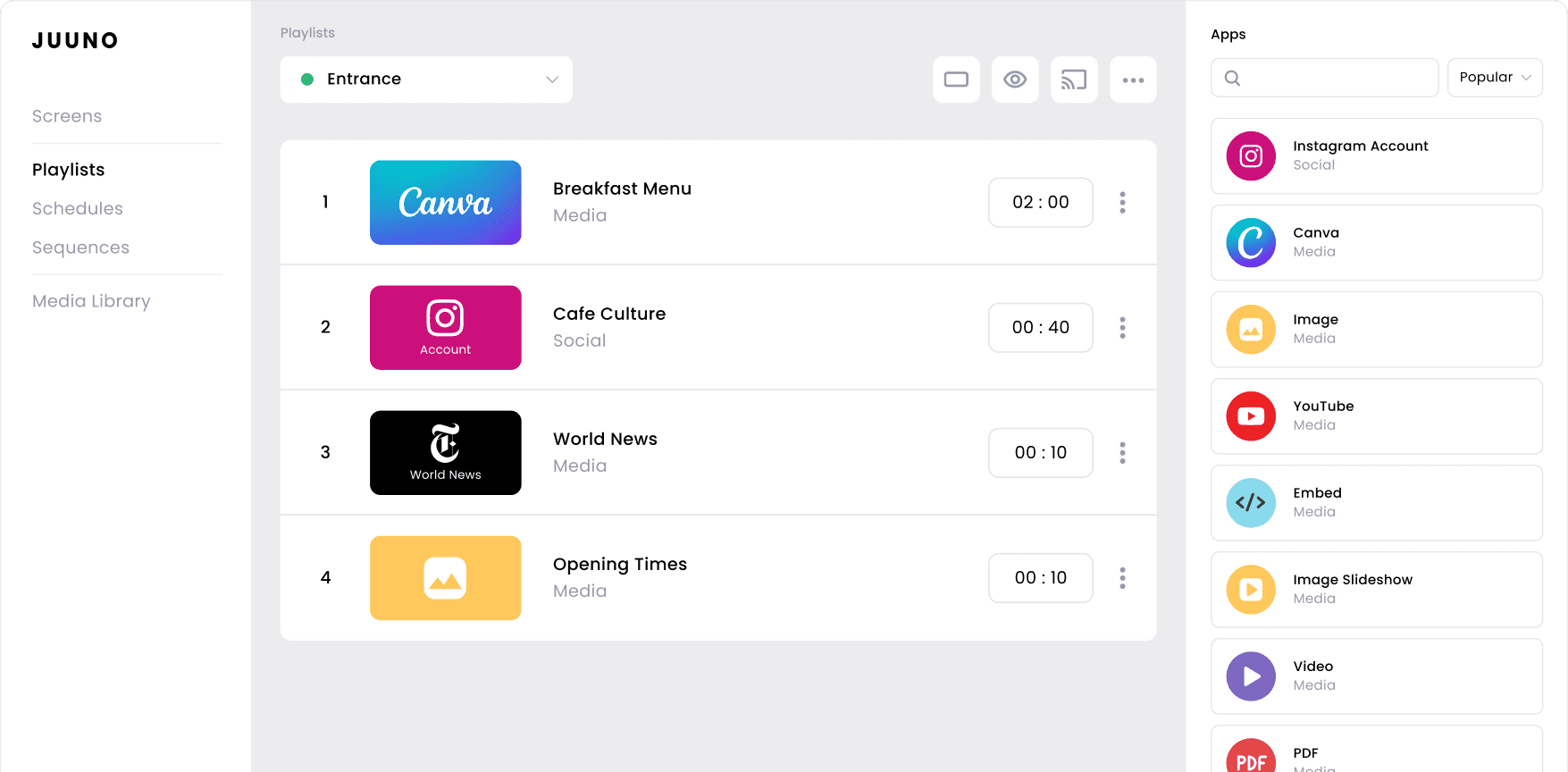
Digital signage integrations are content sources you add to a screen. In Juuno, we call them apps. Each integration pulls in one kind of content, then keeps it current on its own.

The Canva app shows your latest design. The Instagram app shows your latest posts. The Google Sheets app shows live data from a spreadsheet you already maintain.

Juuno includes more than 20 integrations on every plan. Combine as many as you like in one playlist. Then schedule when each one appears.

Digital signage integrations are content sources you add to a screen. In Juuno, we call them apps. Each integration pulls in one kind of content, then keeps it current on its own.

The Canva app shows your latest design. The Instagram app shows your latest posts. The Google Sheets app shows live data from a spreadsheet you already maintain.

Juuno includes more than 20 integrations on every plan. Combine as many as you like in one playlist. Then schedule when each one appears.

20+

Apps included on every plan

Apps included on every plan

Apps included on every plan

94%

Screens using the images app

Screens using the images app

Screens using the images app

1 in 4

Businesses display social content

Businesses display social content

Businesses display social content

Browse the full library of digital signage integrations

Filter by category or search by name. Every integration is included on all plans.

Filter by category or search by name. Every integration is included on all plans.

Digital signage for business: TV screen management

Canva

Import your designs from Canva and display them on any screen. Update the design in Canva and your screen follows.

Best for: menus, promotions, seasonal campaigns.

Digital signage for business: TV screen management

Canva

Import your designs from Canva and display them on any screen. Update the design in Canva and your screen follows.

Best for: menus, promotions, seasonal campaigns.

Digital signage for business: TV screen management

Canva

Import your designs from Canva and display them on any screen. Update the design in Canva and your screen follows.

Best for: menus, promotions, seasonal campaigns.

Digital signage for business: TV screen management

Microsoft PowerPoint

Show PowerPoint slides on a loop with no exporting.

Best for: presentations, training content, company updates.

Digital signage for business: TV screen management

Microsoft PowerPoint

Show PowerPoint slides on a loop with no exporting.

Best for: presentations, training content, company updates.

Digital signage for business: TV screen management

Microsoft PowerPoint

Show PowerPoint slides on a loop with no exporting.

Best for: presentations, training content, company updates.

Digital signage for business: TV screen management

Google Docs

Display a Google Doc instantly, straight from your Drive.

Best for: announcements, agendas, shared notes.

Digital signage for business: TV screen management

Google Docs

Display a Google Doc instantly, straight from your Drive.

Best for: announcements, agendas, shared notes.

Digital signage for business: TV screen management

Google Docs

Display a Google Doc instantly, straight from your Drive.

Best for: announcements, agendas, shared notes.

Digital signage for business: TV screen management

X

Pull in posts from your account or a hashtag for live updates.

Best for: events, conferences, newsrooms, campaigns.

Digital signage for business: TV screen management

X

Pull in posts from your account or a hashtag for live updates.

Best for: events, conferences, newsrooms, campaigns.

Digital signage for business: TV screen management

X

Pull in posts from your account or a hashtag for live updates.

Best for: events, conferences, newsrooms, campaigns.

Digital signage for business: TV screen management

Microsoft Excel

Show live Excel spreadsheets so your team always sees current data.

Best for: production figures, targets, operational dashboards.

Digital signage for business: TV screen management

Microsoft Excel

Show live Excel spreadsheets so your team always sees current data.

Best for: production figures, targets, operational dashboards.

Digital signage for business: TV screen management

Microsoft Excel

Show live Excel spreadsheets so your team always sees current data.

Best for: production figures, targets, operational dashboards.

Digital signage for business: TV screen management

The Guardian

Display the latest Guardian headlines alongside your own content.

Best for: offices, cafes, coworking spaces.

Digital signage for business: TV screen management

The Guardian

Display the latest Guardian headlines alongside your own content.

Best for: offices, cafes, coworking spaces.

Digital signage for business: TV screen management

The Guardian

Display the latest Guardian headlines alongside your own content.

Best for: offices, cafes, coworking spaces.

Digital signage for business: TV screen management

Video

Play your own videos on screen and add motion to any playlist.

Best for: brand films, product demos, ambient visuals.

Digital signage for business: TV screen management

Video

Play your own videos on screen and add motion to any playlist.

Best for: brand films, product demos, ambient visuals.

Digital signage for business: TV screen management

Video

Play your own videos on screen and add motion to any playlist.

Best for: brand films, product demos, ambient visuals.

Digital signage for business: TV screen management

AI Quiz

Choose a topic and let Juuno generate multiple choice questions instantly.

Best for: waiting areas, bars, classrooms, staff rooms.

Digital signage for business: TV screen management

AI Quiz

Choose a topic and let Juuno generate multiple choice questions instantly.

Best for: waiting areas, bars, classrooms, staff rooms.

Digital signage for business: TV screen management

AI Quiz

Choose a topic and let Juuno generate multiple choice questions instantly.

Best for: waiting areas, bars, classrooms, staff rooms.

Digital signage for business: TV screen management

PDF

Upload a PDF and display it full screen, page by page.

Best for: menus, schedules, price lists, printed notices you already have.

Digital signage for business: TV screen management

PDF

Upload a PDF and display it full screen, page by page.

Best for: menus, schedules, price lists, printed notices you already have.

Digital signage for business: TV screen management

PDF

Upload a PDF and display it full screen, page by page.

Best for: menus, schedules, price lists, printed notices you already have.

Digital signage for business: TV screen management

Instagram

Show your latest Instagram posts in real time, refreshed automatically.

Best for: cafes, gyms, retail, venues with an active feed.

Digital signage for business: TV screen management

Instagram

Show your latest Instagram posts in real time, refreshed automatically.

Best for: cafes, gyms, retail, venues with an active feed.

Digital signage for business: TV screen management

Instagram

Show your latest Instagram posts in real time, refreshed automatically.

Best for: cafes, gyms, retail, venues with an active feed.

Digital signage for business: TV screen management

Google Slides

Send a slide deck straight to a screen and keep it in sync.

Best for: classrooms, lobbies, weekly team updates.

Digital signage for business: TV screen management

Google Slides

Send a slide deck straight to a screen and keep it in sync.

Best for: classrooms, lobbies, weekly team updates.

Digital signage for business: TV screen management

Google Slides

Send a slide deck straight to a screen and keep it in sync.

Best for: classrooms, lobbies, weekly team updates.

Digital signage for business: TV screen management

Google Reviews

Highlight your best customer reviews straight from Google.

Best for: waiting rooms, checkout areas, service counters.

Digital signage for business: TV screen management

Google Reviews

Highlight your best customer reviews straight from Google.

Best for: waiting rooms, checkout areas, service counters.

Digital signage for business: TV screen management

Google Reviews

Highlight your best customer reviews straight from Google.

Best for: waiting rooms, checkout areas, service counters.

Digital signage for business: TV screen management

Embed

Embed any website or web app and display it as a slide.

Best for: dashboards, booking systems, internal tools, live maps.

Digital signage for business: TV screen management

Embed

Embed any website or web app and display it as a slide.

Best for: dashboards, booking systems, internal tools, live maps.

Digital signage for business: TV screen management

Embed

Embed any website or web app and display it as a slide.

Best for: dashboards, booking systems, internal tools, live maps.

Digital signage for business: TV screen management

Announcement

Post a quick update to your screens in seconds.

Best for: staff notices, closures, shift changes, real-time news.

Digital signage for business: TV screen management

Announcement

Post a quick update to your screens in seconds.

Best for: staff notices, closures, shift changes, real-time news.

Digital signage for business: TV screen management

Announcement

Post a quick update to your screens in seconds.

Best for: staff notices, closures, shift changes, real-time news.

Digital signage for business: TV screen management

Video Slideshow

Loop several videos together in one slideshow.

Best for: showreels, promo rotations, longer waiting areas.

Digital signage for business: TV screen management

Video Slideshow

Loop several videos together in one slideshow.

Best for: showreels, promo rotations, longer waiting areas.

Digital signage for business: TV screen management

Video Slideshow

Loop several videos together in one slideshow.

Best for: showreels, promo rotations, longer waiting areas.

Digital signage for business: TV screen management

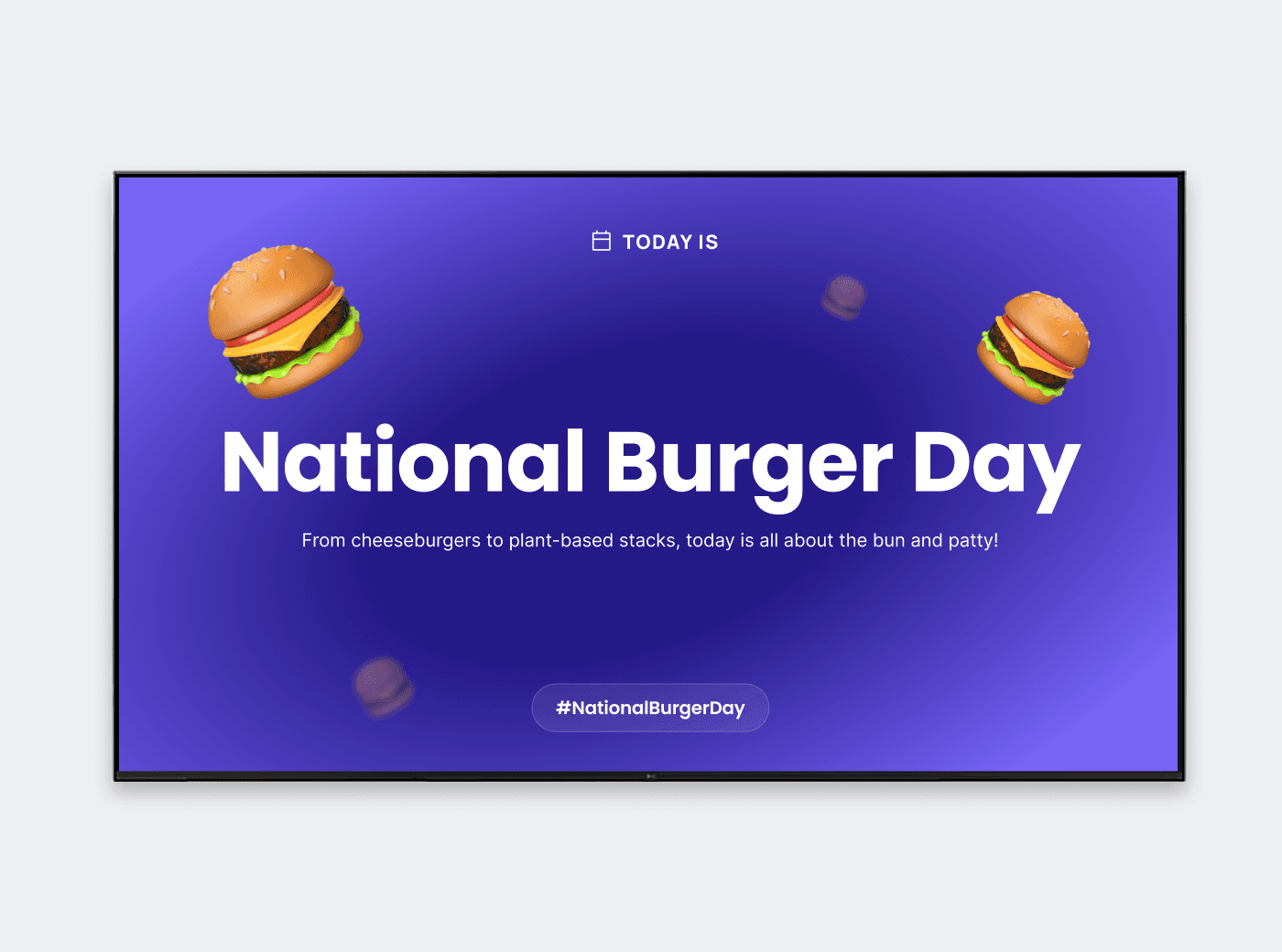
Days of the World

Find something to celebrate every day, with traditions from everywhere.

Best for: offices, schools, retail, anywhere that needs fresh daily content.

Digital signage for business: TV screen management

Days of the World

Find something to celebrate every day, with traditions from everywhere.

Best for: offices, schools, retail, anywhere that needs fresh daily content.

Digital signage for business: TV screen management

Days of the World

Find something to celebrate every day, with traditions from everywhere.

Best for: offices, schools, retail, anywhere that needs fresh daily content.

Digital signage for business: TV screen management

Image

Upload PNGs and JPEGs and display them instantly.

Best for: promotions, branding, product photography.

Digital signage for business: TV screen management

Image

Upload PNGs and JPEGs and display them instantly.

Best for: promotions, branding, product photography.

Digital signage for business: TV screen management

Image

Upload PNGs and JPEGs and display them instantly.

Best for: promotions, branding, product photography.

Digital signage for business: TV screen management

Microsoft Word

Display Word documents on screen without reformatting them.

Best for: notices, policies, longer written updates.

Digital signage for business: TV screen management

Microsoft Word

Display Word documents on screen without reformatting them.

Best for: notices, policies, longer written updates.

Digital signage for business: TV screen management

Microsoft Word

Display Word documents on screen without reformatting them.

Best for: notices, policies, longer written updates.

Digital signage for business: TV screen management

Facebook

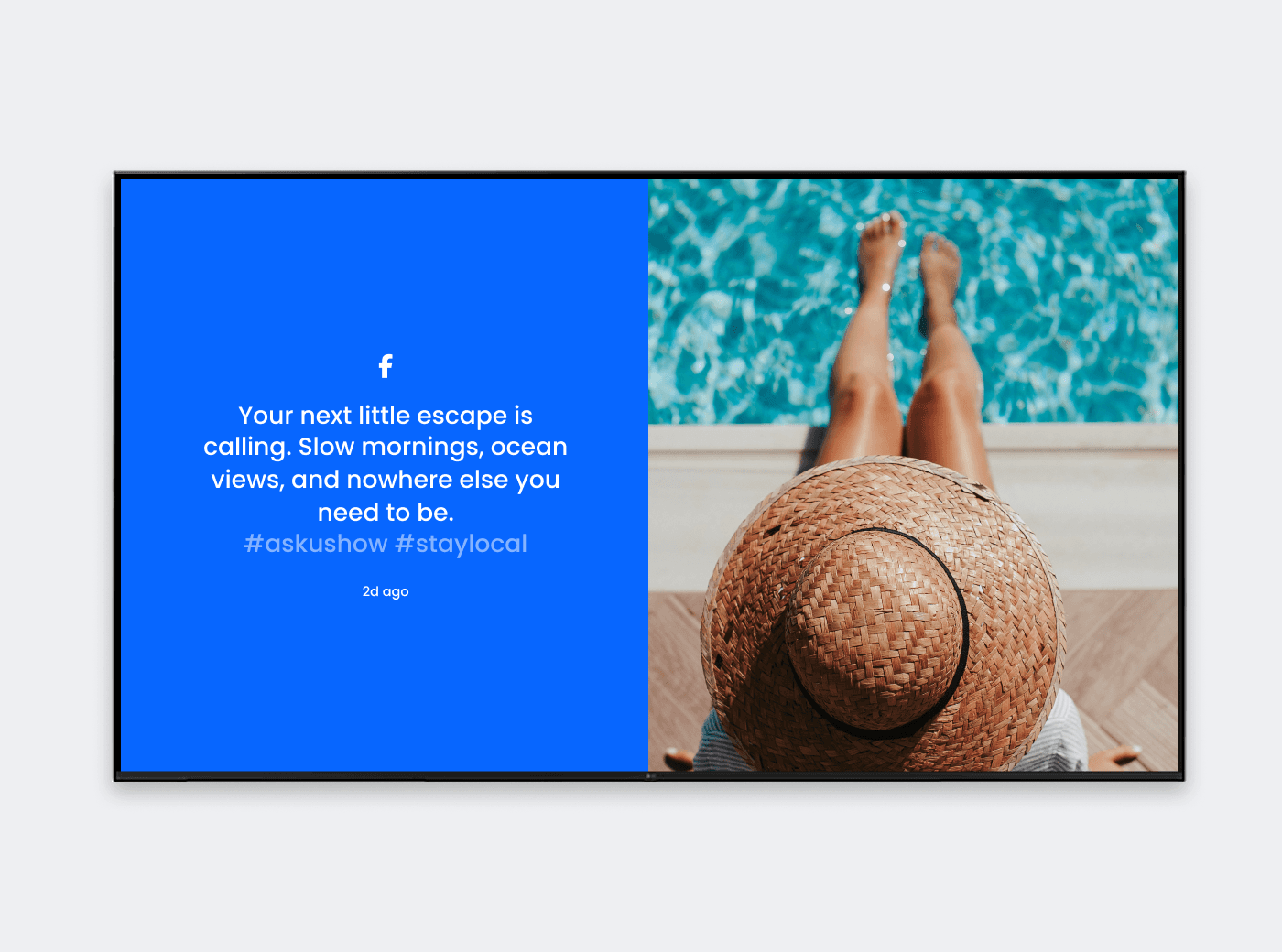
Display the latest posts from your Facebook page as they publish.

Best for: community groups, churches, local businesses.

Digital signage for business: TV screen management

Facebook

Display the latest posts from your Facebook page as they publish.

Best for: community groups, churches, local businesses.

Digital signage for business: TV screen management

Facebook

Display the latest posts from your Facebook page as they publish.

Best for: community groups, churches, local businesses.

Digital signage for business: TV screen management

Google Sheets

Display a live Google Sheet that updates as the numbers change.

Best for: schedules, KPIs, rosters, stock levels, leaderboards.

Digital signage for business: TV screen management

Google Sheets

Display a live Google Sheet that updates as the numbers change.

Best for: schedules, KPIs, rosters, stock levels, leaderboards.

Digital signage for business: TV screen management

Google Sheets

Display a live Google Sheet that updates as the numbers change.

Best for: schedules, KPIs, rosters, stock levels, leaderboards.

Digital signage for business: TV screen management

New York Times

Keep your audience informed with headlines that update automatically.

Best for: lobbies, waiting rooms, break rooms.

Digital signage for business: TV screen management

New York Times

Keep your audience informed with headlines that update automatically.

Best for: lobbies, waiting rooms, break rooms.

Digital signage for business: TV screen management

New York Times

Keep your audience informed with headlines that update automatically.

Best for: lobbies, waiting rooms, break rooms.

Digital signage for business: TV screen management

Bible Verses

Share inspirational verses that refresh every day.

Best for: churches, faith schools, community centers.

Digital signage for business: TV screen management

Bible Verses

Share inspirational verses that refresh every day.

Best for: churches, faith schools, community centers.

Digital signage for business: TV screen management

Bible Verses

Share inspirational verses that refresh every day.

Best for: churches, faith schools, community centers.

Digital signage for business: TV screen management

YouTube

Display videos, Shorts, or full playlists from YouTube on loop.

Best for: promos, ambience, tutorials, entertainment.

Digital signage for business: TV screen management

YouTube

Display videos, Shorts, or full playlists from YouTube on loop.

Best for: promos, ambience, tutorials, entertainment.

Digital signage for business: TV screen management

YouTube

Display videos, Shorts, or full playlists from YouTube on loop.

Best for: promos, ambience, tutorials, entertainment.

Digital signage for business: TV screen management

Weather Overlay

Layer live local weather over whatever else is playing.

Best for: lobbies, gyms, hospitality, outdoor venues.

Digital signage for business: TV screen management

Weather Overlay

Layer live local weather over whatever else is playing.

Best for: lobbies, gyms, hospitality, outdoor venues.

Digital signage for business: TV screen management

Weather Overlay

Layer live local weather over whatever else is playing.

Best for: lobbies, gyms, hospitality, outdoor venues.

Case Study

How Splashway runs 40 screens on a handful of integrations

Splashway Waterpark & Campground runs menu boards, promotional screens, and guest information displays across the park.

The team leans on a countdown timer for season pass deadlines. Menus and promotions rotate around it. More recently they added YouTube, trivia, live weather, and daily activity schedules to waiting areas.

Switching to Juuno was one of the best cost and headache-saving decisions we’ve made. It’s the easiest to use and cheapest we’ve found.

β€” Kris Green, Splashway Waterpark & Campground

Switching to Juuno was one of the best cost and headache-saving decisions we’ve made. It’s the easiest to use and cheapest we’ve found.

β€” Kris Green, Splashway Waterpark & Campground

  • 40 screens across restaurants, retail, and guest spaces

  • $25 to $5 per screen, per month

  • $7,000+ saved every year

  • 60 seconds to provision a new screen

Read the full Splashways case study

How digital signage works with Juuno

Choose your integrations

Choose your integrations

Pick the apps that fit your space. A cafe might use Canva and Instagram. An office might use announcements and live data. Most screens run three or four together.

Pick the apps that fit your space. A cafe might use Canva and Instagram. An office might use announcements and live data. Most screens run three or four together.

Schedule your playlists

Schedule your playlists

Juuno's digital signage integrations link straight to Canva, Google Workspace, Microsoft 365, Instagram, Facebook, X, YouTube, and Google Reviews. Edit the design or update the spreadsheet, and your screen follows.

Juuno's digital signage integrations link straight to Canva, Google Workspace, Microsoft 365, Instagram, Facebook, X, YouTube, and Google Reviews. Edit the design or update the spreadsheet, and your screen follows.

Deploy your signage

Deploy your signage

Drop your apps into a playlist, decide when each one shows, then publish to one screen or fifty. Juuno runs on affordable players like Fire TV and Raspberry Pi, on every plan. 

Drop your apps into a playlist, decide when each one shows, then publish to one screen or fifty. Juuno runs on affordable players like Fire TV and Raspberry Pi, on every plan. 

Which digital signage integrations to use, by screen type

Most screens run three or four apps together. Here is where to start.

Most screens run three or four apps together. Here is where to start.

Screen type

Apps to combine

Why it works

Restaurant menu board

Canva, PDF

Prices stay current, and you can update menu slides as needed

Prices stay current, and you can update menu slides as needed

Cafe or takeaway counter

Canva, Google Reviews, Instagram

Specials, social proof, and your own feed in one short loop

Specials, social proof, and your own feed in one short loop

Retail store

Video Slideshow, Instagram, Google Reviews

Motion draws the eye, reviews build trust at the point of sale

Motion draws the eye, reviews build trust at the point of sale

Office lobby or bulletin board

Announcement, Weather, Google Sheets

Company news, a useful glance, and live team data

Company news, a useful glance, and live team data

Gym or studio

Instagram, YouTube, Announcement

Class updates plus content members already follow

Class updates plus content members already follow

School or campus

Google Slides, Announcement, Days of the World

Staff can publish from tools they already use daily

Staff can publish from tools they already use daily

Church

Bible Verses, Announcement, Canva

Daily inspiration, service times, and branded graphics

Daily inspiration, service times, and branded graphics

Agency client screens

Canva, Embed, Video

Design once, embed client dashboards, deliver on brand

Design once, embed client dashboards, deliver on brand

Frequently asked questions

What are digital signage content integrations?

Digital signage content integrations are content sources you add to a screen through your signage software. Each integration handles one type of content. That might be a Canva design, an Instagram feed, a spreadsheet, or a YouTube playlist. Once connected, the integration keeps that content current without manual uploads.

What digital signage integrations does Juuno include?

Juuno includes more than 20 integrations across six categories. Design and documents covers Canva, PDF, Image, PowerPoint, Google Slides, Word, and Google Docs. Social media covers Instagram, Facebook, X, and Google Reviews. Data and web covers Google Sheets, Excel, and Embed. News covers the New York Times, The Guardian, Announcements, and Bible Verses. Video and entertainment covers Video, Video Slideshow, YouTube, AI Quiz, and Days of the World. Overlays add weather and countdown timers on top of any playlist. If your screen is mostly notices and updates, start with digital bulletin boards.

Which digital signage integrations do businesses use most?

Images lead at 94%, followed by video at 44%. Social media and announcements both sit at 26%. Canva reaches 15%, YouTube 7%, and weather 6.5%. Instagram is the most displayed social platform, appearing on 23% of business screens. The full breakdown is in our digital signage statistics study.

Are the integrations included in the price?

Yes. Every integration is included on every Juuno plan, starting at $5 per screen per month. There are no app packs or add-on charges. Agencies get the same full library under white label signage. See pricing for the full comparison.

Can I use my Canva designs on my screens?

Yes. Connect your Canva account, choose a design, and add it to a playlist. Edits made in Canva to a linked design appear on screen automatically. Our Canva digital signage page covers the full workflow.

What is a digital signage widget?

Digital signage widgets are live content layered on top of your playlist. In Juuno these are called overlays. A weather widget or countdown timer stays on screen while your main content continues to rotate.

Can I run more than one integration on a screen at once?

Yes. Zones split a screen into sections, and each zone runs its own content. A common setup pairs digital menu boards on one side, social or video on the other. Overlays add a third layer on top.

Can I display live spreadsheet data?

Yes. The Google Sheets and Microsoft Excel integrations display live spreadsheets on screen. When someone updates the file, the screen updates too. This is a popular option for schedules, targets, rosters, and leaderboards.

Do the integrations work on a Firestick, Chromecast, or Raspberry Pi?

Yes. Every integration runs the same way across supported players. That includes Amazon Fire TV, the Amazon Signage Stick, Android, Chromecast, and Raspberry Pi. See our players for the full list and setup guides.

How many integrations can I add to one playlist?

There is no limit. Most businesses run three or four integrations per screen. Across the platform, accounts average 3.4 playlists and 5.5 slides per playlist.