Digital Signage Apps
Powering 20,000+ screens in 128 countries










What are digital signage apps?
20+
94%
1 in 4
Browse the full digital signage app library







Case Study
How Splashway runs 40 screens on a handful of apps

The team leans on a countdown timer for season pass deadlines. Menus and promotions rotate around it. More recently they added YouTube, trivia, live weather, and daily activity schedules to waiting areas.
40 screens across restaurants, retail, and guest spaces
$25 to $5 per screen, per month
$7,000+ saved every year
60 seconds to provision a new screen
See Their Story
How digital signage works with Juuno
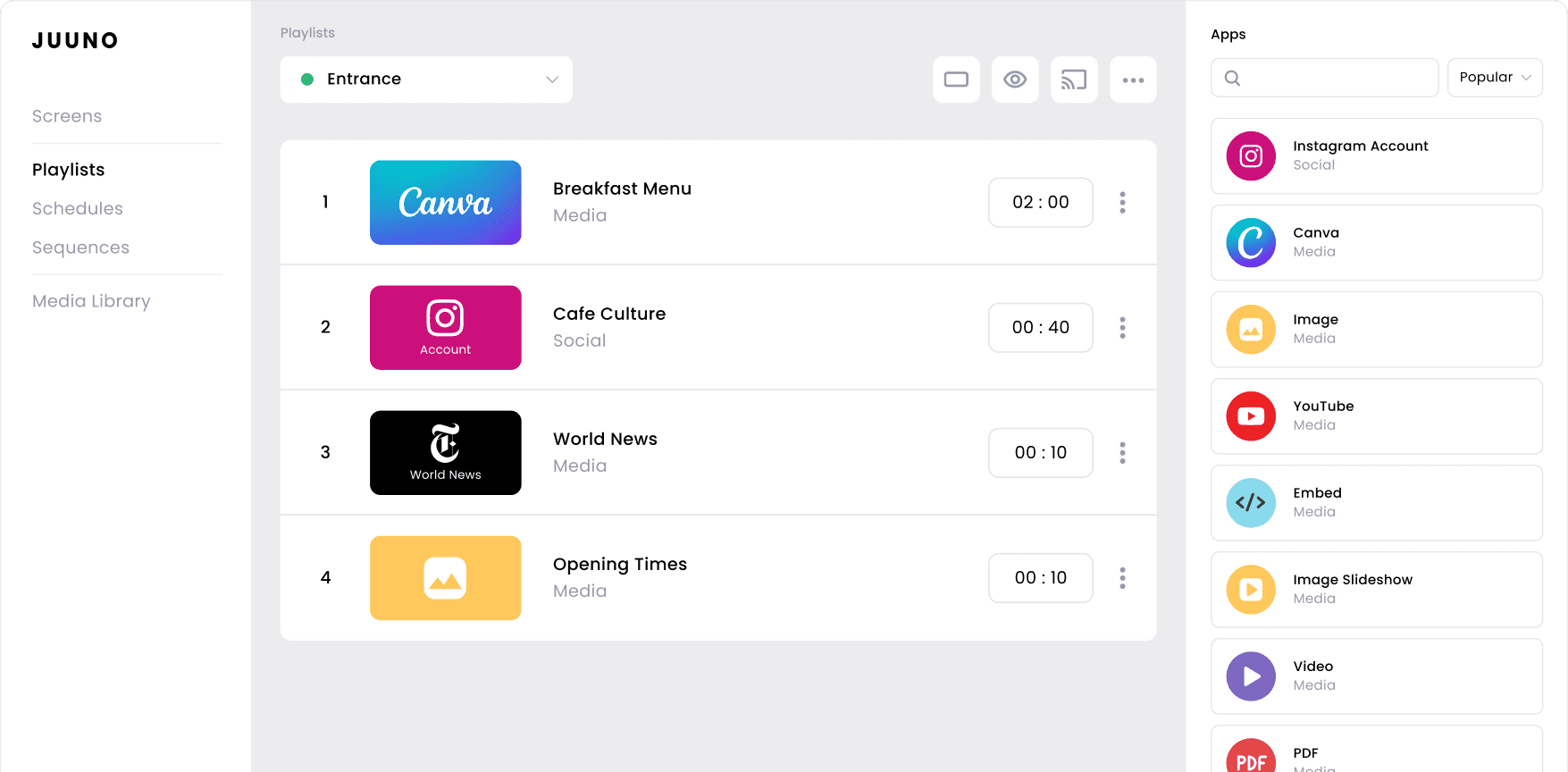
Choose your apps
Pick the apps that fit your space. A cafe might use Canva and Instagram. An office might use announcements and live data. Most screens run three or four together.


Schedule your playlists
Juuno's digital signage integrations link straight to Canva, Google Workspace, Microsoft 365, Instagram, Facebook, X, YouTube, and Google Reviews. Edit the design or update the spreadsheet, and your screen follows.
Deploy your signage
Drop your apps into a playlist, decide when each one shows, then publish to one screen or fifty. Juuno runs on affordable players like Fire TV and Raspberry Pi, on every plan.
Which digital signage apps to use, by screen type
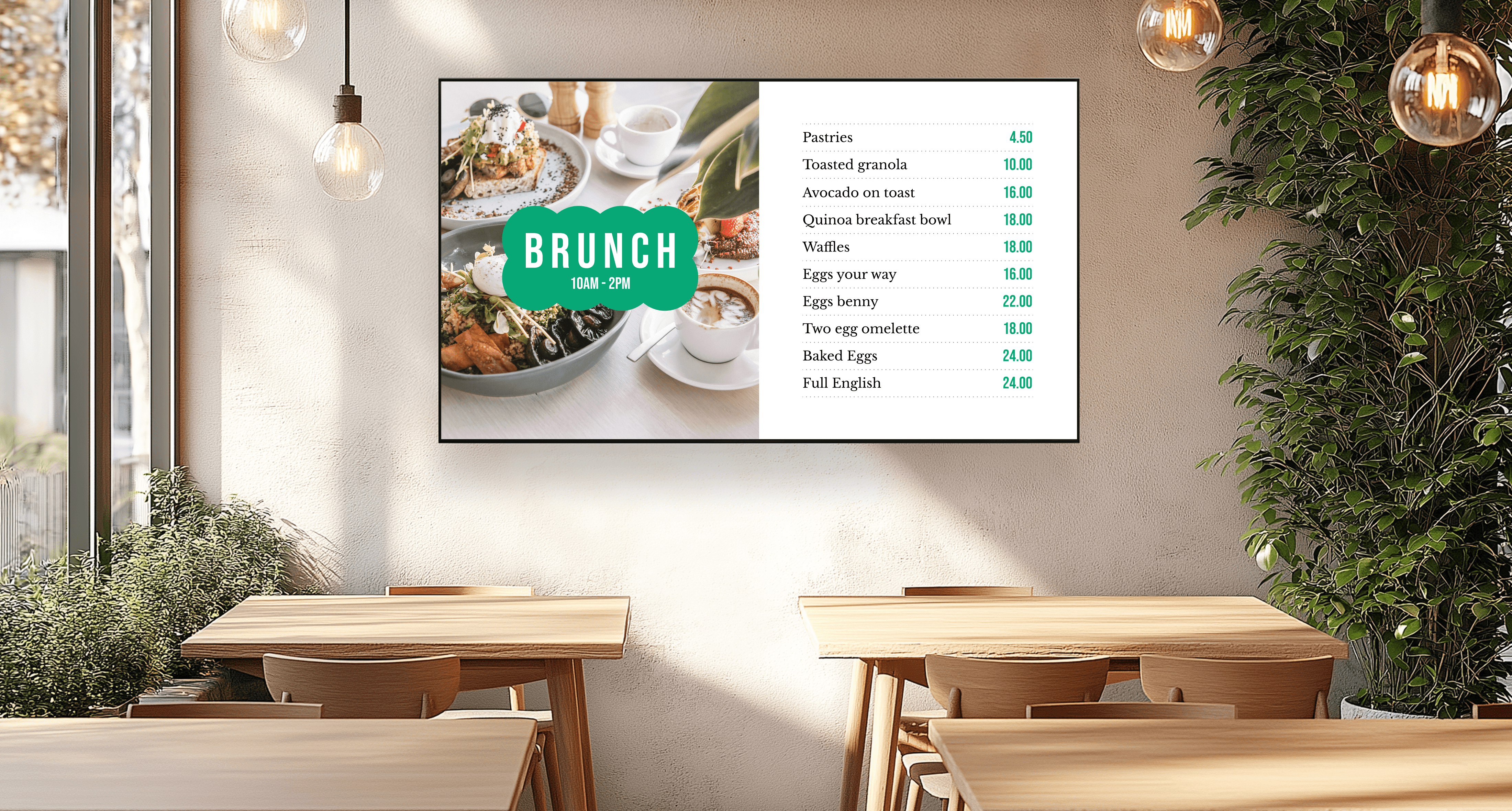
Restaurant menu board
Canva, PDF
Cafe or takeaway counter
Canva, Google Reviews, Instagram
Retail store
Video Slideshow, Instagram, Google Reviews
Office lobby or bulletin board
Announcement, Weather, Google Sheets
Gym or studio
Instagram, YouTube, Announcement
School or campus
Google Slides, Announcement, Days of the World
Church
Bible Verses, Announcement, Canva
Agency client screens
Canva, Embed, Video
Frequently asked questions
What are digital signage apps?
Digital signage apps are content sources you add to a screen through your signage software. Each app handles one type of content. That might be a Canva design, an Instagram feed, a spreadsheet, or a YouTube playlist. Once connected, the app keeps that content current without manual uploads.
What apps work with digital signage?
Juuno includes more than 20 apps across six categories. Design and documents covers Canva, PDF, Image, PowerPoint, Google Slides, Word, and Google Docs. Social media covers Instagram, Facebook, X, and Google Reviews. Data and web covers Google Sheets, Excel, and Embed. News covers the New York Times, The Guardian, Announcements, and Bible Verses. Video and entertainment covers Video, Video Slideshow, YouTube, AI Quiz, and Days of the World. Overlays add weather and countdown timers on top of any playlist. If your screen is mostly notices and updates, start with digital bulletin boards.
Which digital signage apps do businesses use most?
Images lead at 94%, followed by video at 44%. Social media and announcements both sit at 26%. Canva reaches 15%, YouTube 7%, and weather 6.5%. Instagram is the most displayed social platform, appearing on 23% of business screens. The full breakdown is in our digital signage statistics study.
Are the apps included in the price?
Yes. Every app is included on every Juuno plan, starting at $5 per screen per month. There are no app packs or add-on charges. Agencies get the same full library under white label signage. See pricing for the full comparison.
Can I use my Canva designs on my screens?
Yes. Connect your Canva account, choose a design, and add it to a playlist. Edits made in Canva to a linked design appear on screen automatically. Our Canva digital signage page covers the full workflow.
What is a digital signage widget?
A digital signage widget is live content layered on top of your playlist. In Juuno these are called overlays. A weather widget or countdown timer stays on screen while your main content continues to rotate.
Can I run more than one app on a screen at once?
Yes. Zones split a screen into sections, and each zone runs its own content. A common setup pairs digital menu boards on one side, social or video on the other. Overlays add a third layer on top.
Can I display live spreadsheet data?
Yes. The Google Sheets and Microsoft Excel apps display live spreadsheets on screen. When someone updates the file, the screen updates too. This is a popular option for schedules, targets, rosters, and leaderboards.
Do the apps work on a Firestick, Chromecast, or Raspberry Pi?
Yes. Every app runs the same way across supported players. That includes Amazon Fire TV, the Amazon Signage Stick, Android, Chromecast, and Raspberry Pi. See our players for the full list and setup guides.
How many apps can I add to one playlist?
There is no limit. Most businesses run three or four apps per screen. Across the platform, accounts average 3.4 playlists and 5.5 slides per playlist.