


"Juuno has really been a treasure for us at Christ Academy. It's simplicity, but yet robust platform has allowed us to manage all of our digital signage on campus. The platform is constantly being updated and support is excellent."
Daily schedules & announcements


Fast, staff-friendly setup
Update from the front desk - or your laptop


Made for classrooms, corridors and common areas
How schools actually use Juuno
The main hallway screen shows today's bell schedule, cafeteria menu, and a countdown to Friday's pep rally. The front office display welcomes visitors and shows campus directions. In the library, a screen rotates between new book arrivals, reading challenges, and quiet study reminders.
When a weather alert hits, the principal pushes an emergency message to every screen on campus with one tap — no running to the PA system, no hoping teachers check their email. Every hallway, every classroom with a screen, every office gets the same message instantly.
Teachers submit their own announcements through Google Slides, and the principal approves them from her phone before they go live. The athletics department runs sports scores and upcoming game schedules on the gym lobby screen. And the whole system is managed from one account — no IT tickets, no waiting for the tech guy to show up on Tuesday.
Bell Schedule Display
Show the current period, time remaining, and next class info on screens throughout campus. Students and staff always know where they should be — no more late arrivals because "I didn't hear the bell."
Emergency Alert Board
Push an urgent safety message to every screen on campus with one tap. Lockdown notices, weather alerts, evacuation instructions — instant, campus-wide, impossible to miss.
Cafeteria Menu Rotator
Display today's lunch menu with allergen information, rotating daily without anyone updating it manually. Parents see it on the school app, students see it on the hallway screen.
Achievement Spotlight Wall
Celebrate student awards, sports scores, academic honors, and staff recognition on a rotating display. Give your community something to be proud of every time they walk past the screen.
Event Countdown Timer
Build excitement with a live countdown to prom, graduation, spirit week, homecoming, or the next school holiday. Students love it, and it keeps the whole campus aware of what's coming.
Campus Wayfinding Display
Help visitors, substitute teachers, and new students find their way with interactive maps and room directories on screen. Particularly useful at the front office and main entrances.
Loads of Apps


FAQs
Can Juuno display school announcements campus-wide?
Yes. Create an announcement in Juuno and push it to every screen on campus — or just specific ones. Morning announcements, schedule changes, event reminders, and urgent notices all go live in seconds.
How do I push emergency alerts to all screens instantly?
Juuno lets you push a priority message to every connected screen with one tap from your phone or computer. It overrides whatever's currently playing and stays on screen until you dismiss it.
Can I show the cafeteria menu and daily schedules?
Yes. Set up your cafeteria menu and bell schedule in Juuno and they display automatically each day. Update them weekly or use a rotation — either way, students and staff always see the right info.
Does it work with Google Slides so teachers can contribute content?
Yes. Teachers can design announcements and content in Google Slides, and you can display those slides directly through Juuno. You keep control over what goes live and when.
Can different departments manage their own screens?
Yes. Invite staff members with specific permissions so the athletics department manages the gym screen, the librarian manages the library screen, and admin manages the hallway displays — all under one account.
Is Juuno safe and secure for a school environment?
Juuno is cloud-based with role-based access controls. Only authorized staff can publish content to screens. There's no public-facing input and no risk of students or visitors changing what's displayed.
How do I display student achievements and sports scores?
Create an achievement spotlight using images, text, or Canva graphics and add them to your screen rotation. Update scores after each game, highlight honor roll students, and celebrate wins — it takes seconds.
Can I schedule content around the school bell schedule?
Yes. Use Juuno's time-based scheduler to display different content by period. Morning announcements before first bell, lunch menu at noon, after-school activities in the afternoon — all automated.
Does Juuno work on existing classroom TVs?
Almost certainly. If your TV has an HDMI port, it works with Juuno. We recommend the Amazon Signage Stick for the best reliability — Android media players also work. See our players page for all supported hardware.
What does digital signage cost for a school?
Juuno starts at $5 per screen per month with no contracts and no setup fees. For a school running 5-10 screens across campus, you're looking at $25-50/month. That's less than a single printed banner. See how the top platforms compare on pricing and features.
Live class schedules
Display class times, library hours, and event updates - automatically.
Fast, no-fuss setup
Works with the screens and devices you already have.
Use from Anywhere
Make quick changes from your desk, your laptop, or home.
Designed for you
Clean, distraction-free layouts that look great in shared spaces.





Campus-Wide Control From One Account
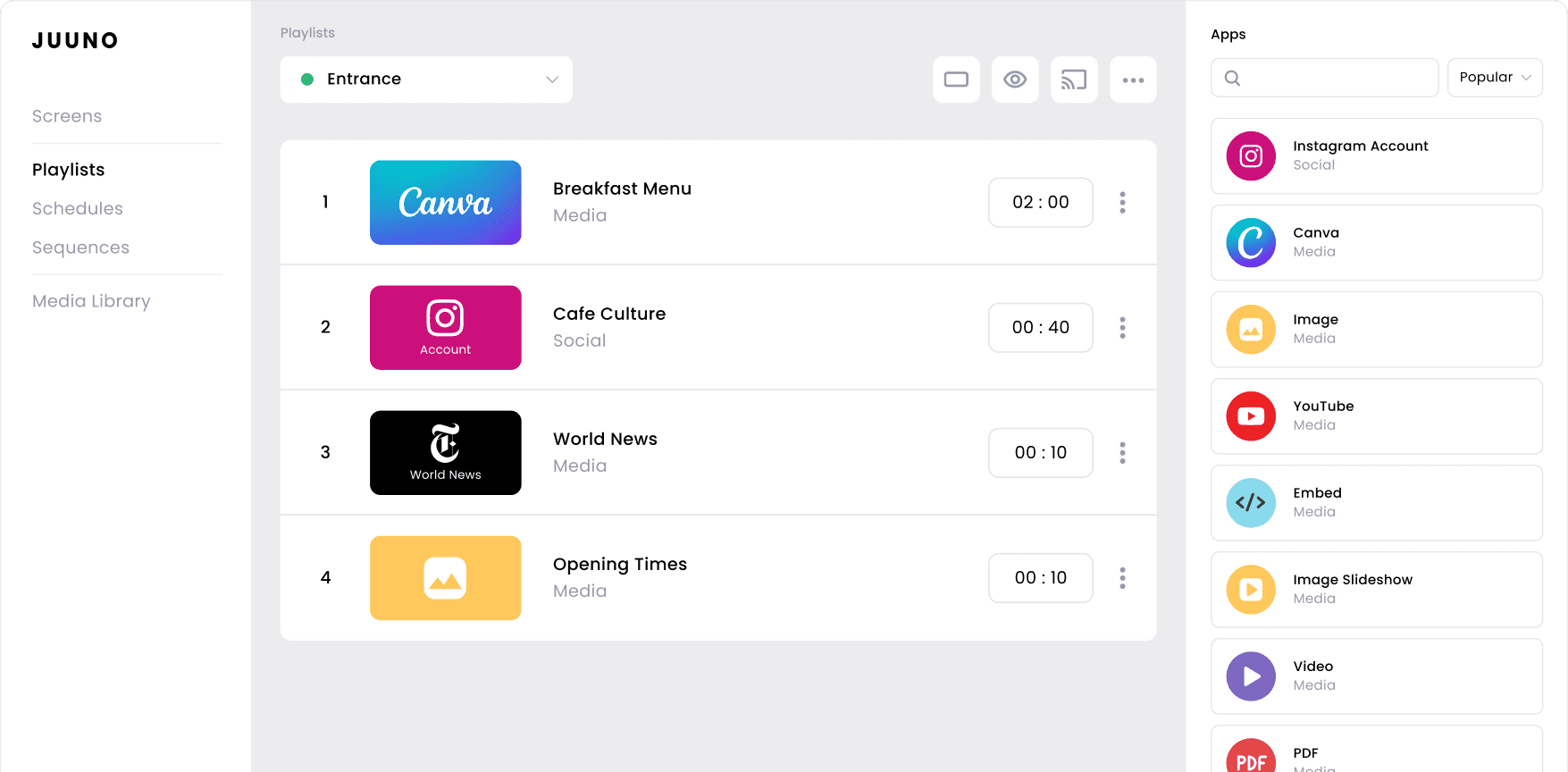
Manage every screen in every hallway, cafeteria, and office from a single dashboard. Push emergency alerts instantly. No more running between buildings or relying on the PA system.
Safe & Secure Messaging
Control who can publish content and what appears on screens. Role-based permissions mean teachers can contribute without having access to everything. No surprises, no unauthorized content.
Built for Education
Teachers and admin staff aren't IT professionals. Juuno is simple enough that anyone can update a screen in under a minute — from their phone, their desk, or the staff room.