Case Study
NewsNation, the fastest-growing cable news network in the country, replaced a patchwork of SD cards and on-the-fly workarounds with centrally managed digital signage — giving operators instant, browser-based control over on-air backgrounds for contributors from coast to coast.
Brett Kotheimer, Broadcast Operations Manager at NewsNation Chicago, runs the deployment.

Read how NewsNation deploys Juuno at scale in Amazon's official case study →

About NewsNation: a 24/7 cable news network owned by Nexstar Media Group
NewsNation is a 24/7 national cable news network and the flagship property of Nexstar Media Group — America's largest local broadcasting company. The network operates studios in Chicago, New York, and Washington, D.C., and reaches roughly 80 million U.S. households through pay-TV distribution.
Since relaunching from WGN America on March 1, 2021, NewsNation has emerged as the fastest-growing news network in the country, regularly competing with established cable news outlets in the ratings. Its programming roster spans straight news (NewsNation Live, Morning in America, The Hill) and primetime shows hosted by anchors including Chris Cuomo, Elizabeth Vargas, and Leland Vittert.
For a network with this footprint, getting a contributor on air — wherever they happen to be — needs to be as reliable as turning on a studio camera in Chicago.

The challenge: no control over remote contributor backgrounds
The shift to remote broadcasting accelerated dramatically during the COVID-19 pandemic. Brett Kotheimer and his colleagues on the broadcast operations team — the conduit between IT, the newsroom, and technical operators — found themselves managing a problem that didn't exist in the studio era.
"News networks, including NewsNation, quickly discovered that teleconferencing platforms like Zoom could get contributors on air from their homes. The catch: there was no way to control what appeared behind them."
Early workarounds relied on AI-driven virtual backgrounds — the kind that key out a person's surroundings and replace them with a still image.
"While convenient, we found the results were inconsistent, especially when contributors moved or had complex backgrounds."
For network-grade output, the artifacts were a non-starter. The issue was compounded by NewsNation’s rapid deployment of home-based REMI solutions, such as bonded cellular and studio-in-a-box configurations, which bypass the videoconferencing platforms entirely and transmit high-resolution video straight to broadcast feed rooms. These technologies typically offer no virtual background capability at all.
The fix turned out to be deceptively low-tech: place the largest available display directly behind the on-air talent and run a professional broadcast graphic on it. Rather than keying out a background in software, the background simply exists in the room — the camera sees it, the audience sees it, no compositing artifacts.
But that introduced a new problem: keeping every display populated with the right graphic at the right time, without dispatching a technician for every segment.

The early workaround that didn't scale.
Before settling on a centralized signage solution, NewsNation tried the most basic option available: still graphics loaded onto SD cards and shipped to contributors. The workflow was slow, fragile, and impossible to update on a deadline.
"It was fragile, labor-intensive, and difficult to scale as the network's roster of remote contributors grew."
The team needed something set-and-forget at the contributor's end and fully managed from a browser at NewsNation Chicago — not a workflow that required mailing a memory card every time a graphic changed.
Why NewsNation chose Amazon Signage Stick + Juuno
NewsNation's research surfaced two requirements that ruled out most consumer hardware: a device that boots straight into signage content (no app launcher, no chance of a contributor wandering somewhere else), and remote management without on-site IT.
Why Amazon Signage Stick over a consumer streaming stick
"Unlike a consumer Fire TV Stick and other consumer devices, the Amazon Signage Stick is built for digital signage: it boots directly into the assigned content and begins playing. There is no consumer app-selection interface, no chance a user accidentally navigates somewhere else, and no need for on-site technical assistance after initial setup."
The stick also includes the kind of remote management capabilities normally reserved for media players costing several times more — critical when a frozen device five minutes before air is not an option.
Why Juuno as the CMS
"We selected Juuno as the content management system that fit our needs of ease of use and affordability."
Juuno's operator-friendly portal meant the broadcast operations team could swap a contributor's background graphic for the next segment without involving engineering.
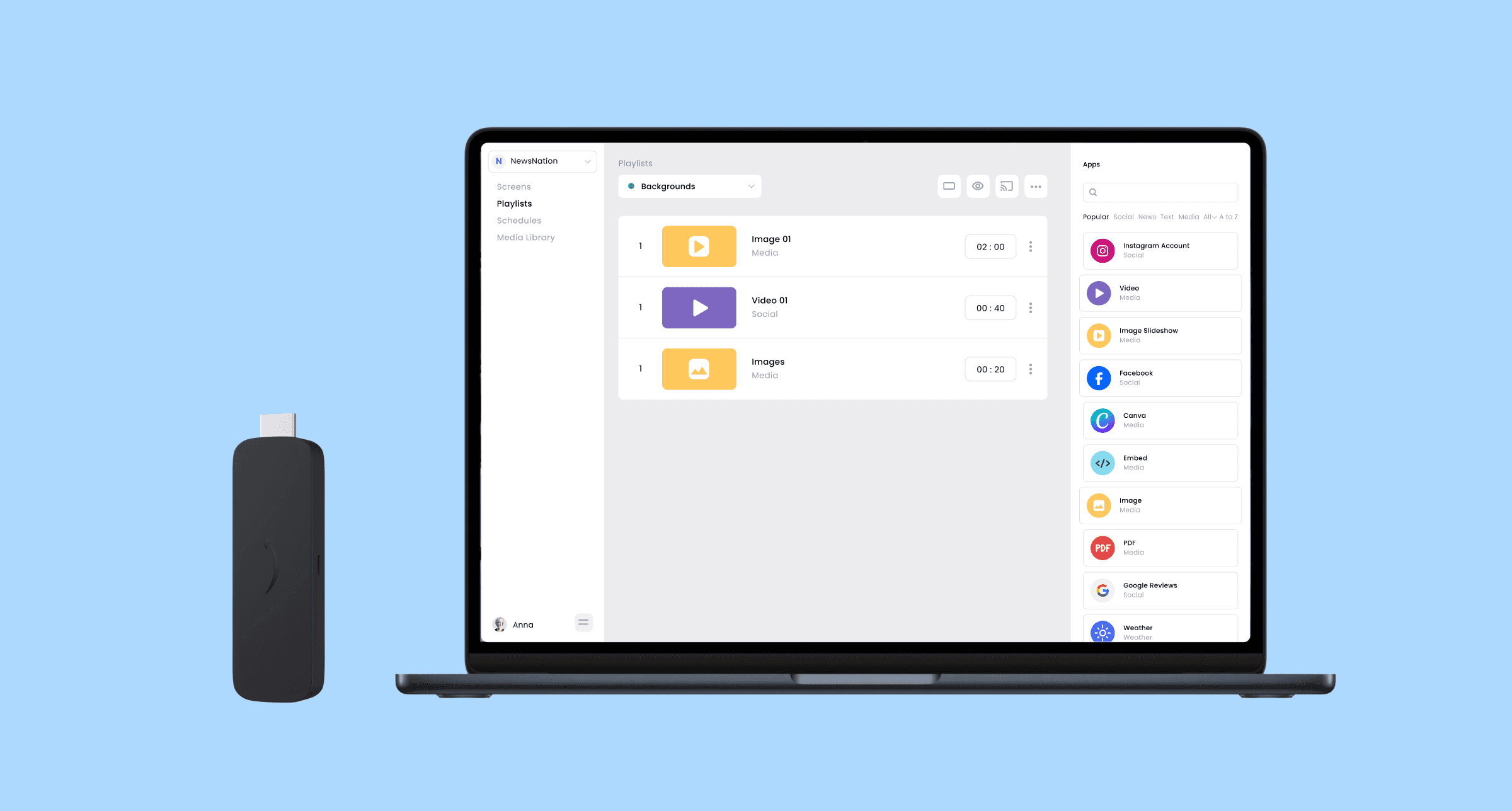
How the deployment works on air
Each remote contributor studio follows the same setup:
A large-screen TV is positioned directly behind the on-air talent.
An Amazon Signage Stick plugs into the TV via HDMI.
The stick is pre-provisioned with the Juuno app at NewsNation's Chicago facility.
The contributor plugs in the unit and updates the Wi-Fi credentials — that's it.
The stick connects to the network and begins receiving content from Juuno automatically.
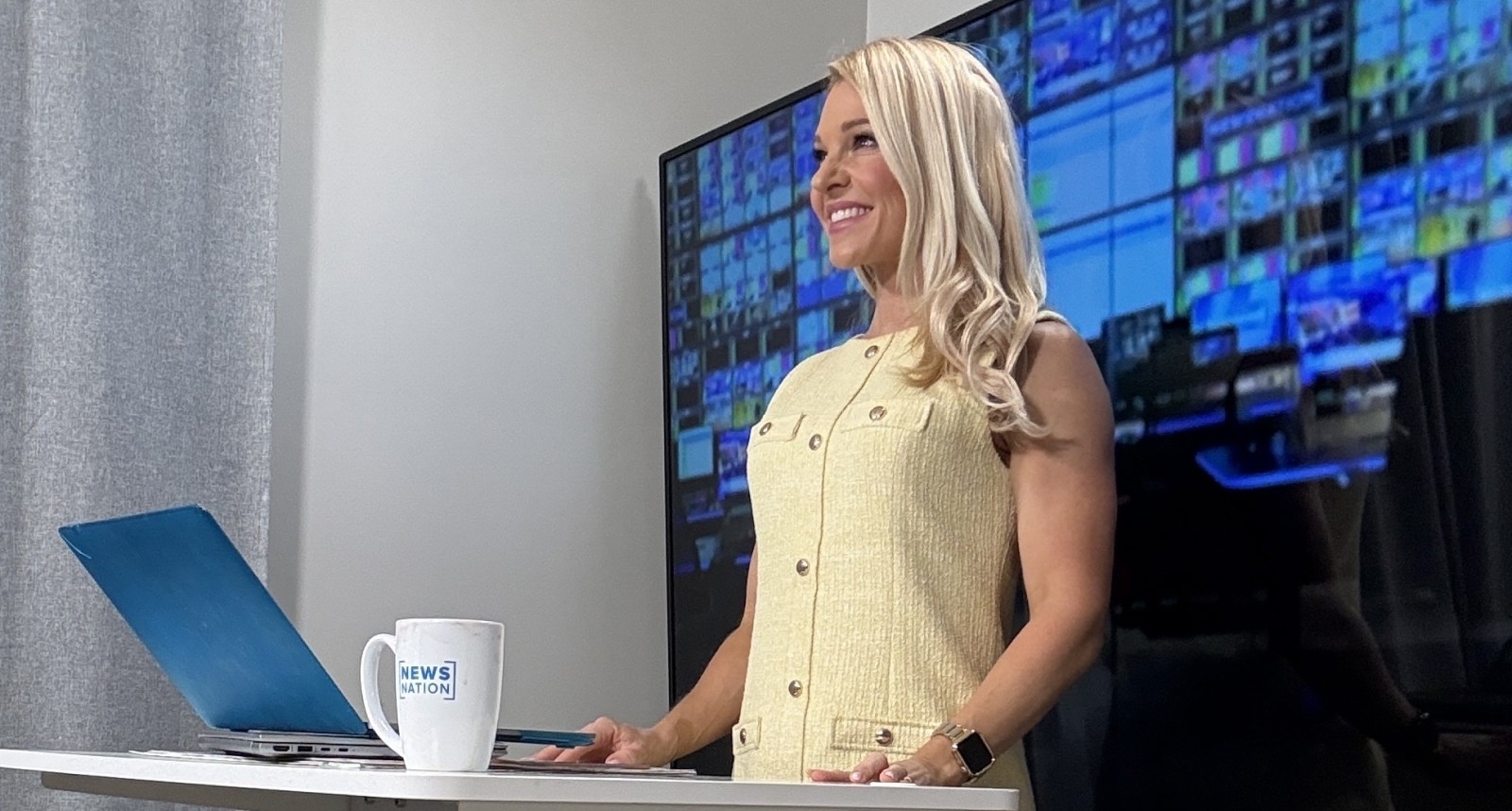
"The camera frames the talent against the TV, creating the appearance of a polished studio set from any of our on-air talent's living room or home office. It's as easy as that."
When a contributor appears across multiple programs in a week, broadcast operators in Chicago swap the background graphic for each segment directly from the Juuno portal — no coordination with the contributor required.
Measurable results
Centralized control — ~12 remote studio backgrounds managed from a single Juuno portal, accessible by any operator
Instant remote updates — graphics swapped in real time between segments, with zero file transfers or on-site visits
Fast deployment — new contributor studios go live as soon as Wi-Fi credentials are entered on the Amazon Signage Stick
Broadcast-quality output — physical display backgrounds outperform software-keyed virtual backgrounds with no compositing artifacts.
Features
Features Used by NewsNation
Centralized Portal
Manage every remote contributor studio from one browser-based dashboard. Any producer can swap a background between segments — no IT ticket required.
Real-Time Swaps
Push a new graphic between segments. The display updates over the air with no coordination required from the contributor.
Remote Management
Provision sticks at NewsNation Chicago, ship to contributors, and manage every screen remotely. Reboot, repair, and update without sending an engineer on-site.
Drag & Drop Editor
Build and update broadcast-quality backgrounds without design or technical skills. Operators and newsroom staff can manage content directly.
Image & Video Backgrounds
Run still graphics or looping video files behind on-air talent. The physical display fills the camera frame — no compositing artifacts.
Multi-Studio
Group screens by program, contributor, or studio location. Each remote studio gets the right graphic for the segment it's in.
Why physical backgrounds beat software-keyed virtual ones
Software virtual backgrounds were the obvious place to start — every teleconferencing platform offers them, and they don't require any hardware at the contributor's end. But they fall apart on broadcast.
The keyer struggles with motion: a contributor leaning forward, gesturing, or moving in their chair pulls compositing artifacts that are visible at NewsNation's output resolution. Complex backgrounds in the contributor's home — bookshelves, lamps, doorways — produce edge halos and missing-pixel ghosts that no production team wants on air.
A physical display behind the talent removes the entire problem. The camera sees a real surface with a real graphic on it. There is nothing to key, nothing to composite, and nothing to fail — even when the contributor moves. The output is a clean broadcast frame every time.
How browser-based control changes the operator workflow
Before Juuno, swapping a contributor background in the middle of a show meant a file transfer to the contributor — slow, fragile, and requiring the contributor's attention right when they should be focused on going to air.
With centralized signage, that workflow collapses into a single browser action. An operator in Chicago opens the Juuno portal, picks the right graphic, and the display behind the contributor updates over the air — usually inside the time it takes to read an intro.
For a live broadcast environment where decisions move in seconds, that's not just a convenience. It's the difference between making the change in time and going to air with the wrong graphic.
Brett's takeaway for other broadcast operations teams
For other broadcast operations teams considering a similar deployment, Brett's advice came down to three things.
Pick a purpose-built signage device, not a consumer streamer. Consumer sticks ship with app launchers, OS updates that interrupt playback, and the ever-present risk a contributor wanders into the wrong app. The Amazon Signage Stick boots straight into Juuno and stays there.
Pick a CMS the operators can run themselves. The whole point is to keep engineering off the critical path. If swapping a graphic requires opening a ticket, the system has already failed.
Plan for Wi-Fi as the only friction point. Once the stick is provisioned at the broadcast facility, the only thing the contributor has to do is enter Wi-Fi credentials. Everything else — pairing, configuration, content — is handled centrally.
What's next: bringing centralized signage to mobile production trucks
NewsNation contracts a vendor for mobile production trucks — vans equipped with a bar stool, a TV, and a lighting kit that already use large-screen displays as contributor backgrounds. The trucks currently run on local media players.
"If there were a Juuno stick with a SIM in it, we'd certainly look at getting it deployed with the company we contract with."
A cellular-capable Juuno stick with a built-in SIM would be the logical next step: same browser-based control as the in-home contributor studios, but extendable to NewsNation's truck vendor for any field deployment, anywhere a vehicle can park.
For an organization whose on-air product depends on split-second decisions and tight logistics, the ability to update a background from a browser window — rather than coordinate a file transfer with a contributor under deadline — has removed a real operational bottleneck.
Run your remote studio backgrounds on Juuno.
If you're managing remote contributor studios — whether for a national news network, a college sports show, or a corporate broadcast — Juuno and the Amazon Signage Stick give you centralized control without the cost of enterprise signage hardware.