Most "best digital signage software" lists are written by editorial teams who've never actually deployed digital signage. They list the tools that pay them well, copy the marketing pages, and call it a day.
This one's different!
We're Juuno. We make digital signage software. Our customers run 19,539 active screens across 128 countries, from a Texas waterpark switching from $25 to $5 per screen, to a Worcester agency earning up to 80% margin reselling signage to local restaurants, to a Seattle athletics department managing a building full of TVs from one person's desk. Start a free trial at juuno.co.
We've talked to thousands of buyers. We know what makes someone pick (and stay with) a digital signage platform, and we know where every tool below, including ours, falls short.
So yes, we list ourselves first. It's our blog. But for every competitor below, we've called out who they're actually better for than us. If you're looking for an honest read on what to buy in 2026, you're in the right place.
Why trust this list?
128 countries. We serve customers from Texas waterparks to UK churches to German mini-markets to Philippine cafes.
19,539 active screens across 5,000+ businesses on our platform.
Deployments run from one screen to 117 across 40+ locations, so this list is weighted toward what small and mid-sized businesses actually run.
Real customer voices throughout this article, every quote attributed to a named buyer at a real business.
Most of the businesses on our platform run exactly one screen, and I think that gets lost in every roundup like this one. When I look at a signage tool now, the first thing I ask is whether a single cafe owner could set it up on a Tuesday afternoon without calling anyone.
“Juuno is next level software for TV displays. They are extremely innovative, constantly doing new updates and adding new features. It’s extremely easy to launch on a tv and it’s very reliable. 100% the best display screen software around." - Chet Norman, Google Maps Local Guide
How we tested these 20 platforms
A vendor writing about its competitors has an obvious problem. You have no reason to believe we were fair, and saying that we were does not fix it.
So here is the working instead.

What we ran ourselves
Some of these platforms let you create an account and publish something without speaking to a salesperson. Those are the ones we used.
Used means an account, real content uploaded, a playlist built, a schedule set, and the whole thing running on a screen in a room. Not a preview pane. Screens behave differently to laptops, and a browser tab hides every problem worth knowing about.
The hardware was the hardware we recommend to customers: an Amazon Signage Stick, an Onn Google TV box, and a standard Fire TV. Each platform ran for at least 72 hours before we formed a view.
A demo on a vendor's own reference setup tells you almost nothing. I have watched a platform look perfect in a browser tab, then drop back to a home screen after two days. That was on the exact stick a customer would buy.
The screen matters as much as the software. Agency operators who deploy signage commercially never separate the two, and Hexx Design put it more bluntly than we would.
"If the TVs are crap, the signage is going to look like crap. Get TVs that don't glare. Commercial TVs are made to run 16/7 or 24/7." Hexxon Villa, Founder, Hexx Design
What we checked on every platform
Whether or not we could run it, four things were verified on all twenty:
The published entry price
The price at the tier where the features you will actually use sit
Hardware and player support
Whether a white-label option exists, and on what terms
Prices were verified from public pricing pages in May 2026. That date matters more than it looks. Yodeck raised two tiers on 1 April, Rise Vision moved to monthly per-display pricing, and OnSign TV restructured its plans entirely, all inside twelve months. A price older than a quarter in this category is a guess.
Recommendations here are weighted by what businesses on our own platform actually run, not by what looks impressive in a feature list. Around one in five screens on Juuno runs on an Amazon Fire TV. That makes it the most-used dedicated player across our customer base.
Quick comparison: 20 digital signage platforms at a glance
Sort by what matters to you. Detailed reviews follow. Worth noting before you scan: seven of the twenty vendors here still won't tell you a price without a sales call.
Vendor | Starting price | Best for | Verdict |
|---|---|---|---|
Juuno | $5/screen/mo | Most use cases up to 1,000+ screens; especially white-label resellers | The most balanced option, honest about that. |
DigitalMenu.TV | Custom | Multi-location restaurant menu boards | Purpose-built for menus; single-use. |
Scala | Custom (~$30+/screen/mo) | Enterprise with managed-service expectations | Premium tier; not for SMB. |
Fugo | $20/screen/mo annual ($24 monthly) | Teams putting live business dashboards on screens | Best at secure dashboards; premium priced. |
SkyKit | Custom | Google Workspace–heavy enterprise bundles | Bundled suite; sales-led. |
truDigital | From $29/screen/mo plus $150 setup | Hospitality, franchise networks | Vertical specialist; pricier. |
Rise Vision | $11/display/mo; free for qualifying K-12 | K-12 schools, education | Free for qualifying schools; weaker for commercial. |
Spectrio | Custom (managed service) | Retail chains wanting hands-off | Service-led model; high minimum spend. |
Look | $13.50/screen/mo | Visual-design-heavy teams | Strongest WYSIWYG editor; smaller integration set. |
QuickESign | $6/screen/mo (volume discounts to 50%) | Cost-conscious SMBs using streaming sticks | Cheapest at scale; consumer-hardware reliability risks. |
SnapComms | Custom (by employee count) | Internal employee comms (signage is one channel) | Best for emergency-alerts; not customer-facing signage. |
Displai (formerly Raydiant) | Custom | Multi-location retail/hospitality with POS-integrated kiosks | Enterprise multi-location; sales-led. |
OptiSigns | Free up to 3 screens; paid from $10/screen/mo | Android-heavy deployments | Stronger Android Player than us; weaker iOS. |
Yodeck | $8/screen/mo; free for 1 screen forever | Hobbyists, R-Pi enthusiasts | Cheapest entry; locks you to Raspberry Pi hardware. |
ScreenCloud | $20/screen/mo (Core) | Enterprise teams with custom integrations | Better than us for Salesforce/Workday dashboards. Pricier. |
Userful | Custom (enterprise) | Video walls and command centers | Highly specialized; overkill for menu boards. |
NoviSign | $18/screen/mo | Template-heavy weather/social walls | Pre-built widget library; UI feels dated. |
OnSign TV | $19.99/screen/mo | Multi-OS device fleets | Broadest device support; UI complexity. |
Viewneo | $21/screen/mo | European deployments needing GDPR-first | German engineering; European-priced. |
TelemetryTV | $8/screen/mo (Entry) | Kiosk + dashboard-heavy uses | Solid kiosk mode. Heavier learning curve. |
Prices verified May 2026 from public pricing pages where published. Custom-priced vendors require a sales call.
Which digital signage software is right for you
Twenty tools is a lot to hold in your head, and you need one row of it.
Find yourself below and start there. The reviews are underneath if you want the reasoning.
Start here
If this is you | Start with | Why |
|---|---|---|
One screen, testing the idea | Yodeck | Free forever on a Raspberry Pi. |
Cafe, salon or shop, 1 to 3 screens | Cost is a rounding error. Setup is not. | |
4 to 20 screens, one location | Per-screen price is your main cost driver. | |
20+ screens, several sites | Splashway runs 40+ for under $1,800 a year. | |
Menu boards, mostly | Juuno or DigitalMenu.TV | DigitalMenu.TV if every screen is food. Juuno otherwise. |
An agency reselling to clients | $100 flat, your brand on the player. | |
A church, screens run by volunteers | Whoever is on rota Sunday must be able to use it. | |
A gym or fitness studio | Timetables change weekly. Scheduling matters. | |
A US K-12 school | Rise Vision | Free for qualifying schools. |
Live Power BI or Looker dashboards | Fugo | Built for it. Ours is in beta. |
Salesforce or Workday data, plus SSO | ScreenCloud | Enterprise integrations are their whole thing. |
A synchronised video wall | Userful | Specialist territory. Not our build. |
Someone else to run the whole thing | Spectrio | Managed service, if budget allows. |
If two rows fit you
You will probably match more than one line. The tiebreaker is what this costs at the screen count you reach in a year, not the one you have today.
Run the number once. Twelve screens at $5 is $60 a month. The same twelve at $20 is $240. Over three years, that gap is $6,480.
Then ask who updates the screens. A platform an owner can run alone beats a better one needing a specialist.
A three-location restaurant group picked a platform on its free tier and ran two screens for four months. When they opened a fourth site and went to nine screens, the features they relied on sat two tiers up, and the rate had tripled. Migrating nine screens of built content took a weekend nobody had budgeted for. The cost of the wrong choice was never the subscription. It was the rebuild.
"Switching to Juuno was one of the best cost and headache-saving decisions we've made. It's the easiest to use and cheapest we've found." Kris Green, Social Media Director, Splashway Waterpark and Campground
Where we are not the answer
Four cases send you elsewhere, and we would rather you went.
Salesforce dashboards, Workday feeds, or SSO with a custom identity provider: ScreenCloud. A 4x4 synchronized video wall or a command center: Userful. A vendor to plan, deploy and run the whole network on your behalf: Spectrio. A free tier for a qualifying US K-12 school: Rise Vision.
None of those four comes with a qualifier attached. We are not quietly better at them than the sentence suggests, and there is no plan or upgrade path here that closes the gap. If one of them is your actual requirement, the rest of this page is background reading, and you should stop here.
I would rather lose a trial signup from someone who was never going to be happy here. Winning it means six months of explaining why we do not do video walls.
1. Juuno

Juuno is an affordable, easy-to-use digital signage software that handles most real-world deployments without surprise pricing or a sales call. Customers run anywhere from 3 screens in a cafe to 117 screens across 40+ locations (Fi runs the largest Juuno deployment we know of), and our white-label tier powers entire agency businesses like Hexx Design in Michigan and Cossin Media in Worcester, MA.
Vanessa Lopez at Fi put the buying decision directly:
“Juuno was the easiest to use and weirdly the cheapest! You don’t make it harder than it needs to be. Digital signage should just be drag and drop.”
That’s the design principle behind the whole product.
Creating digital signage with Juuno is sort of like organizing a playlist. The platform is very easy to learn and understand, while others on our list tend to be unnecessarily complicated.
Juuno also includes a built-in library of signage apps — YouTube, Canva, weather, social feeds, countdowns, Bible verses, and more — so you don’t need to bolt on third-party tools to fill your screens. Peter BD on Google Maps captured the workflow: “What I really like is how easy it is to update content across multiple screens. We use it with Canva which makes everything look great without any design headaches.”
For reliability, Mitchell Weholt at New Life Church Everett switched to Juuno from Raspberry Pi setups:
“With Juuno, I can use off-the-shelf hardware to get a new screen up and running quickly… And unlike our previous solution, I just know it’s going to work on Sundays.”
Top features:
Works on any TV, PC, or tablet (with a web browser) and on the purpose-built Amazon Signage Stick
Drag-and-drop playlist editor anyone can use without training
Native Canva, Google Slides, YouTube, Instagram, Facebook, PowerPoint integrations
Daily/weekly schedules to keep content fresh
White-label reseller tier, flat $100/month, 20 screens included, additional screens at $5/screen/month
Mobile provisioning via Bluetooth (under 60 seconds per screen)
Group screens by location, brand, or use case
Live data feeds and real-time content
From our own platform data, a separate June 2026 study of usage across our full customer base, 94% of businesses lead with static images, well ahead of video or social content.
Where we fall short — honestly:
Enterprise integrations: if you need Salesforce dashboards, Workday data, or SSO with custom IdP, ScreenCloud is better.
Video walls / command centers: we’re not built for 4×4 synchronised video walls. Userful is the specialist.
AV-as-a-service: if you want a vendor to plan, deploy, and manage your network end-to-end, Spectrio or Mvix lead in that model. We’re software-only.
K-12 free tier: Rise Vision offers free signage to qualifying schools. We don’t.
Pricing:
Juuno runs two plans. Business is $5 per screen/month and Growth is $9 per screen/month, which adds proof of play and API access. Both include unlimited users, apps, and playlists, and there is no minimum commitment. Annual plans save around 8%. White-label reseller plans are $100/month for the first 20 screens, then $5 per screen after that.
2. DigitalMenu.TV

With DigitalMenu.TV, you can display your menu on mounted TVs. The software is a fit for restaurants, cafes, pubs, and more. If you run a chain, you can manage all of your digital menus from one place. It’s easy to update menus when you have holiday items, special promotions, or other changes. The company recommends LCD or LED screens.
DigitalMenu.TV is genuinely purpose-built for menu boards — every feature exists to make food menus easier to update. The chain-management UI is good: change a menu item across 50 locations in one edit. Pre-built menu templates remove the “where do I start” friction for non-designers.
The trade-off is single-purpose focus. If you also want corporate signage, social walls, office dashboards, or anything beyond food menus, you’ll need a second tool. And pricing isn’t published — every prospect goes through sales.
Top features:
Menu-board-specific templates (food, beverage, daily specials)
Chain management — push menu changes to all locations
Hardware-agnostic (any TV with LCD or LED)
Holiday item and promotion scheduling
Where DigitalMenu.TV beats Juuno: If you run a multi-location restaurant chain and 100% of your signage is food menus, the purpose-built menu templates and chain-management UI can save real time.
Where Juuno beats DigitalMenu.TV: Everywhere else. Juuno handles menu boards just as well — Splashway runs 40+ screens including kitchen displays, food/beverage menus, and promotional content all in one dashboard — AND handles social, dashboards, info displays, and white-label. Plus transparent $5/screen pricing, no sales call.
Pricing:
DigitalMenu.TV doesn’t display their pricing online, so you’ll need to check with their sales team.
3. Scala

With Scala, you can manage your digital signage from the cloud. The software offers several important features, including the content manager, design studio, and media player. The company also offers hardware — various media players that allow for secure and fast media performance. However, most organizations will prefer not to purchase additional hardware and would rather use software that works on existing TVs with no extra device required.
Scala has decades of enterprise signage experience. Their managed-service model means they handle integration, hardware spec, and ongoing operations — useful at scale, expensive at small scale. Robust at video-wall and large-network deployments where you need a vendor to own the whole stack.
The trade-off: Scala is enterprise-only in everything but name. Expect a 6–12 week procurement cycle from first contact to deployment, and quoted prices that start at 6× Juuno’s per-screen rate.
Top features:
Cloud-managed content + design + delivery
Bundled enterprise media players
Video-wall and large-network deployment expertise
Managed-service ops support
Where Scala beats Juuno: 5,000-screen retail chains, airports, transit hubs needing a vendor to own hardware + managed-service ops. Scala is built for that scale.
Where Juuno beats Scala: Everywhere from 1 to 1,000 screens. Self-serve. Transparent pricing. Faster from signup to first deployment.
Pricing:
Scala doesn’t publish their pricing online, so you’ll need to get in touch with sales to find out the costs of the software and hardware.
4. Fugo

Fugo does one thing better than almost anyone else on this list, and if you do not need that thing you should not be paying for it.
The thing is dashboards. Fugo streams live Power BI and Looker views onto a screen, refreshed hourly, and crops them into layouts that are readable from across a room. Plenty of platforms can display a public URL. Getting a real business dashboard onto a wall, formatted for TV and refreshing on its own, is a harder problem, and Fugo built the product around solving it. For a factory floor showing production metrics or an office wall showing live sales numbers, that is the whole job. See our guide to digital signage dashboards for guidance.
They also carry the compliance stack that IT departments ask for: SOC 2 Type 2, HIPAA, and GDPR. The customer list runs to Coca-Cola, the NHS, Ralph Lauren, and Lululemon, which tells you who the product is built for.
The trade-off is what it costs and where the dashboard feature actually sits. Essential is $20 per screen per month on annual billing, and it does not include dashboards at all. Core at $30 is the tier that unlocks them. On-premise dashboards, SSO, and the API key sit higher still, on Enterprise at $40. That is four to eight times our rate depending on tier, and monthly billing adds another 20% on the lower two plans.
Top features:
Live TV dashboards with hourly refresh, via Power BI and Looker
On-premise dashboards, SSO, and API access on Enterprise
Native content design studio with customisable templates
Screen mirroring and casting, embeddable channels
SOC 2 Type 2, HIPAA and GDPR compliance
Where Fugo beats Juuno: Dashboards, clearly. If your screens exist to show live business data, Fugo does it better than we do. Our Secured Dashboard app covers similar ground but is still in beta, and theirs is a mature product with the compliance paperwork to match. If that is your primary use case, buy Fugo.
Where Juuno beats Fugo: Price, at four to eight times the difference, and the gap widens because the feature most people want Fugo for is not on the entry plan. Fit matters more though. Most screens are showing a menu, a promotion, or a social feed. Buying a dashboard platform to display a JPEG is an expensive way to solve a cheap problem.
Pricing:
Fugo charges per screen per month across three tiers, billed annually: Essential at $20, Core at $30, and Enterprise at $40. Paying monthly raises Essential to $24 and Core to $36. Dashboards start on Core. There is a 14-day free trial, plus one free watermarked screen. Fugo also sells its own NUC and Chromebox players, both quote-only.
5. SkyKit
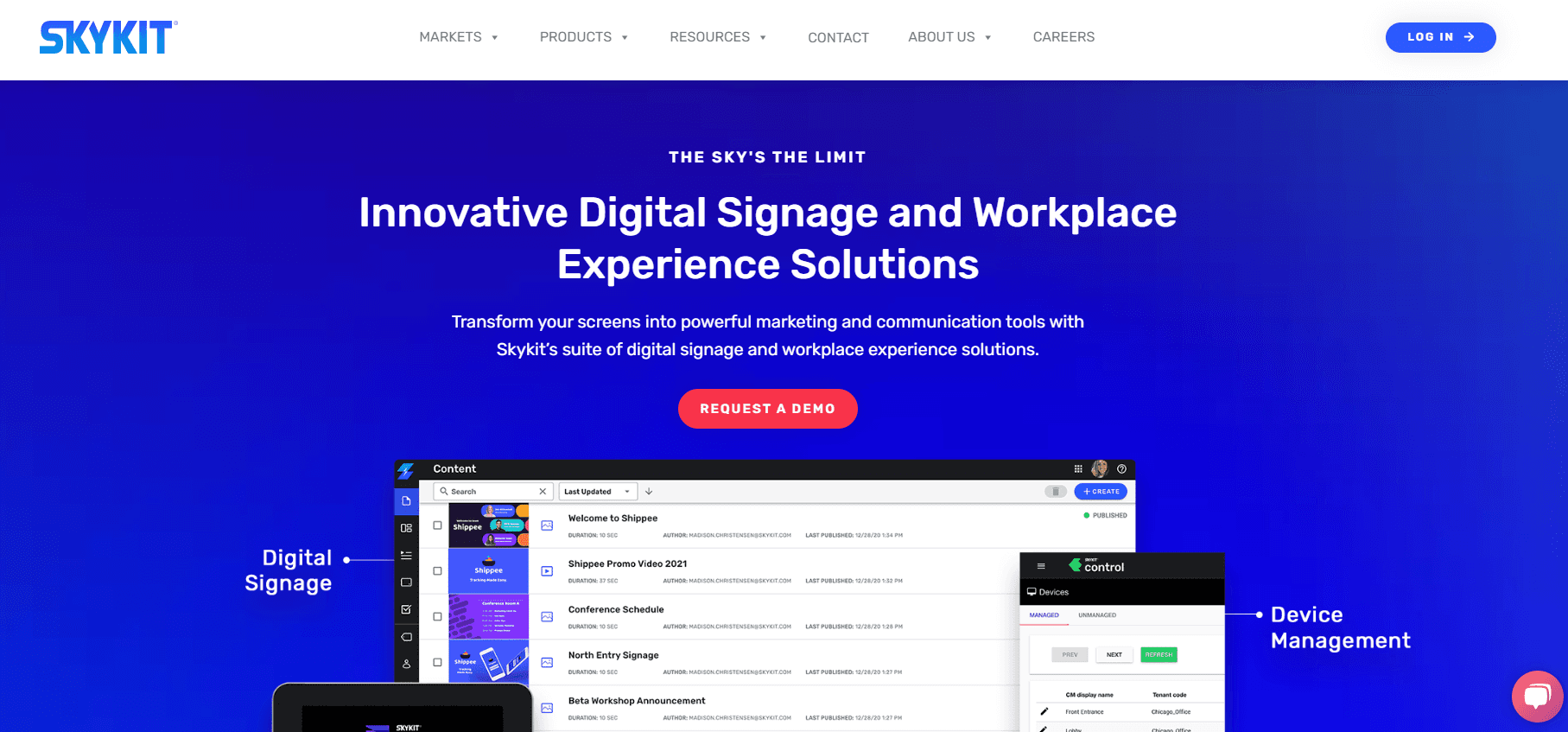
SkyKit offers a few different products under one vendor — digital signage, kiosks, and conference room booking — all positioned as a bundled workplace-experience suite. The platform is mature and well-established in mid-market and enterprise customers.
SkyKit’s strong Chrome OS / ChromeOS Flex support makes it a natural fit for Google Workspace–heavy organizations. If you’re standardizing on Chrome devices across the enterprise (signage + kiosks + meeting rooms), the unified SkyKit suite is purpose-built for that profile.
The trade-off is bundle-style positioning. You may pay for components you don’t use, and pricing sits behind a sales call. For SMB and mid-market deployments that only need signage, SkyKit’s bundle is overhead.
Top features:
Digital signage + kiosks + conference room booking in one suite
Strong Chrome OS and ChromeOS Flex support
Google Workspace integration
Enterprise-grade managed support
Where SkyKit beats Juuno: If you’re a Google Workspace–heavy enterprise needing signage + conference room booking + kiosks from one vendor with managed-service support, SkyKit’s bundle approach is purpose-built.
Where Juuno beats SkyKit: Transparent pricing, faster self-serve setup, and a fraction of the cost of typical enterprise SaaS bundles. If you don’t need conference room booking or kiosks bundled in, the SkyKit bundle is overhead.
Pricing:
SkyKit doesn’t publish their pricing publicly, so contact sales for a demo and a custom quote.
6. truDigital

truDigital is a digital signage platform that works for a variety of industries. It can be used for announcements, dashboards, social media feeds, and other types of content. The company also offers design services in case you need help creating templates. Hardware is bundled with the subscription — you’ll need to purchase their players for the platform to work properly.
truDigital is particularly strong in hospitality and franchise networks. The dedicated rep model on higher tiers means you have a single point of contact for support, content production, and ongoing changes — useful when you don’t have an internal team to manage signage.
The trade-off: at $29/month per player, truDigital is 5×+ Juuno’s price, and the bundled-hardware model means you can’t BYO devices.
Top features:
Multi-location campaign management
Dedicated rep on Pro tier and above
Hospitality and franchise vertical specialization
Optional design services
Where truDigital beats Juuno: If you’re a franchise network needing managed signage with a dedicated account rep handling all the work, truDigital’s service-led model matches that buying preference.
Where Juuno beats truDigital: Self-serve, no rep needed. ~5× cheaper. Hardware-flexible (BYO any device). Better fit if you have any in-house capability to manage your own content.
Pricing:
truDigital's pricing starts at $29/month per player, plus a $150 one-time setup fee, for reliable digital signage with unlimited users and support. The $49/month Pro plan adds multi-location tools, campaigns, and a dedicated rep. Custom plans are available with volume discounts, integrations, managed services, and design support for franchise and enterprise needs.
7. Rise Vision

Rise Vision is built for education. With over 500 templates and integrations for Google Slides, Outlook Calendars, and more, it's well-suited for displaying announcements, weather, and emergency alerts. Enterprise plans offer district-wide overrides, classroom alerts, and single sign-on, making communication seamless across entire campuses.
For qualifying K-12 schools, Rise Vision offers a genuinely free tier. That’s a real perk — no other vendor in this comparison gives you a free education plan with full functionality. Strong template library covers bell schedules, lunch menus, sports scores, and emergency alerts.
The trade-off is non-education pricing. Outside K-12, you’re paying $119/display/year (~$10/month) with limited hardware flexibility (Chromebox-first). For commercial use, Juuno’s $5/screen and hardware-agnostic approach is simpler.
Top features:
500+ education-focused templates
Google Slides + Outlook Calendar integrations
Emergency alert and classroom override tools
SSO + district-wide management on enterprise plans
Free for qualifying K-12 schools
Where Rise Vision beats Juuno: If you’re a K-12 public school in the US, Rise Vision is free. Use it.
Where Juuno beats Rise Vision: Everywhere else. Universities, libraries, private schools, and commercial deployments are better-served by Juuno's lower price and broader hardware support. Mike Lengel at Lakeside School Athletics in Seattle put it directly about Juuno: "Juuno has been the solution we've been looking for. We have multiple digital displays throughout our Athletics building, and having the ability to send content to them, set schedules, build playlists, and create custom announcements, all from my desk, has been extremely helpful and saves me hours of time per week."
Pricing:
Rise Vision moved to monthly per-display pricing in 2026. Basic is $11 per display per month, Advanced is $13, and Enterprise is $15 (or $164 per display per year). The Education Unlimited licence is $1,399 per school per year for unlimited displays, sold per school rather than per district. A free tier is also available. AI features are metered: 50 credits are included each month, with additional credits sold at $300 per 600 per year.
8. Spectrio

Spectrio is a fully-managed platform that bundles digital signage with on-hold answering service, interactive kiosks, overhead music, guest WiFi marketing, and scent marketing (actually dispersing scents in physical locations). The digital signage component costs more than most platforms on this list, but if you want to manage multiple in-store experiences under one vendor, it can be a fit. Strong for physical retail stores, airports, and train stations.
Spectrio’s managed-service model means they handle content production, hardware deployment, and ongoing maintenance. Single point of contact for everything. Strong vertical knowledge in retail, automotive, and healthcare. The trade-off: you lose direct control of your screens, and minimum spend is typically $1,000+/month.
Their interactive kiosks aren’t designed for ordering or commerce — they’re for general information and wayfinding (universities, senior communities, cultural heritage sites). If you specifically need POS-integrated kiosks, look at Displai instead.
Top features:
Fully managed: content + hardware + deployment + ops
Bundled in-store experience products (signage + music + WiFi + scent)
Vertical specialists in retail, automotive, healthcare
Single vendor relationship for multi-product needs
Where Spectrio beats Juuno: If you want signage to be “someone else’s problem” and have a budget that supports a managed-service vendor across multiple in-store experiences, Spectrio is purpose-built.
Where Juuno beats Spectrio: Direct control of your screens, faster iteration on content changes, and roughly 1/10th the cost. If you want managed signage on a Juuno backbone, white-label resellers like Hexx Design and Cossin Media offer that model at agency rates well below Spectrio.
Pricing:
Spectrio doesn’t publish their pricing online, so get in touch with them for a custom quote.
9. Look

With Look, you can manage multiple screens from one platform. To use Look, install their app on your smart device or purchase their hardware. Their app is available for Android, Windows, iOS, and Linux. You can create groups of screens to more easily manage different use cases (employee-centric versus customer-centric announcements).
Look’s visual editor is best-in-class — closer to Figma than to traditional signage software. Strong for designers who want pixel-precision control over every screen layout. The on-premise licensing option is unusual in this category and useful for organizations that can’t or won’t use cloud-based signage.
The trade-off: smaller integration ecosystem than the broader-market platforms. No native Canva integration, fewer social integrations, smaller user community.
Top features:
Best-in-class WYSIWYG visual editor
AI Wizard for content generation, included rather than metered
Native apps for Android, Windows, iOS, Linux
On-premise licensing option (rare in this category)
Screen grouping for employee vs customer use cases
Where Look beats Juuno: If you have an in-house designer who wants Figma-level control over every screen, Look's editor is more powerful than ours. Also if you need on-premise (non-cloud) deployment for security or compliance reasons.
Where Juuno beats Look: If you’re using Canva (which most non-designer teams do), Juuno’s native Canva integration is faster. Plus we’re substantially cheaper at scale.
Pricing:
Look offers flexible pricing that starts with a free trial. For one screen, pricing starts at $13.50 per month. When you’re ready, upgrade to the PRO plan, where pricing scales — the more screens you add, the lower the cost per screen. Prefer a one-time payment? Look also offers an on-premise licensing option for organizations that don’t want a cloud-based setup. Contact their sales team for custom on-premise pricing and volume discounts.
10. QuickESign

With QuickESign, you can display images, videos, slideshows, Canva creations, your social feeds, the weather, and many more content types. You can use QuickESign with a TV that has an HDMI port or with a streaming device like Roku, Fire TV, or Android TV. The platform works for any kind of digital signage — corporate offices, doctor’s offices, restaurants, retail. Templates make it easy to get started.
At $6 per screen per month, the Light tier is one of the cheapest paid entries in the comparison. It covers fullscreen images and video and nothing else. Multizone layouts, Canva, and PowerPoint start at the $10 Standard tier, so compare like for like before you treat $6 as the real number.
The trade-off is hardware reliability. QuickESign supports common streaming sticks (Roku, Fire TV, Android TV), but consumer streaming sticks aren't purpose-built for signage. Expect occasional reliability issues (idle-shutoff, app drops) that purpose-built players don't have. Theo Cossin at Cossin Media learned this the hard way with Fire TV before switching to purpose-built signage hardware.
Top features:
Wide content support: images, videos, Canva, social, weather
Roku / Fire TV / Android TV compatibility
Four tiers from fullscreen-only to multi-user enterprise
Templates for fast setup
Where QuickESign beats Juuno: If all you need is a fullscreen image or video loop on a handful of screens, the $6 Light tier does that job for a dollar less than us. Paid annually it lands at $5.00 per screen, level with Juuno rather than under it.
Where Juuno beats QuickESign: Canva, multizone layouts, and PowerPoint are included with us at $5 and cost $10 with QuickESign. We also recommend the purpose-built Amazon Signage Stick rather than consumer streaming sticks, fewer reliability issues. Plus we have the white-label reseller tier QuickESign lacks.
Pricing:
QuickESign runs four tiers per screen per month: Light at $6, Standard at $10, Pro at $15, and Enterprise at $20. Paying annually brings Light down to $5.00 per screen per month. There is no volume discount published.
11. SnapComms

SnapComms offers digital signage software alongside its robust platform for communicating with employees. The employee communication channels available are extensive: desktop alert, video alert, RSS ticker, screensaver, quiz, survey, RSVP alert, registration alert, wallpaper, lock screen, newsletter, emergency alerts, panic button, and an employee app with a real-time newsfeed.
SnapComms is best-in-class for internal employee communications — particularly emergency-response use cases where the panic button + multi-channel alerts can be life-safety critical. Strong for organizations with frontline or remote employees who need multiple comms channels.
The trade-off: signage is a side-feature here, not the core product. If your only need is screen content, you’re paying for a suite of employee-comms features you won’t use. Not designed for customer-facing signage (menu boards, retail promos, hospitality lobby content) — internal use only.
Top features:
14+ employee communication channels (desktop, mobile, signage)
Panic button + emergency alert workflows
Quizzes, surveys, RSVPs for engagement
Employee app for frontline / remote workers
Where SnapComms beats Juuno: If your primary need is multi-channel employee communications (especially emergency alerts and lockdown/panic-button workflows) and signage is one part of a broader comms strategy, SnapComms is purpose-built. We’re not.
Where Juuno beats SnapComms: If you specifically need digital signage — menus, retail, healthcare waiting rooms, broadcast backgrounds, digital signage for churches, schools, hospitality lobbies, gyms — Juuno is the right tool. SnapComms isn’t designed for customer-facing signage.
Pricing:
SnapComms offers flexible pricing based on your chosen package and employee count, but exact rates aren’t listed online. All plans include unlimited usage, content creators, and multi-device support. Options range from essential alerts to interactive communication tools for deep employee engagement. Contact sales for a custom quote.
12. Displai

Displai (formerly Raydiant) is a digital signage platform designed for enterprises with many brick-and-mortar locations. Example industries include retailers, banks, car dealerships, casinos, schools, universities, gyms, and spas. Restaurants can also use Displai for self-ordering kiosks that sync with their POS or commerce platform. Businesses of any type can use Displai’s employee engagement software to manage leaderboards and contests, then display the winners via digital signage.
Displai stands out for enterprise organizations that need advanced user management, high-volume scalability, and per-location content personalization. It supports complex deployments across industries like retail, education, and hospitality, integrates with third-party systems, and offers employee engagement tools — all with enterprise-grade customization and support tailored to multi-location businesses.
The trade-off: pricing isn’t published — sales-led only. Enterprise-tier price point makes it overkill for SMB and most mid-market deployments. The rebrand history (formerly Raydiant) creates some online-review continuity gaps.
Top features:
Per-location content personalization at enterprise scale
Self-ordering kiosk capability with POS integrations
Employee engagement add-on (leaderboards, contests, gamification)
Advanced user management + role-based permissions
Advanced analytics
Where Displai beats Juuno: If you’re a multi-location retail / hospitality / dealership chain needing self-ordering kiosk integrations with your POS, employee gamification, and per-location content personalization at enterprise scale, Displai’s specific feature set is built for that.
Where Juuno beats Displai: SMB and mid-market deployments where you don’t need POS-integrated kiosks or employee gamification. Transparent pricing. Self-serve onboarding. For white-label resellers serving multi-location chains, our $100/month reseller tier replicates Displai’s multi-location workflow at a fraction of the cost.
Pricing:
Displai doesn’t publish their pricing publicly. You’ll need to book a demo and request pricing from the sales team.
13. OptiSigns

OptiSigns offers many templates alongside its digital signage solution — 10 templates for safety guidelines, 64 templates for digital menus, and over 40 templates for holidays and special events. OptiSigns recommends Amazon Fire TV or an Amazon Fire Stick attached to any smart TV. You can also purchase OptiSigns Android devices to manage digital signage across multiple locations. The web player lets your content play in any web browser.
OptiSigns’ Android Player is mature and reliable — better than most Android signage apps. The free tier (up to 3 screens) is genuinely useful for testing, and the solid app store of content widgets (weather, social, RSS, custom data) covers most content needs.
The trade-off: OptiSigns is Android-first, so iOS and web rendering can be inconsistent with the Android experience. White-labeling is enterprise-only. And at ~$10/screen/month for paid tiers, it’s 2× Juuno.
Top features:
Free plan for up to 3 screens
Mature Android Player optimization
Strong template library (menus, holidays, safety, retail)
Web player + Android device support
App store of content widgets
Where OptiSigns beats Juuno: If you’re committed to an Android hardware fleet and want native Android Player optimization, OptiSigns has the edge. Their free tier (up to 3 screens) is also useful for small testing.
Where Juuno beats OptiSigns: Half the price at paid tiers. Hardware flexibility (works equally well on browser, Amazon Signage Stick, Raspberry Pi). Cleaner white-label model for resellers.
Pricing:
OptiSigns offers flexible plans from free to $45/screen per month. The Free plan supports up to 3 screens with basic features. Paid plans (Standard, Pro Plus, Engage, and Enterprise) add advanced content tools, app integrations, interactivity, dashboards, and enterprise-level support. Higher tiers offer collaboration features, analytics, and large-scale deployment options.
14. Yodeck

With Yodeck, you can manage menus, corporate announcements, success dashboards, medical clinic appointments, and room availability. You can display document files, web pages, and widgets. Screen layout templates save time on design. The product allows you to remotely turn off screens, schedule content in advance, and manage multiple screens from one account.
Yodeck’s free-forever single-screen tier is a real perk for hobbyists — no other major vendor offers this. The Raspberry Pi player is polished and “just works” — that’s the strongest part of Yodeck’s product experience.
The trade-off: Yodeck locks you to their proprietary Raspberry Pi player. If you want to use Fire TV, Amazon Signage Stick, Chromecast, or any other device, you can't. Per-screen pricing also jumps at higher tiers ($12 Premium, $16 Enterprise), and both went up by a dollar on 1 April 2026.
Top features:
Free forever for 1 screen (with Raspberry Pi player)
Polished Raspberry Pi player hardware experience
Strong layout/zone editor (multi-region screen layouts)
Remote screen-off scheduling
Document, webpage, widget display
Where Yodeck beats Juuno: If you want a single test screen free forever AND you’re committed to a Raspberry Pi setup, Yodeck wins on price. The free-forever single screen is real.
Where Juuno beats Yodeck: Hardware flexibility (use any device you want), transparent flat pricing at scale, white-label reseller tier, and broader content integrations (Canva, Google Slides, etc.).
Pricing:
Yodeck's pricing starts with a Free plan for one screen, offering full features with no credit card required. Paid plans are Basic at $8, Premium at $12, and Enterprise at $16 per screen per month. Premium and Enterprise each rose by $1 on 1 April 2026. Annual subscriptions include free Yodeck players.
15. ScreenCloud

ScreenCloud offers useful features including app integrations, business dashboards, and design tools. The product has two main use cases: employee workplace screens (for announcements and engagement) and commercial customer screens (for check-ins, menus, promotions). Best app integrations include social media platforms, weather widgets, Google Slides, and RSS feeds.
ScreenCloud’s strongest differentiator is enterprise integrations — Salesforce dashboards, Workday displays, internal API connectors, custom data dashboards. SSO and SAML support are out of the box. Well-funded, polished, dependable.
The trade-off: 4× our base price. At 50 screens, that’s $1,000/month vs Juuno’s $250. Sales-led onboarding for higher tiers — can’t just self-serve into enterprise features. Overkill for menu boards and most small-business signage.
Top features:
Enterprise integrations: Salesforce, Workday, internal APIs
SSO and SAML support out of the box
Strong app store (social, weather, Google Slides, RSS)
Polished design tools
Employee + customer screen use cases
Where ScreenCloud beats Juuno: Custom enterprise integrations (Salesforce dashboards, Workday displays, internal API feeds). SSO. White-glove enterprise onboarding.
Where Juuno beats ScreenCloud: Price (4× difference), self-serve setup, white-label reseller tier, and small/mid-business fit.
Pricing:
ScreenCloud offers three plans to suit different needs. Core starts at $20/screen/month, ideal for digital menus and promotions. Pro at $30/screen/month adds secure dashboards and remote device management, with a five-screen minimum. Enterprise is tailored for large-scale deployments (25+ screens) with premium support, pricing available upon request. All plans include a free trial.
16. Userful

Userful is an enterprise platform offering several capabilities including digital signage, streaming, data dashboard distribution, video walls for corporate meetings, and more. The platform offers advanced security and enterprise management features including on-premise and cloud deployments, an API, supervisor dashboard, preset switcher, automated failover, enterprise-level security, role-based access control, and picture-in-picture capabilities.
Userful is a specialist video-wall and command-center vendor. Sophisticated multi-display synchronization, robust failover, and on-premise security features make it the right pick for control rooms, retail flagship video walls, and transit hubs.
The trade-off: pricing typically starts at 10×+ our rate, with specialized hardware requirements. Massive overkill for menu boards, info displays, or single-room signage.
Top features:
Multi-display synchronized video walls (4×4 and larger)
On-premise + cloud deployment options
Automated failover for mission-critical operations
Role-based access control + enterprise security
Picture-in-picture and preset switching
Where Userful beats Juuno: If you’re building a 4×4 synchronized video wall in a command center or retail flagship, Userful is the specialist.
Where Juuno beats Userful: Every non-video-wall use case — which is 99% of digital signage deployments.
Pricing:
As with many enterprise-only platforms, Userful doesn’t publish their pricing online, so be sure to get in touch with sales.
17. NoviSign

NoviSign is an enterprise-grade digital signage solution used for menu boards in restaurants, real-time information in health clinics, and employee communication in the workplace. With the Signage Studio, you can drag and drop widgets to create your layout — slideshows, webpages, interactive polls, social media feeds. There’s also a live weather widget, world clock, custom text stickers, and RSS feeds.
NoviSign’s pre-built widget library is the largest in this comparison — weather, news, social, calendars, RSS. If you want to assemble a complex info-wall (multiple widgets working together) in 10 minutes from templates, NoviSign’s library is a head start.
The trade-off: 4× Juuno’s price. UI feels dated compared to newer entrants. Heavy use of templates means less custom flexibility.
Top features:
Largest pre-built widget library in the category
Live weather, world clock, RSS, social media feeds
Interactive polls and surveys
Drag-and-drop Signage Studio
Reseller pricing available
Where NoviSign beats Juuno: If your screens are complex multi-widget info-walls (multiple widgets stacked: weather + social + news + calendar) and you want to assemble them fast from templates, NoviSign’s widget library is a head start.
Where Juuno beats NoviSign: Price (4× difference). Modern UI. Native Canva workflow. White-label tier.
Pricing:
NoviSign's published rates are annual-billing prices: $18 per screen per month for Business, $26 for Business Plus, and $44 for Premium. Month to month, those become $20, $29, and $49. Business Plus is where the AI Digital Signage Image Creator sits. Premium requires a minimum of 20 screens. Reseller pricing is available on request.
18. OnSign TV

OnSign TV is a robust platform designed for professional signage operators, not small business owners or office managers looking for a simple solution. The platform offers native player compatibility with all major operating systems and web browsers. It includes multilanguage management, animated content transitions, unlimited screen layouts, drag-and-drop designing, and a template library. There’s support for custom fonts, and the content management system includes tags and categories to make finding and re-using content easy.
OnSign TV has the broadest native device support in the category — Android, Windows, Linux, Tizen (Samsung), webOS (LG), BrightSign, browser. If you’ve inherited an existing Samsung Tizen or LG webOS fleet you can’t replace, OnSign’s native support genuinely matters.
The trade-off: UI complexity reflects the device-support breadth — more to learn. 4× Juuno’s price. White-label tier is enterprise-priced. Most users don’t have Tizen/webOS fleets and are paying for compatibility they don’t use.
Top features:
Broadest native device support (Android, Windows, Linux, Tizen, webOS, BrightSign, browser)
Multilanguage management
Custom fonts and animated transitions
Strong fleet-management tooling
Reseller pricing available
Where OnSign TV beats Juuno: If you have an existing Samsung Tizen or LG webOS signage fleet you can't replace, OnSign's native support is genuinely useful.
Where Juuno beats OnSign TV: Most users don’t need Tizen/webOS. For the 95% running on Android, Fire TV, browser, or Raspberry Pi, Juuno is simpler and 4× cheaper.
Pricing:
OnSign TV restructured its plans in 2026. Core is $19.99 per player per month, Pro is $24.99, and Enterprise is $34.99. A volume discount applies from 25 players and up, and paying yearly saves 10%. Programmatic ads, API access, and a data bridge are sold as separate add-ons. There is a 14-day free trial with no credit card required.
19. Viewneo
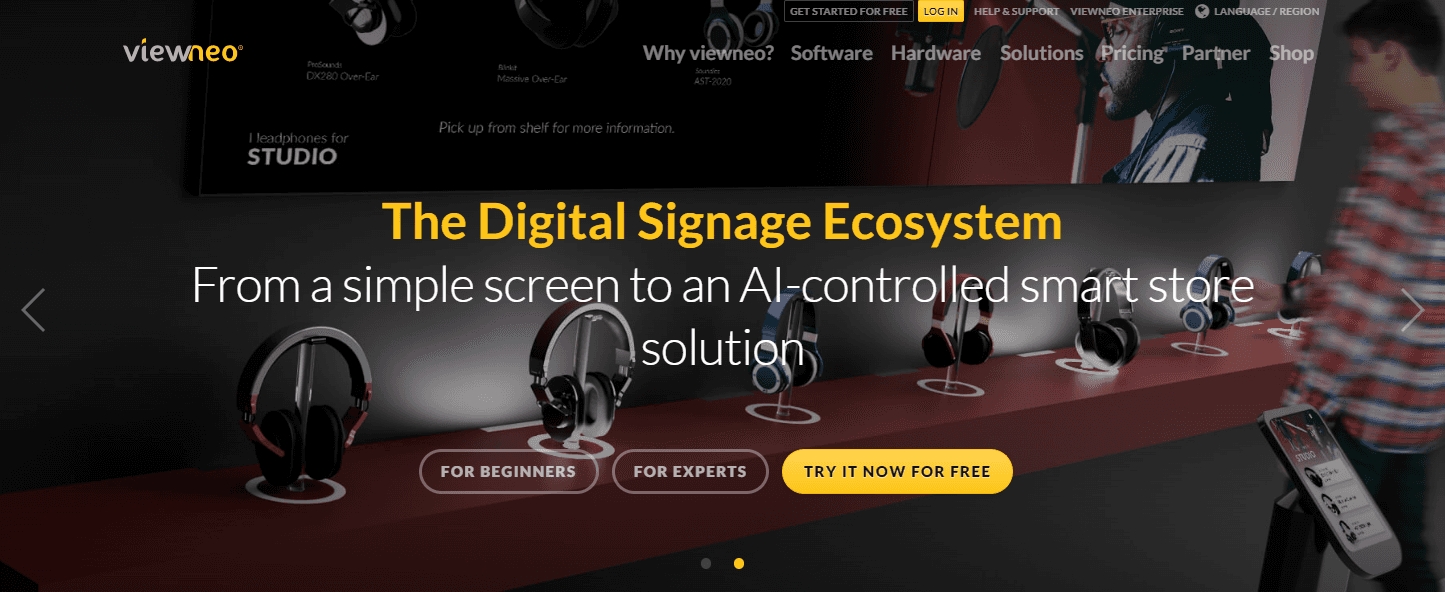
Viewneo offers a template library and several plugins including Instagram and YouTube. The company specializes in digital signage for restaurants and physical retailers. They also offer their own hardware — including a tabletop e-paper display to showcase small menus at every table, a media player, and Viewneo PWS pegs that let retailers create smart stores that automatically play content about products when a customer takes them off the shelf.
Viewneo is German-engineered and GDPR-compliant by default. Strong support presence in EU timezones. Mature platform with ~20 years in market. If your buyer is a German enterprise procurement officer who insists on an EU-based vendor, Viewneo is purpose-built for that conversation.
German mini-market operator Daniel Grüderich on Google Maps: “We are using juuno for mini markets in Germany. Great software, great team, fully recommended.” Worth comparing — Juuno serves the same European retail use cases at materially lower cost.
The trade-off: ~4× Juuno’s price. US/AU support coverage is limited compared to EU presence. UI translates from German conventions and may feel slightly different than US-centric tools. Companies looking for a simpler digital signage platform might be better off with another option.
Top features:
GDPR-first European compliance
Tabletop e-paper menu displays
Smart-shelf PWS pegs (auto-trigger content)
Instagram + YouTube plugins
Optional white labeling on Enterprise plan
Where Viewneo beats Juuno: If you’re a German enterprise procurement officer who requires an EU-based vendor with GDPR-first compliance, Viewneo is the right answer.
Where Juuno beats Viewneo: Price, faster global support, simpler self-serve onboarding. And we serve European customers (Germany, UK, Netherlands, Norway, France, and more) with full GDPR compliance.
Pricing:
Viewneo pricing starts at $21/month per screen for the Professional plan, which includes 250 GB storage, 200+ templates, offline playback, and unlimited playlists. The Enterprise plan costs $280/month plus $17 per screen, offering 2 TB storage, multi-client capability, content sharing, optional white labeling, and API access. A 30-day free trial is available.
20. TelemetryTV

TelemetryTV is an enterprise-ready platform for digital signage. It offers app integrations with Canva, YouTube, Google Drive, Office365, Slack, and Twitter. The platform is SOC 2 certified and offers user permissions and controls. TelemetryTV works with Android, Linux, Windows, and ChromeOS devices, and also offers its own operating system and hardware.
TelemetryTV is strong on kiosk and lockdown features — good for self-service kiosks and public-facing displays. Open API and SOC 2 certification appeal to IT-led buying processes. Active development cadence.
The trade-off: 2-3× Juuno’s price depending on tier. Heavier learning curve — the UI assumes you understand zones, channels, playlists, and content blocks as distinct concepts. No white-label tier suitable for SMB resellers.
Top features:
Strong kiosk and lockdown mode
Open API for custom integrations
SOC 2 certified, user permissions, group provisioning
Native Canva, YouTube, Google Drive, Office365, Slack, Twitter integrations
Multi-OS device support (Android, Linux, Windows, ChromeOS)
Where TelemetryTV beats Juuno: Kiosk lockdown features. Open API for custom integrations. IT-team-oriented tooling for organisations with dedicated technical staff.
Where Juuno beats TelemetryTV: Half the price. Easier learning curve. Better drag-and-drop for non-technical staff. White-label reseller tier.
Pricing:
TelemetryTV pricing starts at $9 per device per month for the Entry plan ($8 on annual), including 70+ apps, Canva, and playlist scheduling. Core at $15 per device per month adds API access, group permissions, and device provisioning. Elite is $16 per device per month with Proof of Play and embeddable playlists. There is also an Enterprise tier at $35 and a Network tier at $9 for ad-supported deployments.
What the 2026 market numbers actually tell you
Every article like this one opens with a market-size figure to prove signage is a big deal. Here is why you should ignore that number.
Grand View Research puts the global digital signage market at $33.6 billion in 2026, growing to $58.4 billion by 2033 at an 8.2% CAGR.
MarketsandMarkets puts the same year at $21.07 billion, reaching $30.91 billion by 2032.
Two established research firms, published within six months of each other, roughly 60% apart on the same market in the same year. That number is not going to help you choose software.
Here is the figure that will. Hardware took more than 59% of digital signage revenue in 2025.
Your signage budget is mostly screens and players. Software is the small line item. If you are agonising over $5 versus $20 per screen while quoting $400 panels, you are optimising the wrong number. That works both ways, because the player does not have to be expensive either. A $99 Amazon Signage Stick does the job that dedicated commercial players charge $300 to $800 for. For the full breakdown, see what digital signage actually costs.
Brett Kotheimer runs remote contributor studios for a national news network, which is about as unforgiving a signage environment as exists:
"Being able to manage it from anywhere is critical in a live broadcast environment. There's an affordable media player and CMS solution that can replace technology costing thousands. We found that with the Amazon Signage Stick and Juuno." - Brett Kotheimer, Broadcast Operations Manager, NewsNation
You can read how NewsNation runs twelve remote studios if you want the full setup.
I have never once had a customer switch to us because of a market forecast. They switch because the quote they got from someone else had a number in it they could not justify to their boss.
What AI actually does on a signage screen in 2026
Every vendor on this list is shipping AI, or says they are. Almost none of it will change your week.

What vendors are actually shipping
OptiSigns leads on buyer-facing AI, with text-to-signage content generation and a ChatGPT integration that is genuinely unusual at its price. NoviSign ships an AI Digital Signage Image Creator. Rise Vision sells AI as metered credits. Look ships an AI Wizard. OnSign TV went a different way entirely, with AI monitoring that watches your screens rather than making content for them. On the hardware side, BrightSign demonstrated AI object detection at ISE 2026, where the screen reacts to a customer picking up a product. Everyone else is either quiet or renaming template search.
Look at how it is sold and a pattern appears fast. OptiSigns charges $5 per screen per month for its Audience Intelligence add-on. NoviSign puts its image creator on the $26 tier, one step above the $18 entry plan. Rise Vision gives you 50 credits a month and sells more at $300 per 600 per year. AI in signage is mostly an upsell: a tier bump, an add-on, or a meter.
Which of it saves you real time
Content generation is the only category that reliably gives a small team hours back. Writing and laying out screen copy is the actual bottleneck when nobody on staff is a designer.
Audience measurement and object detection are real technology solving a problem you probably do not have. Both carry hardware requirements and privacy questions that digital signage for a cafe or a church will not want to take on.
Use this test. If the AI feature does not remove something you currently do by hand every week, it is not worth a higher per-screen price.
A marketing manager at a five-location fitness group shortlisted platforms almost entirely on the length of their AI feature lists, and picked the longest one. Six months in, the team had used exactly one AI feature, twice. What they actually needed was scheduling that handled a different class timetable per location, which had been a footnote in their evaluation. They switched, and the second selection took two hours instead of two weeks.
Where we are behind, and where we are not
We are not the AI leader here. If AI-generated content is central to how you plan to run your screens, OptiSigns is the stronger pick today.
What we have instead is an app library that makes generative AI unnecessary for the common cases, plus Canva sitting one click away, which is where most non-designer teams were already making content.
We built the AI quiz app because customers kept asking for something to fill a screen during quiet hours, not because we wanted an AI feature on the pricing page. I would rather ship one small thing people use every week than a long list nobody opens twice.
Before you pay more for AI, check whether the feature you want is a tier bump, a per-screen add-on, or a credit meter. Across the twenty platforms in this digital signage software comparison, it is almost always one of the three.
How to choose digital signage software in 2026
Pick the wrong tool and you’ll pay for it monthly for years. Here’s how to choose without doing six sales calls.
Start with screen count
Almost everyone reading this is shopping at the small end and planning for the middle. That gap is where the money leaks. You evaluate on one screen, sign on one screen, then grow into a pricing tier nobody modeled.
Theo Cossin runs signage commercially and does not pick software fast:
"I had researched out and trialled probably a dozen different solutions till I landed on Juuno." Theo Cossin, Owner/Developer, Cossin Media
Pricing economics shift dramatically based on how many screens you're running.
1–3 screens — try the cheapest with a free trial. Yodeck (free for 1 forever), OptiSigns (free up to 3), or Juuno ($5/screen, 14-day trial) all work. Cost barely matters at this scale; ease of use does.
4–20 screens: per-screen pricing is now your main cost driver. Juuno at $5/screen vs ScreenCloud at $20/screen = $60 vs $240/month at 12 screens. Pick on price + ease.
21–100 screens: the white-label tier is not a discount, it is a different product. At $100 for the first 20 screens and $5 after that, it costs the same per screen as a standard plan. What you get for it is your own brand, your own domain, and the client relationship. Buy it to resell, not to save.
100+ screens — you need fleet management, group permissions, and reliable provisioning. Test the provisioning workflow before committing. Juuno, OptiSigns, TelemetryTV all handle this well; consumer-tier tools don't. Check our white label offering for more information.
Test on your actual hardware before committing
Theo Cossin at Cossin Media has deployed signage commercially since 2016. His advice:
“A demo on the vendor’s reference setup tells you nothing. Run it on the same Onn stick or Fire TV that you’ll actually deploy.”
This is the single most-skipped step in signage buying. Not sure which apps will even install on your device? Start with our list of digital signage apps by platform.
Vendor demos run on optimized reference hardware. Your screens won’t be that. Concrete test: before committing to a multi-screen deployment, run the software for 72 hours straight on the actual hardware you’ll use, in the actual location (with the actual Wi-Fi). Idle-shutoff timers, app drops, Wi-Fi flakiness — all of these appear over 72 hours and never in a 30-minute demo.
I've seen this exact 72-hour test catch problems that a polished vendor demo never would. Idle-shutoff timers and Wi-Fi flakiness just don't show up in a 30-minute sales call.
Pick on content type, not feature checklists
What you’ll actually display drives which tool fits.
Mostly images and videos (menu boards, promotions, ambient content) — almost any tool works. Pick on price. Theo Cossin again: “Ninety-nine percent of customers just need image and video. Pick the platform that does those two things really well and gets out of the way.”
Canva-designed content — Juuno’s native Canva integration is fastest. Peter BD on Google Maps: “We use it with Canva which makes everything look great without any design headaches.”
Live data dashboards (Salesforce, Workday, internal APIs) — ScreenCloud is purpose-built for this.
Social feeds (Instagram, Facebook, X) — most platforms support these; check for the specific platforms you need.
Weather, news, scrolling tickers — NoviSign’s template library is fastest if this is most of your content.
By vertical / use case
It’s important to choose the right platform for your industry.
Here are our top picks:
Retail — fast iteration matters more than feature breadth. Juuno, OptiSigns, ScreenCloud all work; pick on price unless you need POS integration (then Displai or ScreenCloud).
Restaurants / menu boards — Juuno or DigitalMenu.TV. Goran Milic, Google Maps Local Guide: “Simple and easy, straightforward tool for restaurant signage. We love it.”
Healthcare and medical offices — patient-engagement templates matter. Spectrio (managed) or Juuno (self-serve) both work. Here's how digital signage for healthcare runs when your front desk manages the screens.
Waiting rooms (clinics, salons, service centers, churches) — the screen has to hold attention for twenty minutes without feeling repetitive. Juuno runs waiting room information screens on any TV at $5 a screen.
Hospitality — truDigital if you need a service-led franchise model for hotel digital signage; otherwise Juuno.
Education K-12 — Rise Vision (free for qualifying schools) wins on cost. Otherwise Juuno.
Churches / places of worship — most signage tools work. Juuno’s per-screen pricing and ease wins for small staff. Mitchell Weholt at New Life Church Everett: “I just know it’s going to work on Sundays.”
Gyms and fitness studios — Chris Cosens at Cosens Martial Arts on Juuno: “We use Juuno across 9 locations to run all our in-studio TV content. It saves us hours every week and has directly increased event signups by keeping promotions in front of members 24/7.”
White-label / agency reselling — Juuno’s flat $100/month reseller tier is uniquely structured for this. Both Hexx Design and Cossin Media built recurring revenue lines on it.
Video walls / command centers — Userful or Scala.
Free digital signage software: what “free” actually gets you
“Free” is the most-searched version of this question, so it’s worth answering directly instead of burying it in a comparison table.
As of 2026, two platforms in this comparison offer a plan that's free forever, not just a trial.
OptiSigns. free for up to 3 screens, with 1GB of cloud storage, 25 basic apps, and remote screen management. The catch: the OptiSigns logo stays on your screens on the free tier, and you’re capped at 3 displays and 1GB of media. Fine for testing; not something most businesses want to run permanently once they have real content to display.
Yodeck. free forever for 1 screen, with close to full feature access. The catch: Yodeck’s free tier locks you into their proprietary Raspberry Pi player. You can’t run it on a browser, Fire TV, or Amazon Signage Stick and keep the free plan.
Everyone else on this list—Juuno included—runs on a paid or trial model instead of a permanent free tier. We don't offer a forever-free plan. We'd rather be transparent about that than dress up a 14-day trial as "free." What we do offer is a 14-day free trial with full features and no credit card, and a $5/screen/month rate afterward — which for most small businesses works out cheaper over a year than "free" plans that cap screens, storage, or features low enough that you outgrow them within a few months.
What to check before you commit to a free plan:
Screen limit. Most free tiers cap you at 1–3 screens. If you're planning to add a second location, model that cost now, not after you've built your content library.
Branding. Some free plans (OptiSigns included) keep the platform's logo on your screen. Ask whether that's removable, and at what price.
Storage and file limits. 1GB sounds like a lot until you're uploading video content — check the actual cap against what you plan to display.
The upgrade path. The real cost of "free" software is what it costs once you outgrow it. A platform that's free for 1 screen but jumps to $12+/screen at scale can end up pricier than a flat-rate paid plan from day one.
If your signage need is genuinely small—testing the waters before a bigger rollout or a one-off event—OptiSigns or Yodeck's free tiers are legitimately useful, and worth trying before you spend anything. If you know you'll be running more than a couple of screens or don't want a logo watermark, it's usually cheaper in year one to just start on a low-cost paid plan like Juuno's $5/screen than to hit a free-tier wall in month three.
According to that same platform data, the average business manages just 2.1 screens. Most people weighing a free tier's screen cap are closer to that number than to the 100+ screen deployments free tiers are usually designed to funnel people out of.
Common mistakes when buying digital signage software
Based on conversations with 1,193 trial signups and 278 paid customers Juuno acquired in the last 12 months across 41 countries, these are the mistakes we see most often:
1. Buying for the wrong screen count
The number-one mistake is under-buying. Teams shop for the tool that fits 3 screens and end up needing 12 within a year. By then they’ve discovered the cheap-at-3-screens tool gets expensive at 12 screens, the basic-tier features they needed (fleet groups, role-based access, white-label sub-accounts) are gated behind enterprise tiers, and they have to migrate everything mid-flight.
Fix: model your screen count at 12 months out, not today.
Our own platform research backs this up directly. 77% of businesses run exactly one screen, and only 5% run more than five, so most buyers really are shopping at the smaller end of the range they're worried about outgrowing.
2. Underestimating content variety
The same teams who say “we’ll just display our logo and hours” end up running promotional graphics, social feeds, weather widgets, live business hours, video loops, and emergency messaging. That’s 6 content types within the first 90 days.
Fix: before signing, list every content type you’ll display in the first 6 months. Make sure your shortlist supports all of them natively.
3. Choosing on price alone for mission-critical screens
If your signage is decorative, optimize for cost. If it’s mission-critical — menu boards in a restaurant, leaderboards in a sports facility, broadcast contributor backgrounds — uptime and reliability matter more than $3/screen/month.
Fix: ask the vendor about their uptime SLA. If they don’t have one published, that’s your answer.
4. Not testing the player hardware
Theo Cossin’s first deployment at Cossin Media used Insignia Fire TV sets. The hardware itself was the problem — apps dropped to home screen, guest TV remotes interfered, idle-shutoff killed playback. The signage software was fine. He eventually switched to the Amazon Signage Stick (purpose-built for signage), and the operational headaches disappeared.
Fix: for any deployment over ~3 screens, use a purpose-built signage player — not consumer streaming sticks.
I still think Theo Cossin's story here is the clearest example in this whole guide. The software was never the problem, the consumer hardware was, and it's a mistake I see repeated constantly.
5. Confusing per-screen vs per-location vs per-user pricing
Three common pricing models look the same in a glance and are wildly different at scale: per-screen (most common — Juuno, Yodeck, OptiSigns, ScreenCloud), per-location (less common, flat fee per site), and per-user/per-seat (rare, based on dashboard logins).
Fix: confirm pricing model explicitly. Calculate total cost at 12 months out, not just the headline price.
Frequently asked questions
What is digital signage software?
Digital signage software is the cloud-based platform that lets you display, schedule, and update content on TVs and digital screens from a central dashboard — without physically touching each screen. It typically pairs with a small player device (a stick or mini-PC) connected to each TV. Common use cases: restaurant menu boards, retail promotional displays, office TV dashboards, healthcare waiting-room content, school announcements, hospitality wayfinding.
How much does digital signage software cost in 2026?
Pricing in 2026 ranges from free (single-screen tiers from Yodeck or OptiSigns) to $50+/screen/month for enterprise tools with managed services. The mid-market average is $10–$20/screen/month, with Juuno at $5/screen as the lowest among non-trial tools that still include full features and integrations. For a 10-screen deployment, expect monthly costs of: $50/month (Juuno) at the low end, $100–$200/month (Yodeck, OptiSigns) at mid-market, $200–$500+/month for enterprise (ScreenCloud, NoviSign, OnSign TV), and $1,000+/month for managed-service vendors (Spectrio, Mvix, Scala).
What's the best free digital signage software?
If "free" is non-negotiable, your honest choices in 2026 are Yodeck (free for 1 screen forever, requires Raspberry Pi player), OptiSigns (free for up to 3 screens), or Rise Vision (free for qualifying K-12 schools only). For anything beyond 1–3 screens or non-K-12 commercial use, paid tools are more reliable. Juuno's $5/screen/month is the lowest paid tier we know of that includes full features.
Which digital signage platforms have AI features in 2026?
OptiSigns leads on content generation, with text-to-signage and a ChatGPT integration. NoviSign ships an AI image creator on its $26 tier. Rise Vision meters AI with monthly credits. Look includes an AI Wizard, and Juuno includes an AI quiz app. The buying test is simple: if the AI feature does not remove a task you do by hand every week, it is not worth a higher per-screen price. Check whether it is a tier bump, an add-on, or a meter before you commit.
Do I need special hardware for digital signage?
Not strictly, you can run digital signage on any browser-capable device, including most modern smart TVs. But for reliability at scale, a dedicated signage player is recommended. Our recommended player is the Amazon Signage Stick ($99 one-time, ships globally, purpose-built for signage). It boots straight into signage software, survives power cycles, and provisions in under 60 seconds via Bluetooth. Consumer streaming sticks (Roku, regular Fire TV, Chromecast) can technically run signage but have app-drop and idle-shutoff issues that show up after a few days of running 24/7.
What's the difference between cloud-based and on-premise digital signage software?
Most vendors here, including Juuno, are cloud-based: content lives on the provider's servers, players sync over the internet, and you manage everything remotely. On-premise means your own team hosts the CMS, storage, and servers in-house—full control over data, but you own setup, maintenance, and scaling too. On-premise fits regulated industries (healthcare, finance, government), large enterprises with dedicated IT, and low-connectivity industrial sites. Look and Scala both offer on-premise licensing on request. Some organizations run a hybrid: sensitive systems on-premise, cloud tools everywhere else. It works, but adds complexity most teams don't need. A cloud platform with offline-caching players like ours covers most of the same ground more simply.
Can I use digital signage on a TV without buying a special player?
Yes. Most digital signage software (including Juuno) runs in any modern browser. Plug a computer or Chromecast into the TV, load the signage URL, and you're running. This works fine for 1–3 screens with informal monitoring. It's not recommended for mission-critical deployments because consumer hardware drops connections, runs OS updates that interrupt playback, and lacks the auto-recovery features purpose-built signage players have.
Can I display my Canva designs on digital signage screens?
Yes. Several signage platforms (Juuno, OptiSigns, NoviSign) integrate directly with Canva. You design in Canva, then assign the design to one or more screens in the signage dashboard. Updates in Canva push automatically to the screens. This is one of the most-requested workflows in 2026 because Canva covers most teams' design needs and removes the "we need a designer" friction from signage adoption.
Can I run different content on different screens?
Yes. Most software allows you to assign different playlists or schedules to specific screens or groups. This is ideal for multi-location businesses or departments that need localized messaging. Juuno groups screens by location, brand, or use case from the dashboard.
Do digital signage platforms support social media feeds?
Most platforms support Instagram, Facebook, X (Twitter), TikTok, YouTube, and LinkedIn feeds. Coverage varies — confirm with the vendor before signing if a specific platform matters to you. Common displays: live Instagram feed in a cafe, scrolling X tweets in an office, YouTube playlist as background ambient content.
What's the best digital signage software for white-label resellers?
If you're an IT agency, AV integrator, or marketing agency wanting to resell signage to your existing clients, the answer is Juuno's white-label tier — $100/month flat per reseller, unlimited end-client screens billed at your rate. Hexx Design in Battle Creek, Michigan earns 75% margin reselling Juuno to their existing IT clients. Cossin Media in Worcester, Massachusetts runs five white-label SaaS brands (including signage as "WooViu") and earns 67–80% margin per screen. No other major signage platform we know of offers a comparable flat-rate reseller model at this price.
Which industries benefit most from digital signage?
Digital signage is widely used in retail, restaurants, corporate offices, healthcare, education, hospitality, transportation, churches, gyms, and white-label reseller agencies serving local businesses. It helps improve communication, reduce printing costs, and create more engaging customer or employee experiences.
How secure is digital signage software?
Security varies by provider. Enterprise-grade platforms offer features like SSO (Single Sign-On), audit logs, user permissions, and secure data storage. Always check if your vendor is SOC 2 compliant if data protection is a priority. TelemetryTV is SOC 2 certified. ScreenCloud offers SSO and SAML. Juuno offers role-based access for white-label and team accounts.
How do you test digital signage software before buying it?
Sign up for the free trial, then run it for 72 hours on the exact player and screen you plan to deploy. Do it in the room where it will live, on that room's Wi-Fi. Idle-shutoff timers, app drops and connection failures surface over three days and never in a half-hour demo. If a vendor will not let you trial without a sales call or a setup fee, treat that as information about the product.
The shortlist (TL;DR)
If you skipped to the end, here’s the summary:
Most use cases, best balance of price + features, Juuno is the best digital signage software for small businesses: Juuno ($5/screen/month, 14-day trial, no card).
Free for 1 screen forever (Raspberry Pi): Yodeck.
Free for up to 3 screens: OptiSigns.
Enterprise with Salesforce/Workday/SSO needs: ScreenCloud.
Android-heavy fleet: OptiSigns.
Education K-12 (free for qualifying schools): Rise Vision.
Fully managed retail / multi-location: Spectrio.
Video walls / command centers: Userful.
White-label reselling: Juuno’s $100/month reseller tier.
And from Peter BD on Google Maps, who put it better than we could:
“Finally, digital signage that just works! … If you’re running a cafe, office or any kind of business with screens, don’t overthink it. Juuno is the one.”
Try Juuno free for 14 days. No credit card. Full features. All integrations. White-label tier available if you’re an agency. Start your free trial.


Matt leads Juuno's frontend — including the browser-based architecture that lets any smart TV become a digital sign without a media player. Full-stack developer with 10+ years building websites, mobile apps, and games. Obsessive about animation, typography, and interaction states — the details you notice only when they're missing. In his words: "Technology has my head, but design and movement have my heart." Also writes for the Juuno blog. Based in Brisbane.
